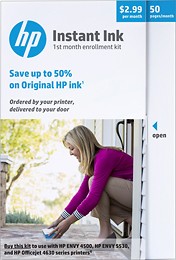
A:AnswerThey have various programs. Depending on how much you print. If you do a lot of photos then its a great deal. The ink lasts a very long time. they monitor you and send ink before you run out. They will only send the cartridges you need. If only yellow runs out then that is all they send. It saves them ink. you can go into your account and increase or decrease your usage. on average its 9.99/m but you can go down to as little as 2.50 if for some reason you are not printing that month. You need to do this on your own via the website.
A:AnswerI think you can but you should contact customer service. You need to have the printer hooked up to the internet either by ethernet or wifi. They remotely monitor you and will claim what ink you have in it and send you a new one once that is empty. The ink in the cartridges they send you lasts a very long time.
A:Answerwere they mailed to you or you purchased some on your own? if they sent them then call customer service. They are very helpful. Is your printer hooked up to the internet or wifi? if not the ink will be rejected.
A:AnswerNo. It isn't compatible with your printer. Only HP Envy: 4511, 4512, 4513, 4520, 4522, 4523, 4524.
Hp Envy 5055 is compatible with: HP 65 Tri-color Ink Cartridge. Hope this helps.
A:AnswerIt should work on any of the HP printers. You pick the plan according to the amount you estimate printing a month. You can change your plan at any time and cancel at any time. You can buy the HP ink card at Best Buy or I think also on Best Buy website.
A:AnswerIf you go onto the the HP instant ink website or HP smart app you can choose the plan you would want to send you ink. They send you ink as soon as the printer detects the ink is low.