Questions & Answers
- Model:
- 7KW75A#BGJ M283FDW
- |
- SKU:
- 6401096
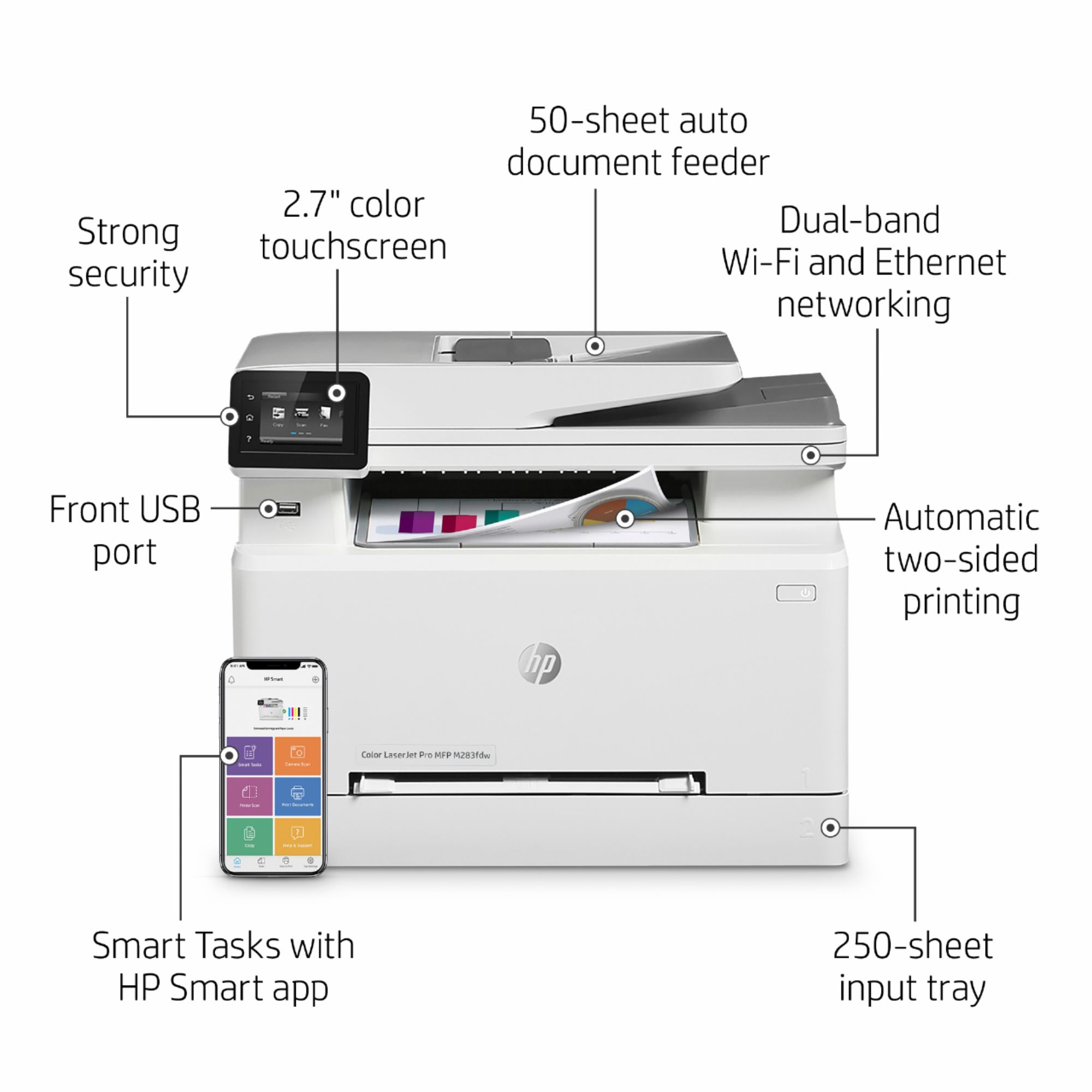
Q: QuestionDoes this printer come with? a second tray for legal paper
Asked by Dee.
- A:Answer No it does not come with that
Answered by S4powerpack
Q: QuestionIs this compatible with macOS BigSur 11.2.3?
Asked by Mobl.
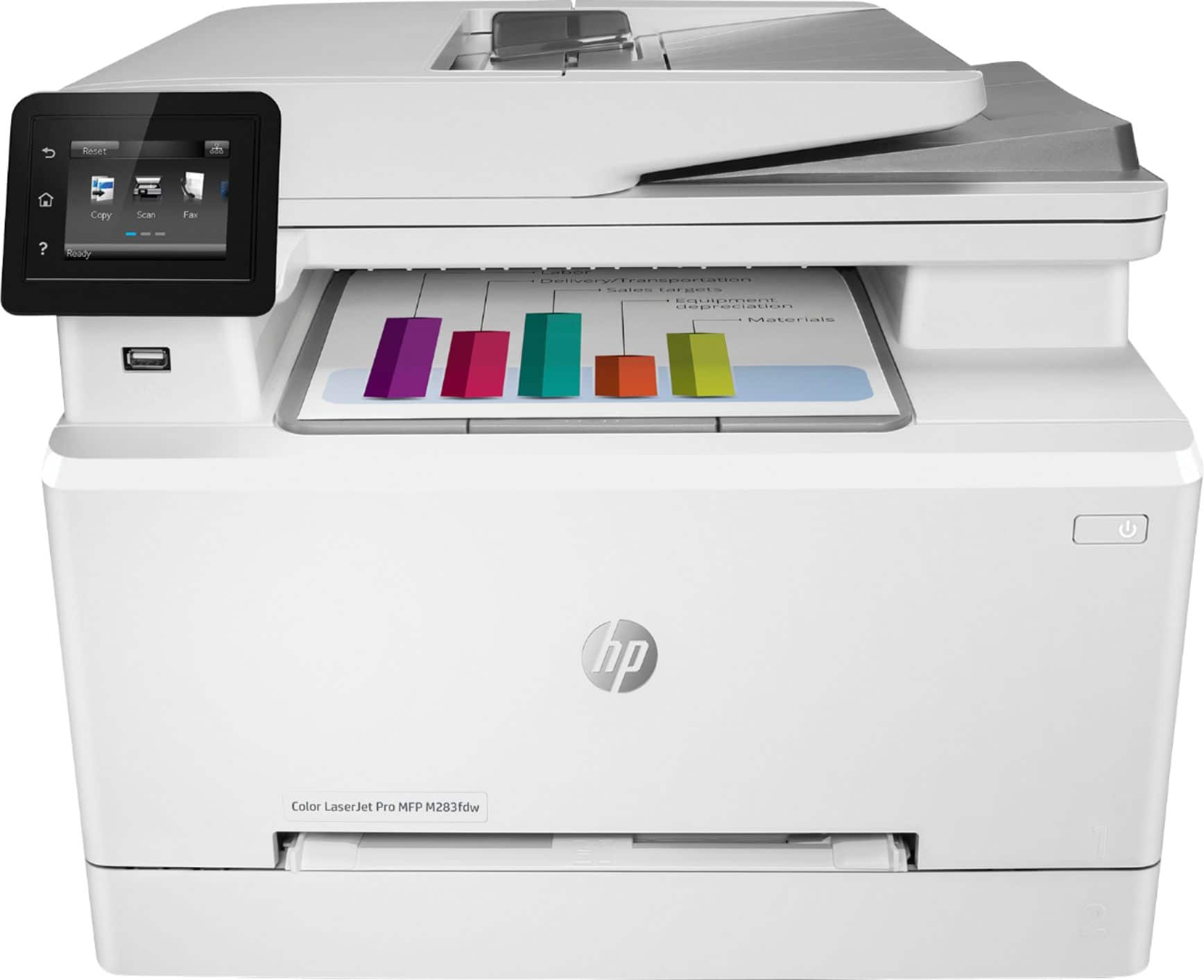
- A:Answer Yes, it is. I am completely in the Apple Ecosystem, with a few PC's on the home network as well. The Printer is centrally located in my house, and it is connected wirelessly to the network. I installed HP Smart software to setup the drivers on each Mac, iPhone, iPad and PC in the network, even though I don't think is needed. Apple mobile devices use AirPrint, and MacOS can find the Bonjour printer on the network from 'Printers & Scanners' on the System Preferences panel. Pro Tip: the HP Smart software makes setup a cinch. All my devices are running the latest Apple iOS (14.4.2) and MacOS(11.2.3) versions as of this writing. Awesome printer, but if you do a lot of printing, it goes through toner very quickly (800-1000 pgs. per toner - standard). XL toners double that amount.
Answered by GearRex
Q: QuestionIf printing double sided, do I need to manually reload the pages for the other side to print like on my laser jet 1001nw, or does this happen by itself?
Asked by Jared.
- A:Answer No. This product prints double sided on its own and works nicely. Simply choose the double sided print option within print settings and away you go.
Answered by MrGdubb
Q: QuestionCan the printer print on legal size paper?
Asked by Steph.
- A:Answer Hi Steph. Yes the HP LaserJet Pro M283fdw can print on 8.5x14" legal sized paper.
Answered by HP Team

Q: QuestionDoes this work with both MacBook Pro and a Windows PC simultaneously?
Asked by OceanFairy.
- A:Answer Yes, if both systems are on the same WiFi network, it works great. I have both Macs and Windows systems on my home WiFi network.
Answered by champ198
Q: QuestionWill this printer/fax work well for high volume use for a business?
Asked by Business.
- A:Answer Yes. No problems.
Answered by Connielu
Q: QuestionIs there a warning that indicates toner is low?
Asked by Harry.
- A:Answer No, I contacted HP and there is now Low Ink Alert.
Answered by Anonymous
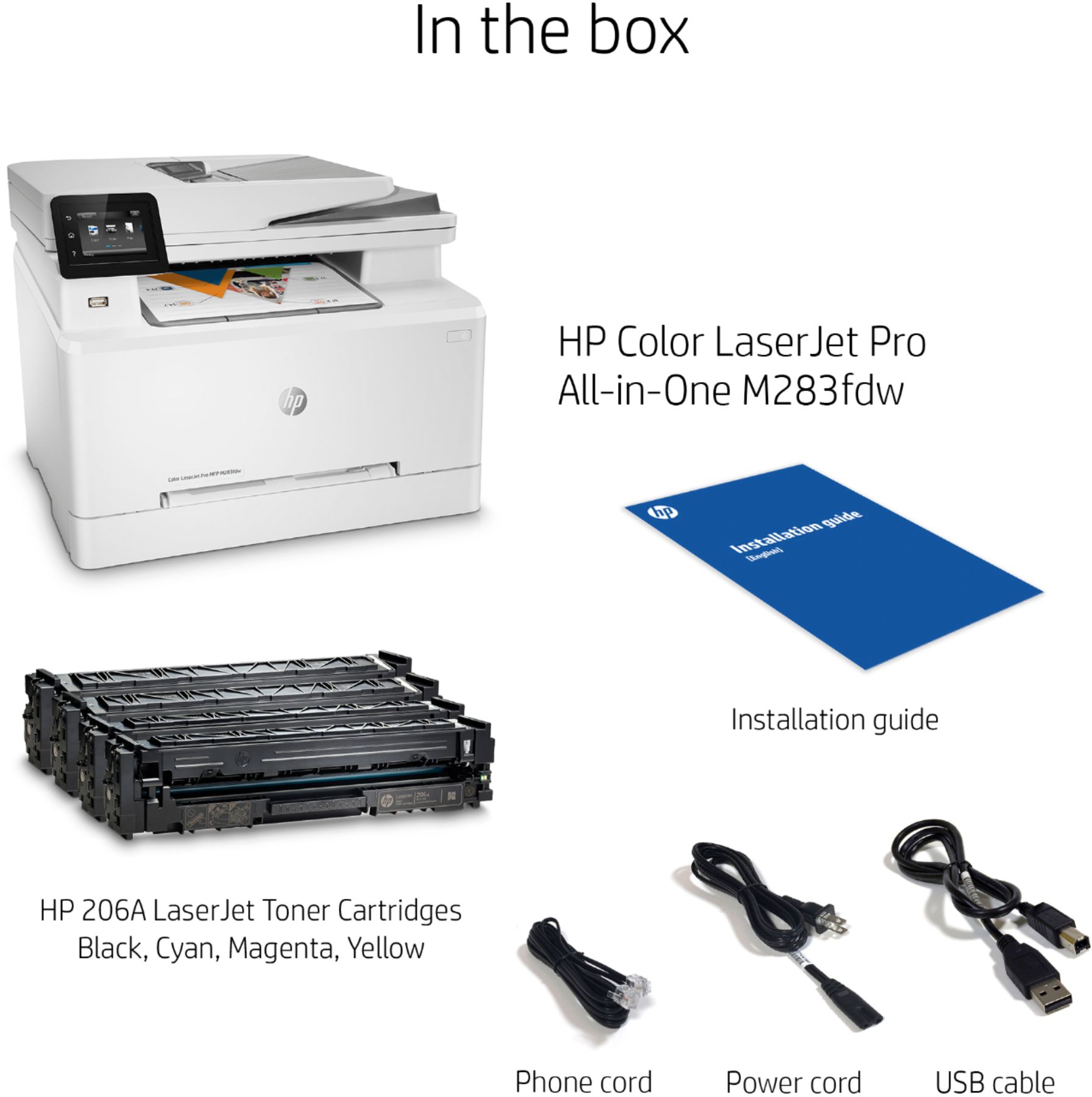
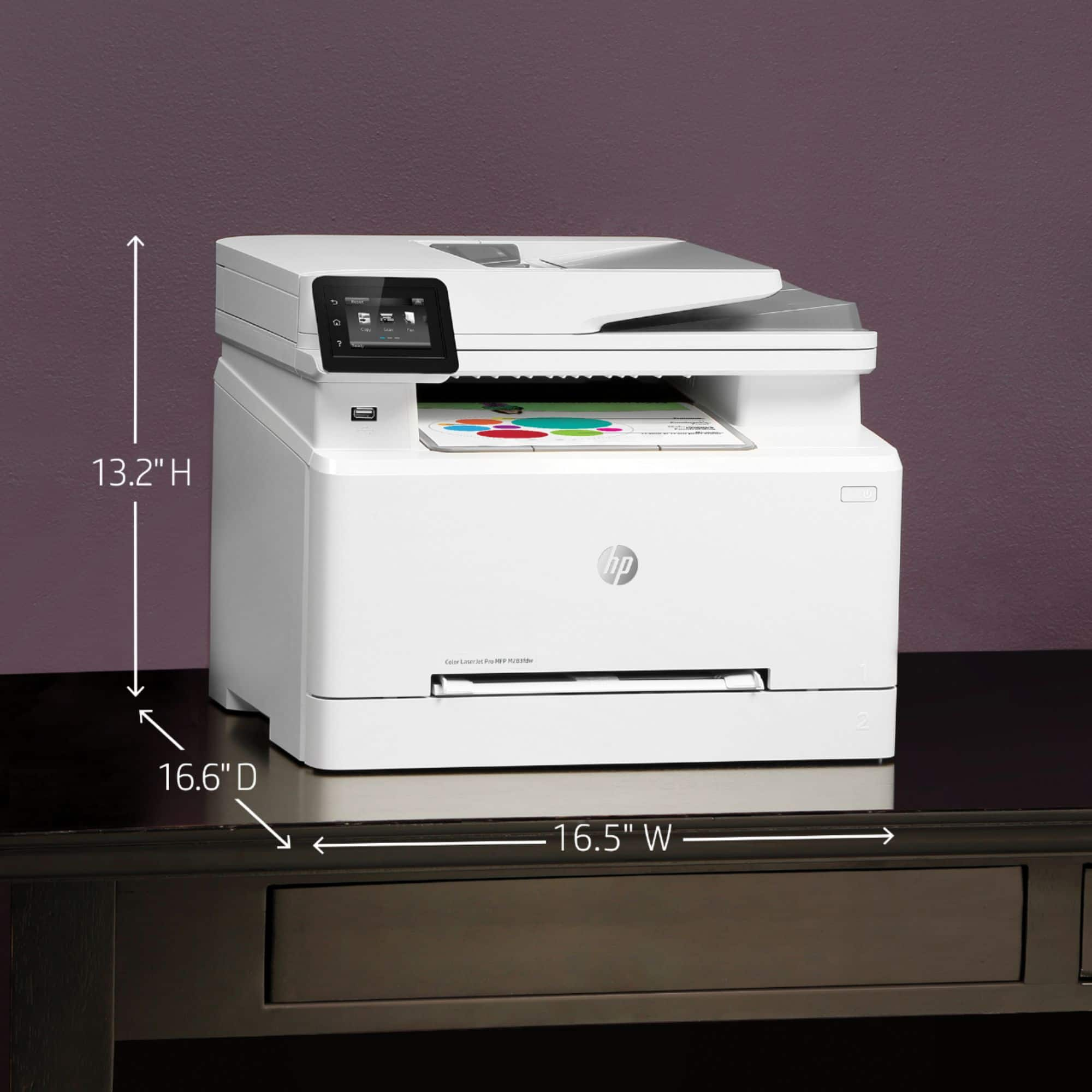
Q: QuestionHow long is the power cord? What is the thickness of the power cord(planning to run it under a door)?
Asked by Reviewer.
- A:Answer About 4 feet
Answered by powerplayer
Q: QuestionCan I print in black only on this printer if I want to?
Asked by Liz.
- A:Answer You sure can. A great feature!
Answered by Bookkeeper
Q: QuestionWhen the M283fdw is installed on a LAN by Ethernet will the printer print from both Windows 10 and Mac operating systems?
Asked by conflictedoperatingsystems.
- A:Answer It works on all os and also can print what you email to the hpeprint email.
Answered by TivoUser
Q: QuestionDoes the HP - LaserJet Pro M283fdw print, scan, copy and fax?
Asked by LaserGal.
- A:Answer Yes
Answered by powerplayer
Q: QuestionDoes this printer print on waterslide paper?
Asked by MsThomas.
- A:Answer If the paper is designed specifically for a laser printer, it should work fine. Paper designed for an inkjet printer will not work with it.
Answered by HP Team

Q: QuestionHow heavy a cardstock does it handle?
Asked by Chet.
- A:Answer Hello, Chet. The HP Color LaserJet Pro MFP M283fdw printer can only handle the following media weights: 16 to 43 lb (Uncoated/Matte, recommended), however up to 47 lb Postcards and 53 lb HP Matte is allowed in the driver; 16 to 43 lb (Coated/Glossy, recommended), however up to 47 lb Postcards and 59 lb HP Glossy is allowed in the driver.
Answered by HP Team

Q: QuestionDoes this printer work with legal size paper?
Asked by Manc83.
- A:Answer Yes
Answered by Sarah
Q: QuestionWill the paper tray hold legal size paper? 8 1/2 X 14 inch paper?
Asked by GoLonnieGo.
- A:Answer No
Answered by HHal
Q: QuestionCan i use compatible cartridges' from amazon or ebay, or i have to use legitim cartridges from HP
Asked by Anonymous.
- A:Answer I just posted a poor review of the printer that's related this very question you've asked. HP just recently (in the last few months) provided printer software updates to all printers, under a "security update" banner. Unfortunately, I had non-HP branded ink (A-MAZING ink from Amazon, for $50!) and after the update, my printer completely locked up with an "ink supply error" message. I received a wonderful message form the ink supplier on Amazon offering a workaround, but it seems HP has thought of everything and has made it VERY VERY difficult to install any previous software version. My printer is still locked up, a month later. They actually took the previous software version off of their website, so people can't revert back. I WOULD NOT BUY an HP printer if I had it to do over again. HP made such a sneaky move, and will not get better. Their branded ink for these printers runs $400-$500 for a full supply... and they obviously don't care about the consumer.
Answered by Anne
Q: QuestionCost of cartridges?
Asked by Anonymous.
- A:Answer Hello. Thanks for your question. We recommend searching for HP 206A toner series on Best Buy's website for the most current prices. There are four colors: black, cyan, magenta, and yellow. You also have the option for high yield toners that will last longer than the regular toners. That is the HP 206X high yield toners.
Answered by HP Team

Q: QuestionNo power to the printer. No display on display panel. Got power from outlet, power cable is good. What are possible solutions?
Asked by Deric.
- A:Answer Hi, Deric. We recommend trying to unplug the printer from the wall for 30 seconds. Then, plug it back in and power on the printer. If you need further troubleshooting, visit https://support.hp.com
Answered by HP Team

Q: QuestionCan the printer be configured to print only in black and white?
Asked by James.
- A:Answer Hello, James. Yes, you can choose to print in black and white with this printer.
Answered by HP Team

Q: QuestionDoes this printer work with Mac Big Sur Operating Sysytem?
Asked by Ed.
- A:Answer Yes and No. It can be coaxed to print with a lot of tweaking (mainly power cycling the printer, maybe reboot computer) but it has never been smooth for me.
Answered by BringSteveBack
Best-selling color laser printers
- $539.99Your price for this item is $539.99
- $569.99Your price for this item is $569.99
- $416.99Your price for this item is $416.99$479.99The comparable value for this item is $479.99
- $324.99Your price for this item is $324.99$432.99The comparable value for this item is $432.99
- $759.99Your price for this item is $759.99$859.99The comparable value for this item is $859.99
- $344.98Your price for this item is $344.98$344.99The comparable value for this item is $344.99
- $414.99Your price for this item is $414.99$486.99The comparable value for this item is $486.99
- $554.99Your price for this item is $554.99$702.99The comparable value for this item is $702.99
- $459.98Your price for this item is $459.98$459.99The comparable value for this item is $459.99
- $299.99Your price for this item is $299.99$378.99The comparable value for this item is $378.99
- $638.90Your price for this item is $638.90$639.99The comparable value for this item is $639.99
- $399.99Your price for this item is $399.99
- $549.99Your price for this item is $549.99$699.99The comparable value for this item is $699.99
- $512.99Your price for this item is $512.99$549.99The comparable value for this item is $549.99
- $739.99Your price for this item is $739.99$859.99The comparable value for this item is $859.99
- $702.99Your price for this item is $702.99
- $519.99Your price for this item is $519.99$669.99The comparable value for this item is $669.99
- $592.24Your price for this item is $592.24$729.99The comparable value for this item is $729.99
- $316.42Your price for this item is $316.42$336.22The comparable value for this item is $336.22