Questions & Answers
- Model:
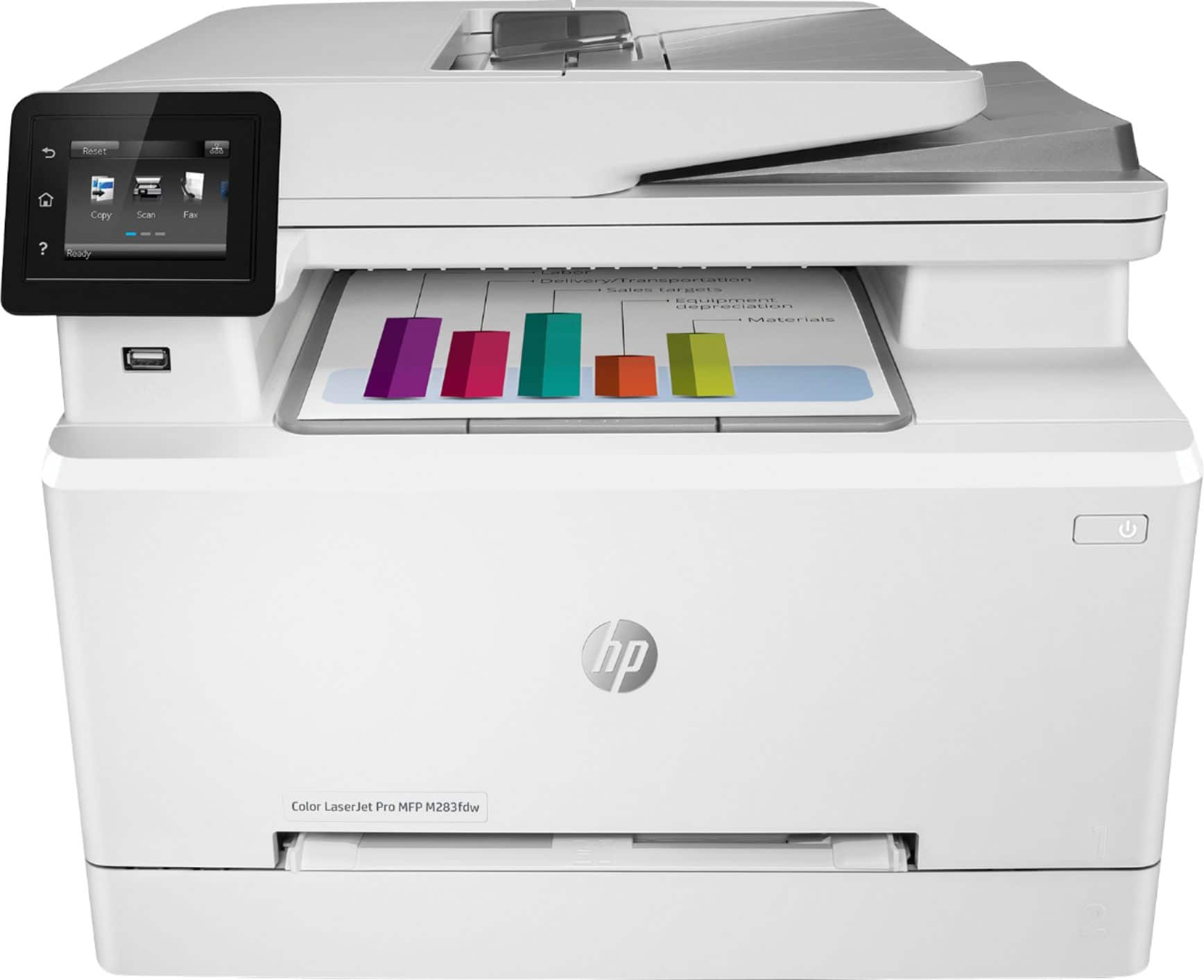
- 7KW75A#BGJ M283FDW
- |
- SKU:
- 6401096
Q: QuestionI see in the specifications that it does not have a memory expansion slot. How much internal memory does it have?
Asked by Bubba.
- A:Answer The HP Color LaserJet Pro MFP M283fdw printer has 256 megabytes (mb) of memory.
Answered by HP Team

Q: QuestionDoes this printer accommodate 11x17 or 13x19 media and if not, which one does? The 13x19 is not necessary but would be nice to have! Thank you!
Asked by DRH658.
- A:Answer This model only will accommodate letter and legal (8.5x14)
Answered by Roadwarrior
Q: QuestionHow do you copy / scan legal size documents?
Asked by Anonymous.
- A:Answer When you select copy or scan in the menu from "HP Smart" there is an option to select document size. The options includes legal size.
Answered by KitcheAidDishwasher
Q: QuestionAre you able to fax with this printer?
Asked by Woody.
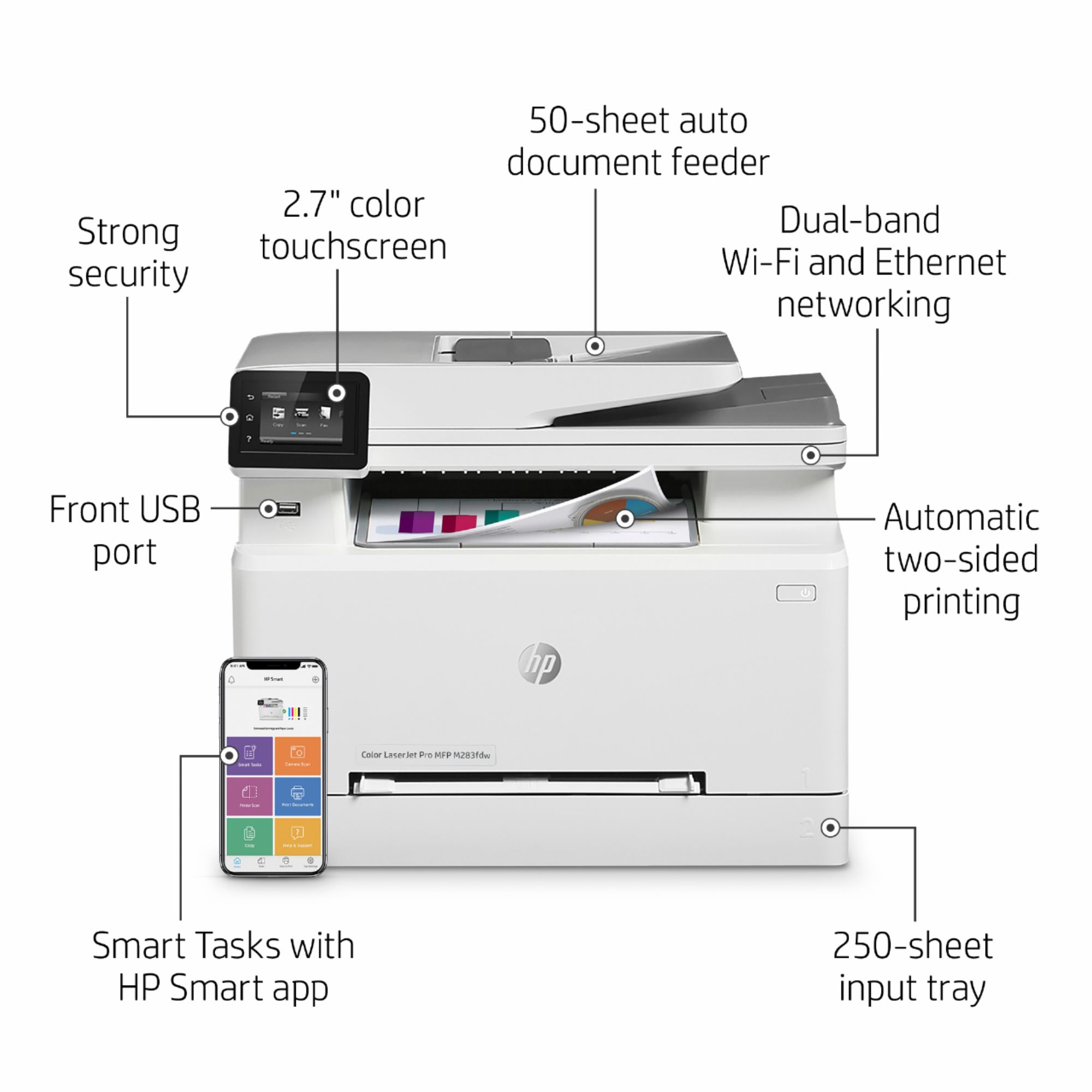
- A:Answer Hello. Thanks for your question. You can send and receive faxes with this HP Color LaserJet Pro MFP M283fdw printer.
Answered by HP Team

Q: QuestionDoes this print from an IOS device via airprint or do you have to use the hp app
Asked by MrGadget.
- A:Answer This printer will support Apple AiPrint.
Answered by HP Team

Q: QuestionCan you scan to desktop as PDF format?
Asked by anonymous.
- A:Answer Yes, the HP Color LaserJet Pro M283fdw lets you scan to a pdf format.
Answered by HP Team

Q: QuestionCan you scan multiple pages from the document feeder?
Asked by Scanning.
- A:Answer Yes you can. The automatic document feeder holds 50 pages for copies, scans or faxes.
Answered by HP Team

Q: Questionwhat are the differences in function between M281Fdw and M283fdw
Asked by chris.
- A:Answer I can't really tell you. One of my business partners got the M281 and recommended it to me. But by the time I went to purchase it, the M281 was no longer available. I was told that the M283 is essentially the same machine but it is a newer version of the M281. Whether that is true or not, I have no idea. Comparing notes with my business partner, I have not been able to discern any functional difference. However, I have not had occasion to question my purchase as the M283 has been fine and is meeting my expectations. Sorry I can't be of more assistance.
Answered by HawaiiLawyer
Q: QuestionCan we print on 80 lb paper ? And how much each cartridge cost ?
Asked by Anonymous.
- A:Answer Hello. Thanks for your question. This HP Color LaserJet Pro MFP M283fdw printer supports the following media weights: 16 to 43 lb (Uncoated/Matte, recommended), however up to 47 lb Postcards and 53 lb HP Matte is allowed in the driver; 16 to 43 lb (Coated/Glossy, recommended), however up to 47 lb Postcards and 59 lb HP Glossy is allowed in the driver. We recommend looking at the current cost of the HP 206A or 206X toner on Best Buy's website. The HP 206X toner would last longer.
Answered by HP Team

Q: QuestionHello, could anyone tell me what is the main difference between this printer and the M479fdw? Thank you.
Asked by Patrick.
- A:Answer Here are the differences: Printer M283fdw M479fdw Speed 13 ppm ISO 25 ppm ISO Multipurpose Tray 1 1 sheet 50 sheets Main Paper Tray 2 250 sheets 250 sheets Duplex (2 sided scanning) No Yes - single pass Pantone Calibration No Yes USB Job Storage with PIN No Yes
Answered by HP Team

Q: QuestionHi! Does this item Duplex??
Asked by LizzyBooBoo.
- A:Answer Yes. It will print double-sided if you select that option.
Answered by markboog
Q: QuestionOne more question, does the printer also print in black & white?
Asked by Flicker.
- A:Answer Yes, it can print in just black and white.
Answered by markboog
Q: QuestionCan I print on canvas?
Asked by Vic.
- A:Answer Definitely not - no way to feed canvas in to the printer.
Answered by DJLBOSTON
Q: Question11 by 17?
Asked by Anonymous.
- A:Answer this will do up to 8.5x14 inch paper. To do 11x17, you'd need the OfficeJet Pro 7740 Wide Format. https://www.bestbuy.com/site/hp-officejet-pro-7740-wireless-all-in-one-inkjet-printer-white/5536900.p?skuId=5536900 There are laser printers that can handle 11x17 paper, they're considered specialty items and are quite expensive.
Answered by HP Team

Q: QuestionHow do I resolve the smtp issue I keep getting a error when trying to scan to my email I keep getting a cannot resolve the smtp server
Asked by Anonymous.
- A:Answer Thank you for your question, White! I am sorry about this issue that you are having with the printer communicating with your mail server. The first step would be to check the SMTP settings on the server and compare them with the settings stored in the printer. Additionally, is the printer connected to a network that has internet access? A printer connected via USB will not be able to use any internet-enabled features: The printer would need to be connected to a router via either wi-fi or ethernet and be assigned an IP address by that router.
Answered by HP Team

Q: QuestionIs this printer compatible with iMac?
Asked by Meliz.
- A:Answer Yes, it's compatible with any recent iMac.
Answered by HP Team

Q: QuestionDoes this work with MAC Ventura?
Asked by Anonymous.
- A:Answer Yes, the LaserJet Pro M283fdw printer is compatible with the macOS Ventura.
Answered by HP Team

Q: QuestionCan this HP Laser Printer accept 80 lb cover sheet and will it print glossy
Asked by YourroyalNest.
- A:Answer Hello, the Laserjet Pro M283fdw specifications for Media weight, supported are: 16 to 43 lb (Uncoated/Matte, recommended), however up to 47 lb Postcards and 53 lb HP Matte is allowed in the driver; 16 to 43 lb (Coated/Glossy, recommended), however up to 47 lb Postcards and 59 lb HP Glossy is allowed in the driver. Thank you for being an HP customer!
Answered by HP Team

Q: Questionis this printer eligible for instant ink?
Asked by strtcop.
- A:Answer Hello. Thanks for your question. Unfortunately, this HP Laserjet Pro m283fdw printer does not qualify for HP Instant Ink.
Answered by HP Team

Q: QuestionWhen will this be back in stock?
Asked by Anonymous.
- A:Answer It’s back in stock now. I googled for a day and found it on Best Buy. Was easy transaction
Answered by BigSal1
Most-viewed items
- $439.00$439.00The price was $539.00
- $319.99$319.99The price was $399.99
- $659.99$659.99The price was $859.00
- $284.98$284.98The price was $319.48
- $539.99$539.99The price was $639.99
- $299.99$299.99The price was $378.99
- $529.99$529.99The price was $699.99
- $449.99$449.99The price was $649.93
- $419.00$419.00The price was $429.99
- $509.99$509.99The price was $669.99