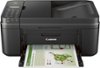
“Cannot print wirelessly or through USB!? I set it up via USB 1st (which I think was a mistake), installed drivers/software connected to network, laptop finds it, but cannot print wirelessly or through USB? Uninstalled, reinstalled over and over. I'm stumped and exhausted and out of ideas. I can print anything that is printable and the EWS or online control center, but not wirelessly through laptop.”
Answer This Question
1-3 of 3 Answers
Did you set up the Wi-Fi on the printer? If not, you'll have to set that up on the printer's control panel and enter the Wi-Fi password.
Sorry, there was a problem. Please try again later.As a P.S. to the 1st answer, check out this very recent review of the Canon model that also mentions connecting to wifi after installing via USB by pushing a button on the router...something I'd never think to try! http://www.digitaltrends.com/printer-reviews/canon-pixma-mx492-review/ Hope this helps...
Sorry, there was a problem. Please try again later.Suggest you return it and start over installing via wifi. Or you may be better off getting the Canon PIXMA MX 492 all-in-one which is on sale for less than the HP and doesn't do all the wireless background stuff this HP may be doing (downloading software updates, email acct., Printables, etc.) that may be causing your problems. The models seem to be fairly similar otherwise- and the Canon may use less ink, is a little smaller, and weighs less. It also comes in white :) Good luck.
I would recommend:
Sorry, there was a problem. Please try again later.