“I want to temporarily take linux for a spin on this pc. I'm just wondering how you can temporarily boot from usb on this pc.”
Answer This Question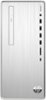
1-1 of 1 Answer
Hello and thanks for your question. You can get various versions of Linux that can boot from a USB flash drive. After you do this, you can enter the bios on your computer by turning it on from the off position, and pressing the F10 key to enter the BIOS settings. You can select to boot from USB first and then save this setting. Then you can reboot with your flash drive plugged in and use Linux!
Sorry, there was a problem. Please try again later.