1-6 of 6 Answers
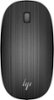
Pull upwards and forward from the back. Little tricky, but it will come off with enough pressure.
Sorry, there was a problem. Please try again later.The entire top of the mouse is removal where there are the two battery crevices.
Sorry, there was a problem. Please try again later.You can pull up the top cover of the device with your fingers. There are magnets holding the cover, you may force the back part (on the HP logo) to detach it.
Sorry, there was a problem. Please try again later.While holding the base with one hand, use your other hand to lift up the rear of the top piece until it snaps then slide the top forward.
Sorry, there was a problem. Please try again later.I recently changed the battery, and like you, was baffled at first as to where it is located and how to get to it. Check out YouTube where you should find multiple videos on to get the little plastic "tray' out that holds the re-chargeable battery in it. It's a pain to pry out, but a snap to put back in. Be careful to put the new rechargeable battery into the tray facing the right direction - the videos will show you. And NEVER use a NON-rechargeable battery in it. You can damage it. The rechargeable batteries are available at Amazon if you haven't already purchased one. I haven't been able to locate them locally, and the Logitech website is always sold out.
Sorry, there was a problem. Please try again later.The batteries are located on the bottom.
Sorry, there was a problem. Please try again later.