“This was my first PC extremely excited when I bought it and when I got home no DVD drive no internet even though one of the first comments said it came with a wifi adapter I need help on how to exactly install this drive and set up internet.”
Answer This Question
1-5 of 5 Answers
To get the drivers and install them off the Internet, then you'll need to connect this computer directly to your modem/router her. Then you can download the drivers needed for the Wi-Fi adapter and should be good to go.
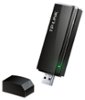
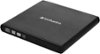
Sorry, there was a problem. Please try again later.This computer doesn't come with a wireless network adapter. You can purchase one from Best Buy and it can plug into the Ethernet port for wireless connection. This is built for gaming and only noobs game over wifi. Best Buy also sells dvd and blue ray drives that work through USB. If you connect through Ethernet cable to Internet you can download all the updated drivers.
Sorry, there was a problem. Please try again later.if you have a laptop you can download it there and use a usb to transfer it over. Thats what i had to do or you can put it where near the router and run a LAN line to setup real quick then move it back to where ever you had it
Sorry, there was a problem. Please try again later.Ok so this is quite the loaded question to answer on this forum but... All you would have to do is is purchase what you need and YouTube a video for the walk through. It is very easy dont worry... Might want to go external on the dvd drive seeing that the front panel has no hole to access the drive... Think about how you access your media. If you use steam or origin you are going to mostly download your games directly to the hard drive.
I would recommend:
Sorry, there was a problem. Please try again later.well it is obvius that there is no dvd drive , just buy a external one. with interent, go buy a wifi adapter that's a usb
Sorry, there was a problem. Please try again later.