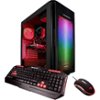
“I got this computer a few weeks ago. and some games don't run as smooth as people say on here. Maybe it's my monitor? Idk if that'll give me less fps. But squad, arma, and player unknown all can't play on ultra. I have a widescreen monitor.”
Answer This Question
1-8 of 8 Answers
Make sure you connected your HDMI to your graphics card and not your I/O for the motherboard. I was running 35 FPS on CS:GO on max settings, when I realized a 1060 should be able to run way more. I figured I didn't connect my HDMI to the GPU, and instead had connected it to the motherboard. Now I get 280+ FPS on CS:GO.
Sorry, there was a problem. Please try again later.I'm having the same problem. My graphics card dosent have an hdmi port tho? Just dvi d
Sorry, there was a problem. Please try again later.I purchased the 1080 version,and this thing absolutely smokes ever game I have...Players unknown,Battlefield 1,Battlefront,and Battlefront 2 <---Alpha beta btw. ftw..absolutely stunning graphics.Players Uknown I am running around 120-130 fps in every environment on ULTRA.
Sorry, there was a problem. Please try again later.i have this one too...the video card is a 1060 3gig card and while games will run on ultra some will not run smoothly due to this card not being a 1060ti with the 6gig video ram.i am updating my card to a 1660ti or 2060 nvidia card,that should run all games on ultra.
Sorry, there was a problem. Please try again later.I have this computer too. If you want to play games in ultra then buy a better gpu. You would need a very good computer to play everything on ultra and it still run perfect.
Sorry, there was a problem. Please try again later.Player unknowns game isn't optimized quite yet so running on ultra may not be ideal. Myself for that game i run everything on ultra except for the foliage and shadows i have set at very low and the graphics texture as high. Not sure what the issues is with arma 3 but i run a blended system of high and ultra on that game. Never played squad.
Sorry, there was a problem. Please try again later.For people who are still stuck or will be in the future! I got this setup almost a year now & when I first got it, I had the same issue. The problem is, there are couple places where you can plug in. The first one is vertical, which is the default one. Don't plug into that one because it can't support the games. Its the one that I circled. If you don't have HDMI is fine because it also supports DVI. You just need to plug your HDMI or DVI cable where I circled. Everything else can stay plugged into the default area. Which is where I crossed out.
I would recommend:
Sorry, there was a problem. Please try again later.Nothing will run PUBG on ultra. Not the system in that case it's the game. All but view distance needs to be set to low. You could have an Area 51 with 2 Titan X's and not run that game on ultra. They just haven't cleaned the game up enough. Also display is literally that a display. It can only display the image will have no effect on your fps. Try adjusting your settings in PUBG as far as the other game I don't personally play it. I do know everyone in the PUBG world plays with these settings without a problem besides server side issues like desync. Hope this helps.
Sorry, there was a problem. Please try again later.