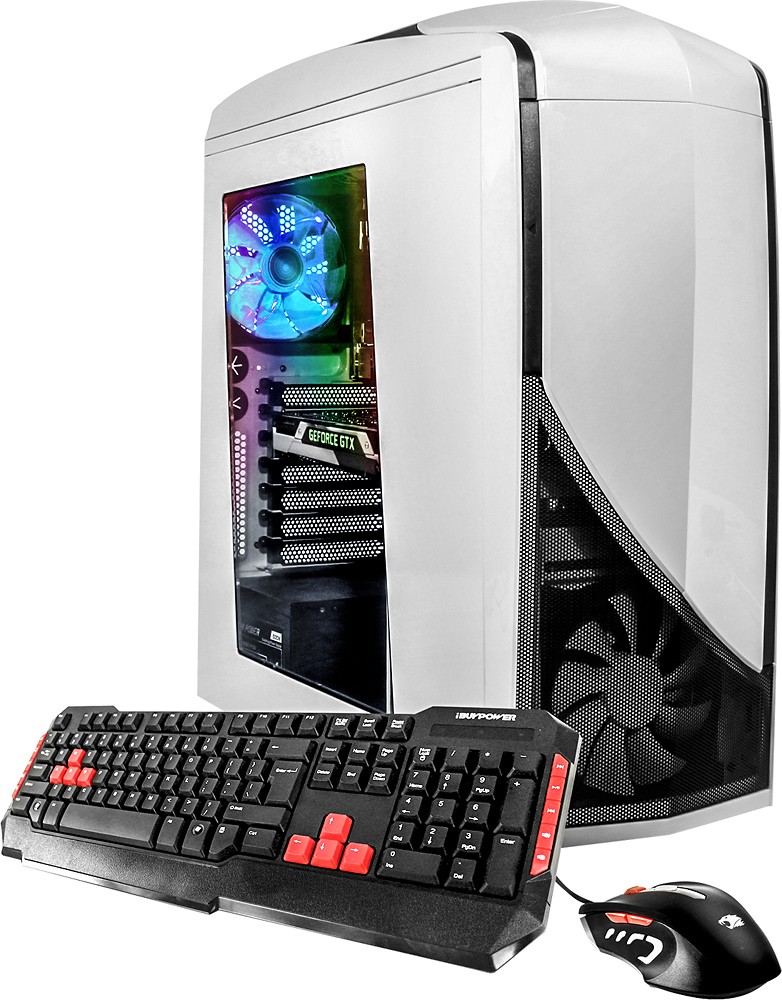
A:AnswerHello TheYinYang, included is a 600W power supply with a standard cooler.
If you have any further questions, please feel free to contact our tech support team at 888-618-6040. Thank you!
A:AnswerWay more than enough!!! Its actually more than you need. 1920x1080 high definition screen has 2,073,600 pixels. After a video card resolves a single frame of lets say a 100 frames per second rate, it would require about 2 megabyte to store that frame, or 200 megabyte to store 100 frames for the next 1 second. For 1980X1080 play, 2 GB (which is 2000 megabyte) is more than enough video memory before using the DDR3 or DDR4 on the motherboard, 2 GB could conceivably store 10 seconds worth of frames. The video card does not generally process frames except for the here and now since the future frames needed are not predictable in a moving game matrix. If you were to consider 1920X1080 as 100% use of a video card's capability, then using 1280X720 requires only 44.4% because its only 921,600 pixels. Many casual gamers with less expensive computers and video cards play at 1280X720 and send that resolution to a 1980X1080 monitor. The monitor has a native resolution and it will resolve the 1280X720 data to fill the 1920X1080 screen, This works particularly well with monitors that are 24" diagonal measure and smaller. The lower resolution gives the gamer a higher frame rate (and quicker response, although practice counts for the most), while still enjoying a larger monitor with plenty of detail. In the 1990's we used 640X480 on our monitors. By 2001 we were up to 800X600, then in 2006 or thereabouts we began to drop 4X3 and 5X4 monitors in favor of larger, more highly detailed LCD's at 1280X720, then 1600X900 and finally 1920X1080. This made watching movies on a monitor a more pleasant experience and also gave a better horizontal 3D effect (we produce 3D in our minds when the data we look at is sufficient for our minds to resolve in 3D). Viewing 1920X1080 from 2.5 ft away is really overkill and 4K is super overkill. Most 4K converts get really big monitors and then find they have to sit back 4-5 feet to take it all in and process it. Your operating system only occupies about 512 megabyte, leaving 7.5 gigabyte for a system that needs 2 GB at 1920X1080.
A:AnswerThe motherboard has 4 slots for DDR4 SDRAM, and only one is occupied, so it should be no problem at all to fill the remaining three to get 32GB total.
A:AnswerHello Oculux and thanks for your question. The motherboard that is provided in this desktop model PC does not support SLI and will not be able to hold any additional graphics cards. If you have any other questions, please feel free to reach out to our tech support at 888-618-6040. Thanks!