Black Friday is hereShop new DoorbustersShop now

Main Content

Questions & Answers

Your price for this item is $34.99
Clearance
The comparable value price is $69.99
Page Showing 1-13 of 13 questions
  • QuestionWill this work with ps4?

    Asked by Helpme.

    • Answer Yes. For the PlayStation 4, you can just use a regular set of 3.5mm headphones to hear game audio through the port on the DualShock 4. To do so, from the PS menu, go to Settings > Devices > Audio Devices > output to Headphones > With your headphones plugged in select "All Audio" as opposed to "Chat Audio."
      Answered by iHome

  • QuestionCan you hear with the aux cable, even when the headphones are not charged?

    Asked by Tucsonishot.

    • Answer Yes. The benefit to these headphones is the ability to use charged via Bluetooth or uncharged via aux cord.

      Answered by iHome

  • QuestionWill wireless headphones work for watching TV?

    Asked by Anonymous.

    • Answer Yes only if your tv has Bluetooth.

      Answered by Superman1432001

  • Questionhow long do they last?

    Asked by katana.

    • Answer From personal experience, doesn’t last a full 48 hours. However, if you have the side lights on, it’ll drain the battery out slightly faster.

      Answered by TheMysteriousOA

  • QuestionHow do you get the aux cable to work with these? If I turn them on and plug in the aux cable it turns them off but as long as the aux cable is still plugged in they won’t turn back on.

    Asked by CalypsoRose93.

    • Answer You have to keep the headphones off whenever you use an Aux cord. It doesn’t matter what kind of headphones you use, it should be off whenever you’re not using Bluetooth.

      Answered by themysteriousoa

  • QuestionHow do you get the Bluetooth to work?

    Asked by Momsdoo.

    • Answer If your smartphone or music player is Bluetooth compatible (supports the A2DP Bluetooth Profile) you may pair these iHome headphones with your phone or music player to listen to music and make or receive calls as long as the two devices are within the Bluetooth operating range of approximately 33-feet of each other. Note: Your iHome headphones must be in the Power “Off” mode to begin the manual pairing process. 1. Make sure that your headphones are switched “Off”. Make sure that your smartphone or music player is “On”. 2. Press and hold the Multi-function button on your headphones for about 6 seconds until you hear the “Power On” and “Pairing” voice prompts. The LED indicator begins alternately flashing blue and red to indicate it is trying to pair with a compatible device. 3. If necessary, turn on the Bluetooth function of your phone or music player so that it begins searching for a compatible device. 4. “iHome_B96” should appear on your phone or music player’s compatible devices list. You may also see a message such as “Not Paired”. Tap on that message to complete the pairing process. If your phone or music player asks for a “password” to complete the pairing process, enter ‘0000’ on the keypad of your phone or music player. 5. When pairing is successful the screen on your phone should show “iHome_B96 Connected” or similar message and you will hear the voice prompt say “Your device is connected”. The LED indicator on the headphones will begin flashing blue two times per 5 seconds. Your headphones are now ready for use. NOTE: If your headphones are not able to find a Bluetooth device that is in range and “discoverable” within 3 minutes, the headphones will automatically power “Off” to preserve the battery.

      Answered by iHome

  • QuestionCan these be used to protect the ears from a concert or loud event?

    Asked by tomgirl21.

    • Answer Unfortunately and from personal experience, no. They do not provide protection in a concert or loud event. They’re not even good for vacuuming around the house.

      Answered by themysteriousoa

  • Questioncan these headphones work in a vehicle. are they IR. Infared? are these Bluetooth?

    Asked by Anonymous.

    • Answer Yes, they can work in a vehicle, just make sure that your phone isn’t paired with the vehicle or turn off the radio. It’s not strong enough to be Infared. And they are Bluetooth.

      Answered by themysteriousoa

  • Questioncan these be used on airplans

    Asked by fuzzie.

    • Answer They do, just as long as you don’t listen to music during the night with the pulsating light feature as it might disturb other passengers, and keep the volume down as well.

      Answered by themysteriousoa

  • QuestionCan be used wired too?

    Asked by celia.

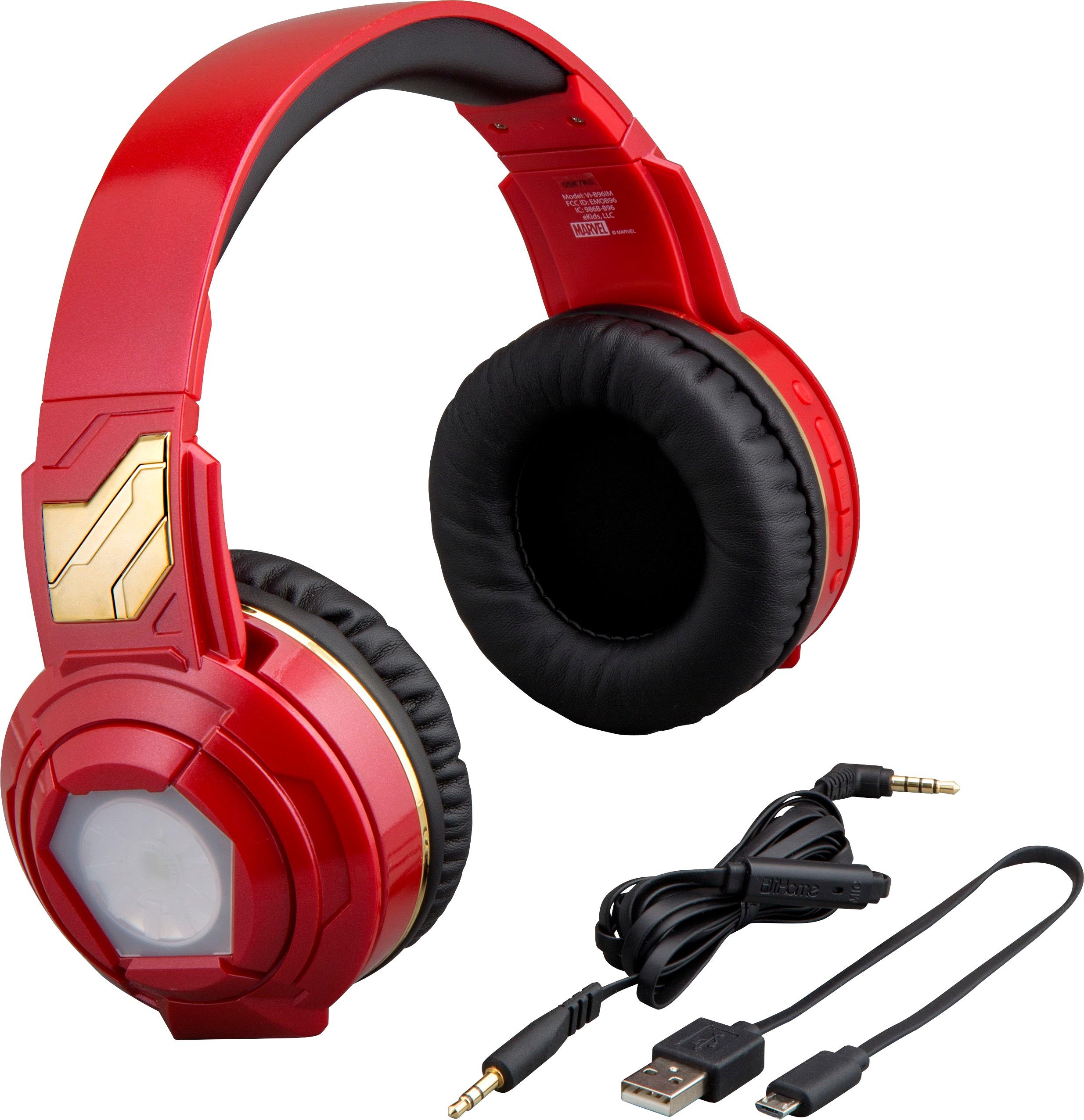
    • Answer They can. If you look on the back on the right side, there are three horizontal or sideways lines in between Volume Up/Next Song and Volume Down/Previous Song buttons. Press and hold the button temporarily until you hear something from the headphones.

      Answered by themysteriousoa

  • QuestionIs there voice command volume also charging cable

    Asked by Anonymous.

    • Answer Unlike some high end Bluetooth headphones, these don’t have voice command for volume control, and they do come with a charging cable. Micro USB is what the headphones require.

      Answered by themysteriousoa

  • QuestionHi. Do these have a built in mic for online interaction?

    Asked by pmbarber.

    • Answer They do, but often times the audio quality on the other side would not sound as good. Just as long as you keep a good distance from your device the headphones are connected, the audio quality should be good.

      Answered by themysteriousoa

  • QuestionCan you turn off the flashing lights?

    Asked by Gypsy.

    • Answer On the back of the right side, there is a small button below the Volume Down/Previous Song button that looks like the lights on the side of the headphones. Press and hold it a few seconds and they’ll turn off. You’ll have to look in a mirror to see if the lights turn off or not.

      Answered by themysteriousoa