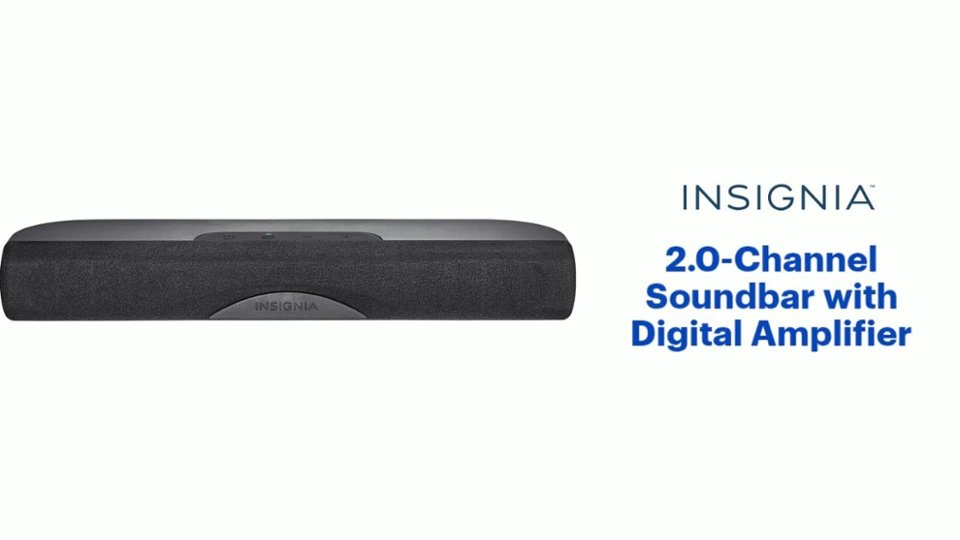
A:AnswerThere is no mounting hardware, but it has screw holes that work great—not the keyhole style holes. The screw holes worked great for me for mounting it below my swing arm mounted TV using a mounting bracket.
A:AnswerIf you're using it with your TV, you need to adjust the sound on your TV menu (mine has an equalizer that can be accessed thru "Custom Setting") -don't have more than 8/10 volume
If you're using the Bluetooth, adjust your device settings..I find my Bluetooth works best when the device has a medium-high audio output and you can adjust the soundbar volume up or down
The soundbar only reflects it's input so don't have your tv/device output so loud it's staticky
A:AnswerYes it will help a ton-
Most sound comes from behind tvs now makimg it really hard to hear. Took hook up we purched the optional optical cable and it made for simple plug and go hookup-
Very easy.
A:AnswerThis is a really simplistic speaker. RCA Jacks, Optical, and that's it. The best way to accomplish this would be to Y-Split the 3.5mm Headphone port on your TV (guess they're called a dual headphone adapter or splitter?), with one line to your Bluetooth Transmitter, and the other to the SoundBar. May be a mess of cabling, but that way, you can simply turn one off and the other on from afar, since both are connected to the same sound source.

A:AnswerYes, a soundbar would definitely help your situation by providing louder clear sound. But I suggest buying a larger more powerful soundbar than this mini Insignia. It is very small and not very powerful.
A:AnswerFirstly, I'd double check to make sure you are putting the cables in the proper input-output ports. Usually I frustrate myself by putting these cables in the wrong slots. From there it is a matter of making sure the speaker and TV are in the right settings. Make sure the TV is putting out signals to the RCA and make sure the Speaker is receiving via the RCA channels. Personally I would recommend an optical audio cable since they tend to be more responsive, making sure to change your settings accordingly.
A:AnswerActually, this difference in volume level between programming and commercials is determined by the service provider/content provider. This is one of the MOST COMPLAINED about issues for cable tv service.
A:AnswerPlug the AC adapter cord into the back of the unit, and the adapter into the wall. Plug the red and white rca plugs into the unit, and into the red and white outputs on the TV or DVR. Or use the rca-to-mini plug adapter wire and plug that into the headphone jack of the TV. Or use an optical cable you need to purchase separately. Turn on the TV and the sound bar, and set the input on the remote to RCA if that’s the wires you’re using. Use the remote volume up or down to adjust, and chose the sound mode to Standard, the best in my opinion. You should have sound by now.
A:AnswerSee if your TV has optical connection. If it does it’s good news. Buy an optical cable and use that instead of included RCA cables. Make sure Tv speakers are set to ON (some TVs have option to turn off internal speakers). Now use tv remote to control volume. Now for Bluetooth I noticed I had to use the included remote that came with sound bar. To control sound coming from my phone.
A:AnswerNo. You cannot visably see the volume being raised or lowered on your television. It only connects to the audio input on your TV and that is all. When manually pressing the volume buttons on the sound bar or remote you cannot see the volume level either. The only way to tell is by listening to the volume being raised or lowered. If you want to see the volume level in digital format you have to purchase a more expensive sound bar that has a digital display built in. I have never seen a sound bar cheap or expensive that displays the volume on the TV screen itself.
A:AnswerI recommend unpairing it from your mobile device and repairing it. You shoud also make sure the volume on the mobile device is all of the way up. Try some other mobile device with it also to see if that also doesn't work correctly. If it does, then the issue is with the first mobile device. If it does not work, then you may have to return or exchange the soundbar.