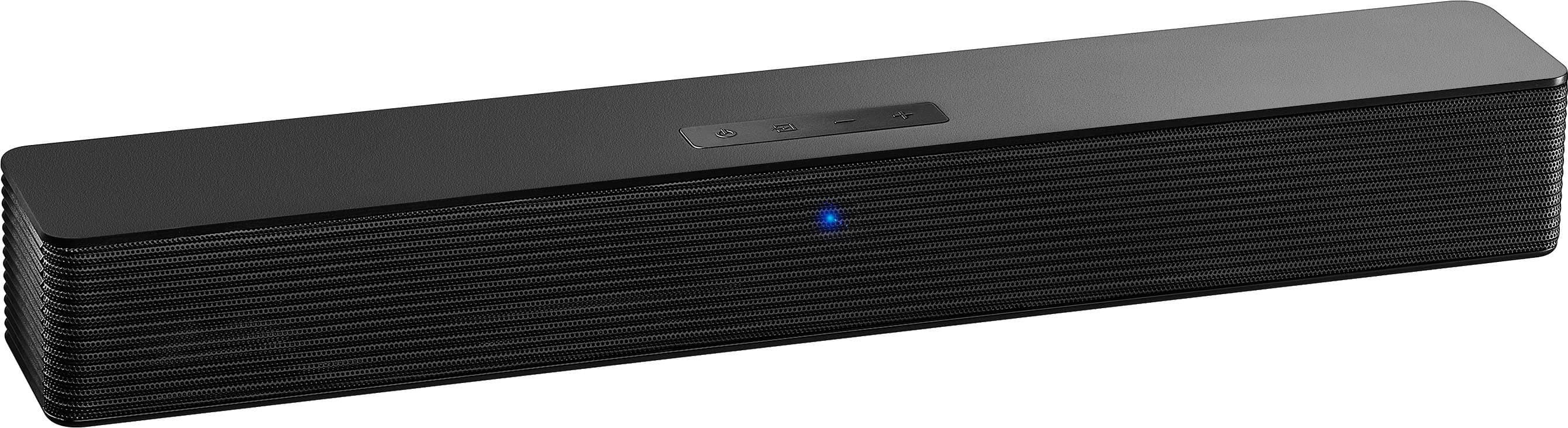
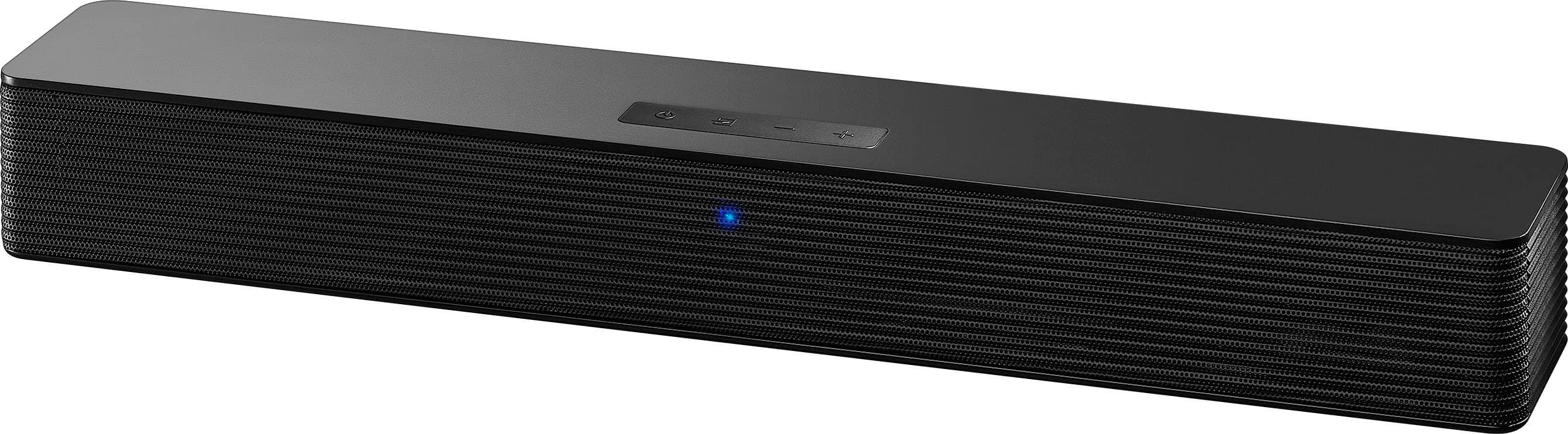
A:AnswerThank you for your inquiry! A steady hum from your Insignia™ 2.0 Mini Soundbar, without media sound, could be caused by ground loop interference, loose cables, or a power supply issue. It may also be set to the wrong input or the TV’s audio settings could be misconfigured. To fix it, check all connections, try a different input or device, reset the soundbar by holding Power and Volume Down for 5–10 seconds, and confirm the soundbar is properly paired or updated if using Bluetooth. If the hum continues, trying a different outlet or contact Insignia Customer Support by phone (877-467-4289) for further troubleshooting. Tine | Insignia Support
A:AnswerHi TaShei, thanks for reaching out!
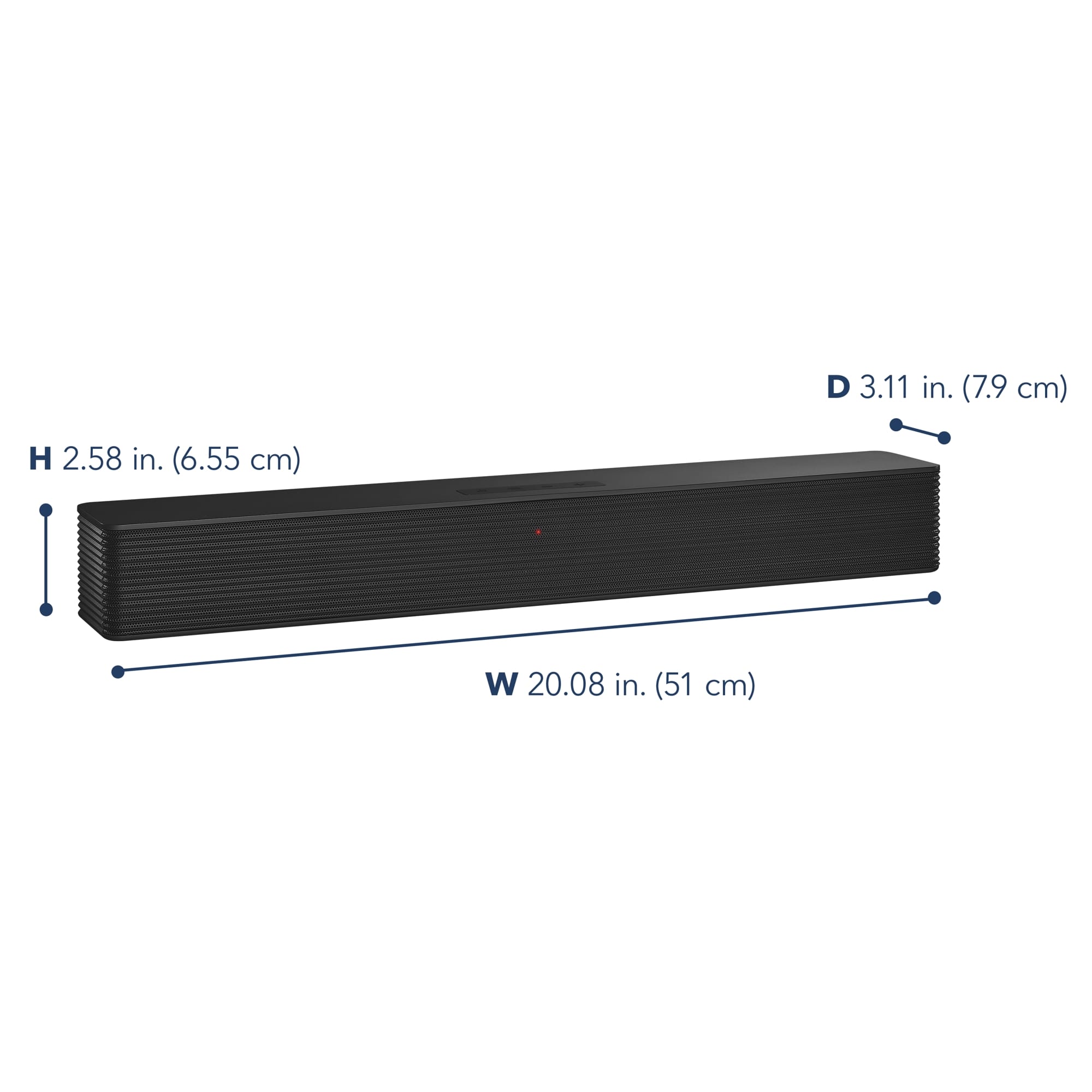
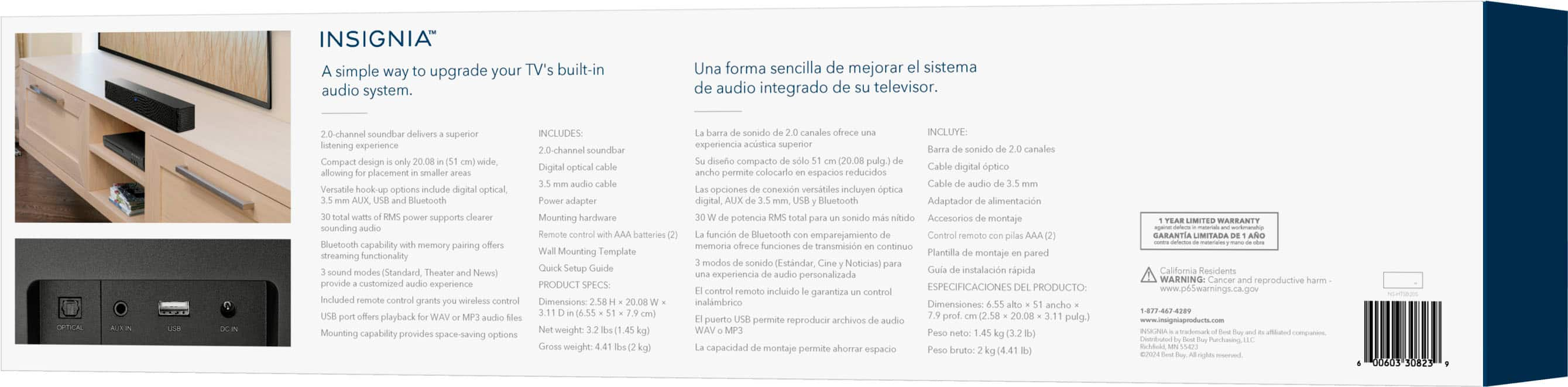
The product you're asking about weighs 3.2 pounds. We hope this helps with your decision.
If you have any further questions, please feel free to ask!
Carl | Insignia Support
A:AnswerHi there! Here’s how to hook up your Insignia NS-HTSB20S 2.0 Mini Soundbar to your TV, even if the instructions are missing:
Connection Options
You’ve got a few ways to connect it, depending on your TV’s available ports:
1. Digital Optical (Best Quality)
Plug the included optical cable into the OPTICAL OUT port on your TV.
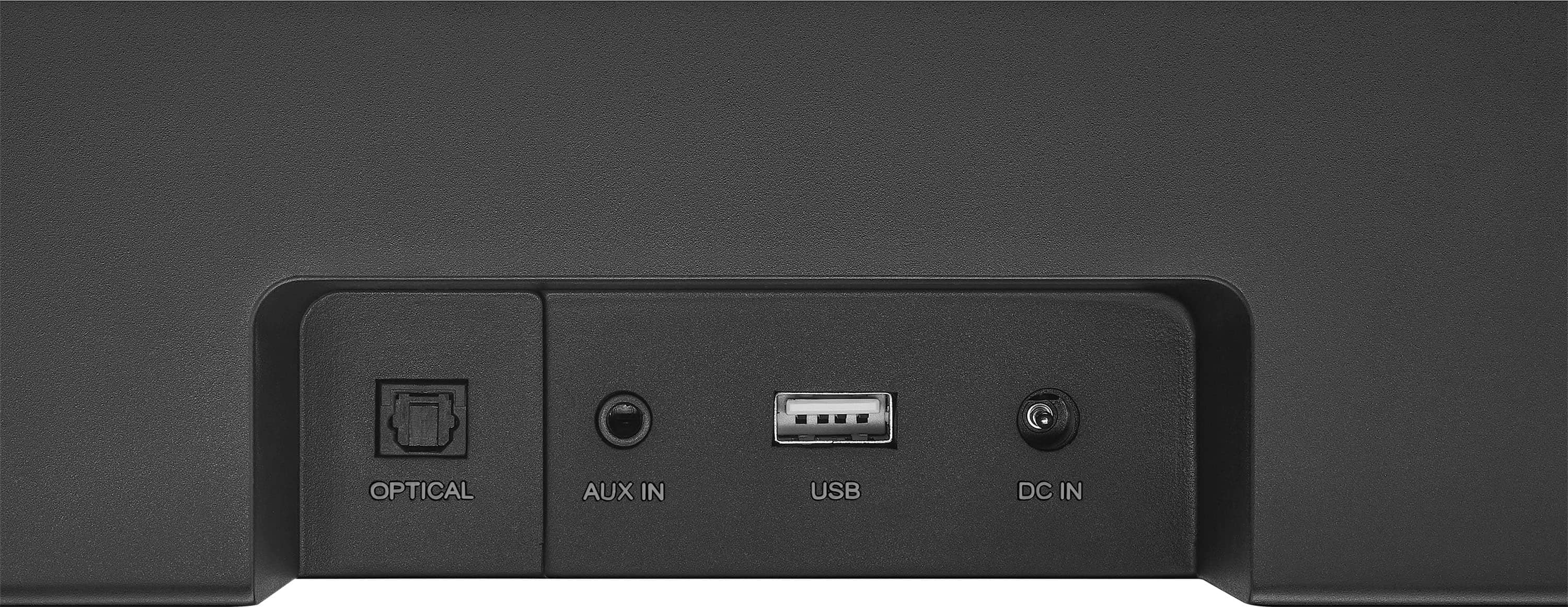
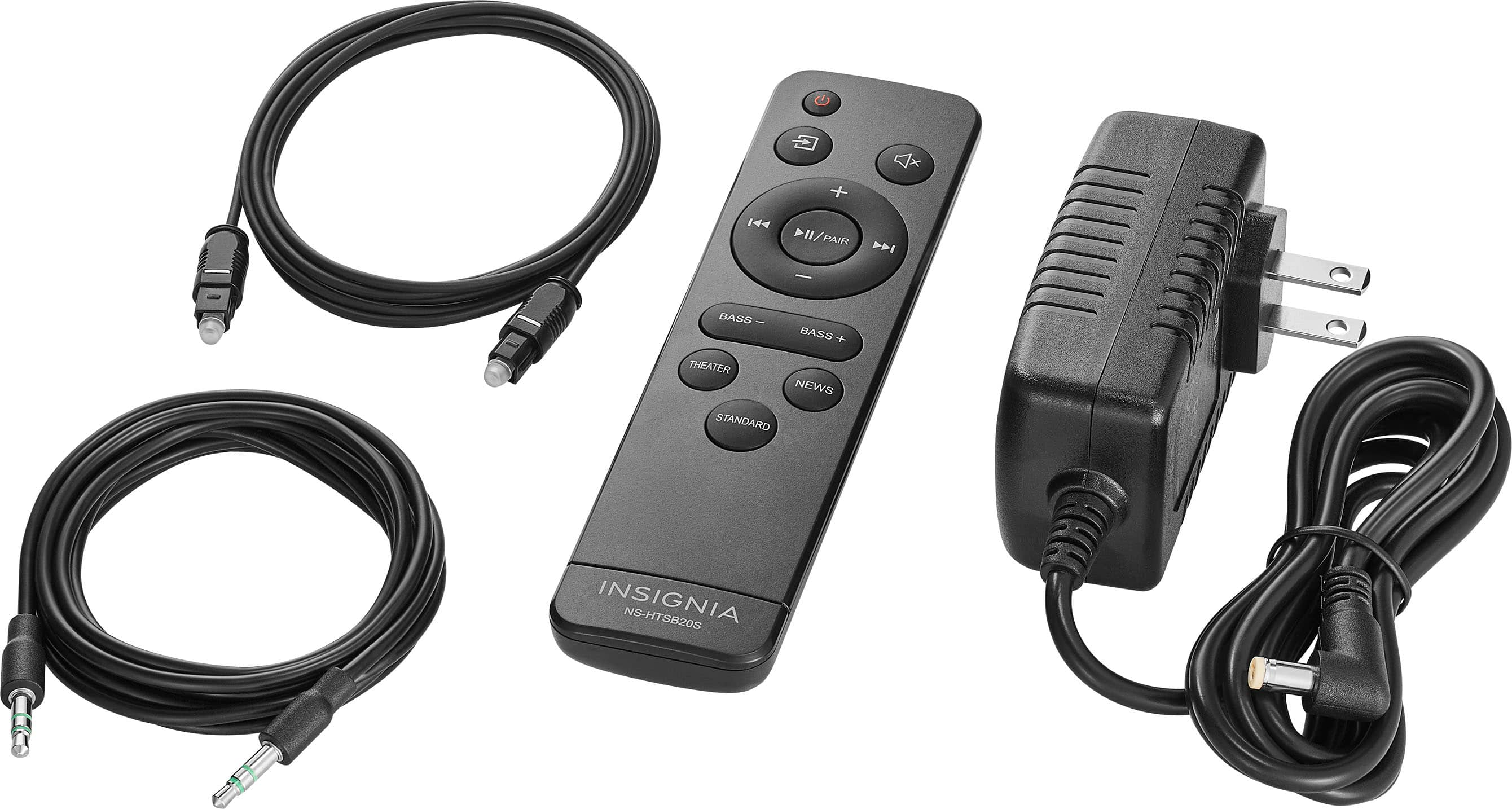
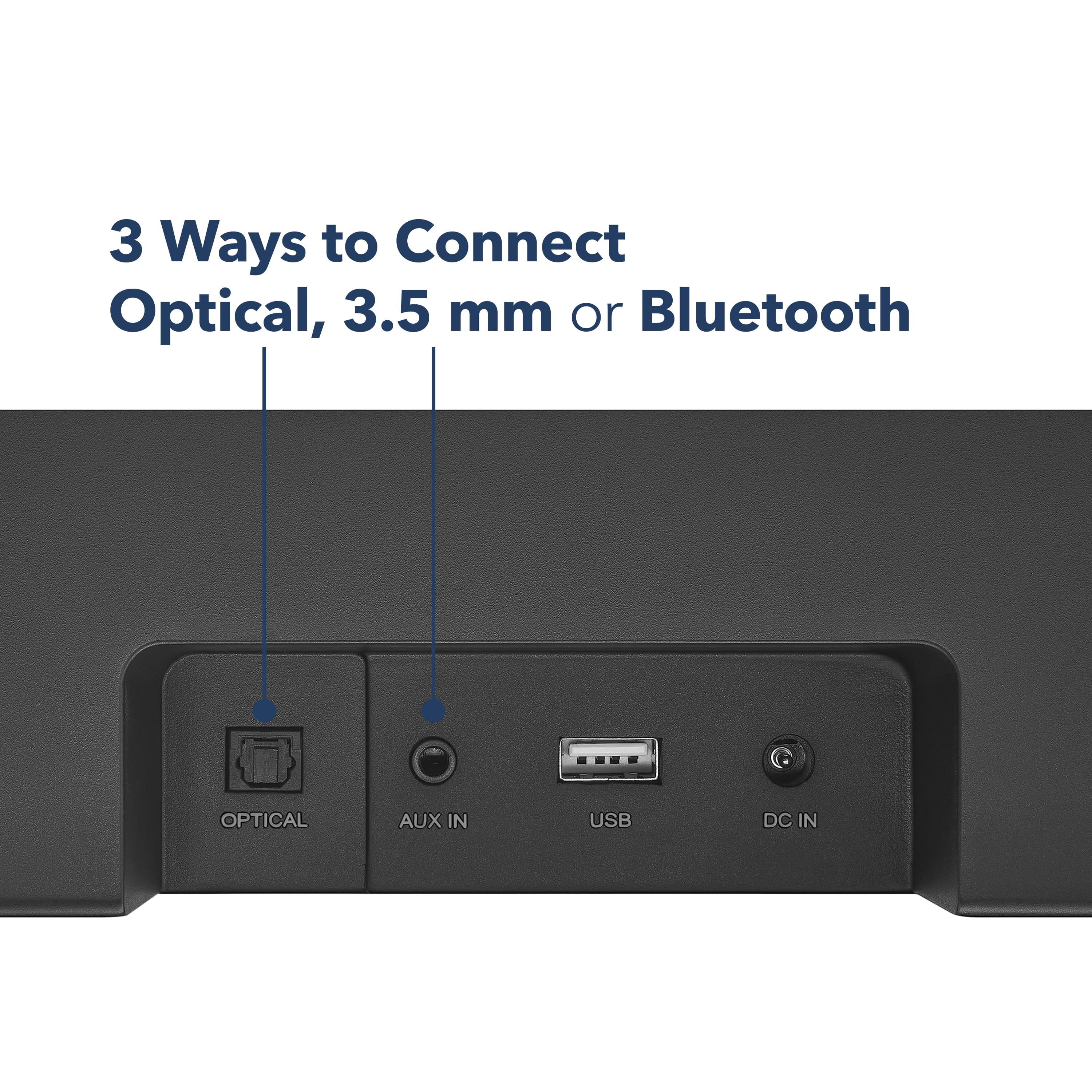
Connect the other end to the OPTICAL IN on the soundbar. >On your TV, go to Audio Settings and set the output to PCM. >Press the Source button on the soundbar or remote until the LED turns green (optical mode).
2. 3.5mm AUX (Good Quality)>Use the included 3.5mm AUX cable to connect your TV’s headphone jack or AUX OUT to the AUX IN on the soundbar.>Press the Source button until the LED turns orange (AUX mode).
3. Bluetooth (Wireless)>Turn on Bluetooth on your TV (if supported).>Press the Source button until the LED blinks blue.>On your TV, search for and select NS-HTSB20S.>If prompted for a code, enter 0000
If you wanted more detailed information for the set-up, kindly visit the link below, navigate through features and select user's guide/manual. Hope this help. |Angelica| Insignia Products| https://www.bestbuy.com/site/insignia-2-0-mini-soundbar-20-black/6584143.p?skuId=6584143
A:AnswerYes, you can connect both your Roku TV and Sony DVD player to the Insignia™ 2.0 Mini Soundbar 20" using either the optical input or 3.5mm AUX input, depending on the available audio outputs. If both devices need to be connected at the same time, you’ll need manually switch the input cables. Patricia | Insignia Support
A:AnswerThank you, Bolderdash, for your question! The Insignia™ 2.0 Mini Soundbar should be able to connect to your setup, depending on the available audio output options on your monitor or computer tower. If your monitor lacks built-in speakers, it may not have an audio output, but your computer tower likely does. Check if your tower has a 3.5mm headphone jack, optical, or Bluetooth connectivity—any of these would allow you to connect the soundbar.
We appreciate your interest, and hope this helps! If you have any further questions, you can contact us at 877-467-4289 for troubleshooting assistance. Tine | Insignia Support
A:AnswerThank you for your inquiry! The Insignia™ 2.0 Mini Soundbar (20") does not offer a built-in setting to disable the auto-shutoff function, so it cannot be configured to stay on indefinitely. Keith | Insignia Support
A:AnswerThank you for your inquiry! Yes, the Insignia™ 2.0 Mini Soundbar 20" can work with a 32-inch Roku Select Series TV. You can connect the soundbar to your TV using various input options such as digital optical, 3.5 mm AUX, USB, or Bluetooth. This setup will enhance your TV's audio quality, providing a better viewing experience. Keith | Insignia Support
A:AnswerHi WingedKitsune, thank you for reaching out. Please feel free to contact us at 1-877-467-4289 so we can better assist you with further troubleshooting and setup of your Insignia 2.0 Mini Soundbar 20". We look forward to speaking with you! - Carl | Insignia Support
A:AnswerThank you for your inquiry! You can connect the Insignia™ 2.0 Mini Soundbar to your TCL TV using various input options like digital optical, 3.5 mm AUX, USB, or Bluetooth. However, the soundbar does not support transmitting audio to Bluetooth headphones
A:AnswerThank you for reaching out to us, Rusty! Yes, the Insignia™ 2.0 Mini Soundbar 20" should work with your Seiki TV. This soundbar offers multiple connectivity options, including digital optical, 3.5 mm AUX, USB, and Bluetooth. As long as your Seiki TV has one of these input options, you should be able to connect the soundbar without any issues.
- Shiela | Insignia Support
A:AnswerThank you for your inquiry! A persistent buzzing sound when using a 3.5mm cable can be quite annoying. To resolve this issue, ensure that the 3.5mm cable is securely connected to both the TV and the soundbar, as loose connections can often cause buzzing sounds. If the problem persists, try using a different 3.5mm cable, as the cable itself might be faulty. Additionally, move the soundbar and cable away from other electronic devices and power sources to avoid interference. Check the audio settings on your TV to ensure the audio output is set correctly and try adjusting the volume levels. If the buzzing is due to a ground loop issue, using a ground loop isolator can help eliminate the noise. If these steps don't resolve the issue, it might be worth contacting Insignia customer support for further assistance. Keith | Insignia Support
A:AnswerHi Mike,
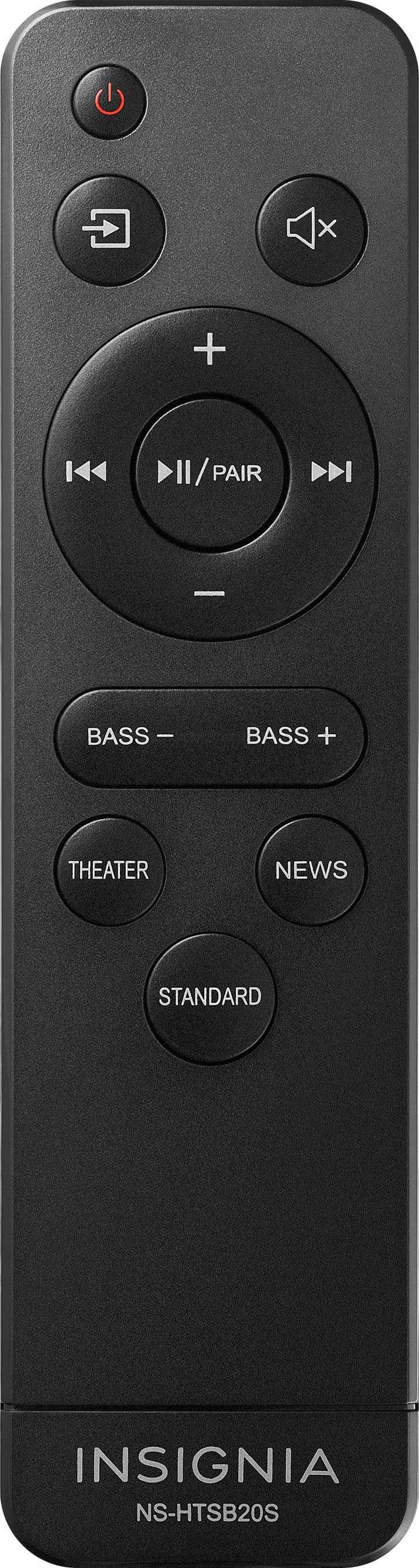
You can use any other remote control that you already own, and the soundbar can "learn" to respond to that other remote. Here's how (from the manual):
1 Point the remote you want to program to work with the soundbar within 4 inches of the remote control sensor on the soundbar
2 Press and hold the soundbar's power button while it's in standby mode (red LED) for two seconds to turn on the ?Preset Sequence Learning mode. The Status indicator will blinks red slowly and the soundbar starts to learn the buttons in the following sequence: Volume down, Volume up, Mute, Bass increase, Bass decrease, Power, Sound Mode (to select between Theater/Standard/News), Audio input selector, Play/Pause (for USB thumb drive with MP3 files), Previous track, Next track.
3 Short press the button on the remote you want to program. The status indicator blinks blue one time when the soundbar receives this button. Short press the SAME button on the remote you want to program again. The status indicator blinks green once when the soundbar receives the command from the remote you want to program
4 Repeat step 3 for each of the soundbar functions indicated in step 2. If you wish to skip the programming of any specific function, press the "audio input selector" on the actual soundbar to skip programming that function.
5 The soundbar will exit the learning more if you don't do anything for 20 seconds. You'll have to start the learning sequence again. If you wish to exit the learning mode, press and hold the "audio input selector" on the actual soundbar two seconds.
If you wish to delete all learned remote codes, while the soundbar is in standby mode (red LED), press and hold the power button for 10 seconds to clear all learned codes. The status indicator will blink white two times to confirm that all codes have been cleared.
If the status indicator blinks orange when you try to program a code, it means the remote control's button isn't compatible. Try a different button on the same remote control, or try an entirely different remote control.
A:AnswerYes, you can connect this soundbar to your TV using either the 3.5mm cable or TOSLINK (optical) cable; both are provided with the product. As long as your TV has a "headphone" jack, or an optical output, you can use the appropriate provided cable to directly connect the soundbar to the TV. It is not necessary to use bluetooth at all.
A:AnswerHello Onevoice! Yes, the Insignia™ 2.0 Mini Soundbar 20" (NS-HTSB20S) can connect to a projector. This soundbar offers multiple input options, including 3.5mm AUX, USB, and digital optical audio. Jeth | Insignia Support.
A:AnswerHi Lizgrace! Yes, the Insignia™ 2.0 Mini Soundbar 20" (Model NS-HTSB20S) should work with your 2018 Sanyo model FW32D08F television. You can connect the soundbar to your TV using the 3.5mm AUX input or the digital optical audio input. Ed | Insignia Support | https://www.bestbuy.com/site/brands/best-buy-brands/pcmcat1596746025285.c?id=pcmcat1596746025285
A:AnswerThank you for reaching out. We recommend contacting our Customer Service hotline for proper troubleshooting and diagnostics regarding your soundbar at 1-877-467-4289.- Carl | Insignia Support
A:AnswerYes, you can connect your Insignia 2.0 Mini Soundbar to your Xbox One S using a digital audio (TOSLink) cable while using an Acer monitor. Here are the steps to set it up:
1. Connect the TOSLink cable:
- Plug one end of the TOSLink cable into the optical audio output port on your Xbox One S.
- Connect the other end of the TOSLink cable to the optical input port on your Insignia soundbar.
2. Configure the Xbox One S settings:
- Turn on your Xbox One S and go to Settings.
- Navigate to Display & sound > Audio output.
- Under Optical audio, select Bitstream out.
- For Bitstream format, choose DTS Digital Surround or Dolby Digital
3. Select the correct input on the soundbar:
- Power on your Insignia soundbar and use the remote to select the optical input (usually indicated by a green LED light).
4. Connect your Acer monitor:
- Connect your Xbox One S to your Acer monitor using an HDMI cable.
This setup will allow you to enjoy high-quality audio from your soundbar while gaming on your Acer monitor. If you encounter any issues, make sure the audio output on your Xbox is set to PCM format, as some soundbars require this setting.
If you need further assistance, feel free to ask!