Early Black Friday DealsNew Doorbusters every Friday.Shop now

Main Content

Questions & Answers

Page Showing 41-57 of 57 questions
  • QuestionIs it normal for it take a very long time to power on. Trying to turn it on by the remote is almost impossible and yes I put fresh new batteries in the remote. it’s hard to power on and sometimes I can’t get it to connect. Might be defective.

    Asked by Anonymous.

    • Answer Thank you for reaching out. We recommend contacting our Customer Service hotline for proper troubleshooting and diagnostics regarding your soundbar at 1-877-467-4289.- Carl | Insignia Support

      Answered by InsigniaCustomerSupport

  • QuestionAm i able to connect this sound bar to my xbox 1s with a digital audio (TOSLink) cable while having a Acer monitor?

    Asked by Chino.

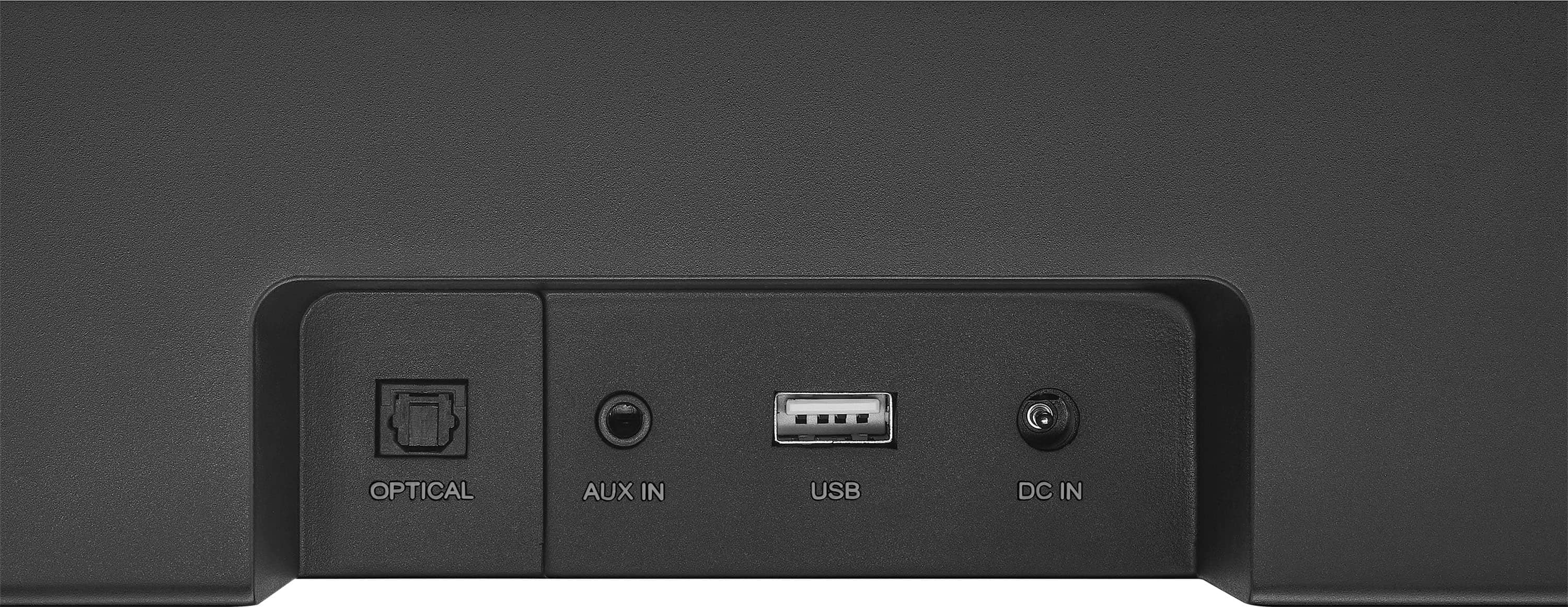
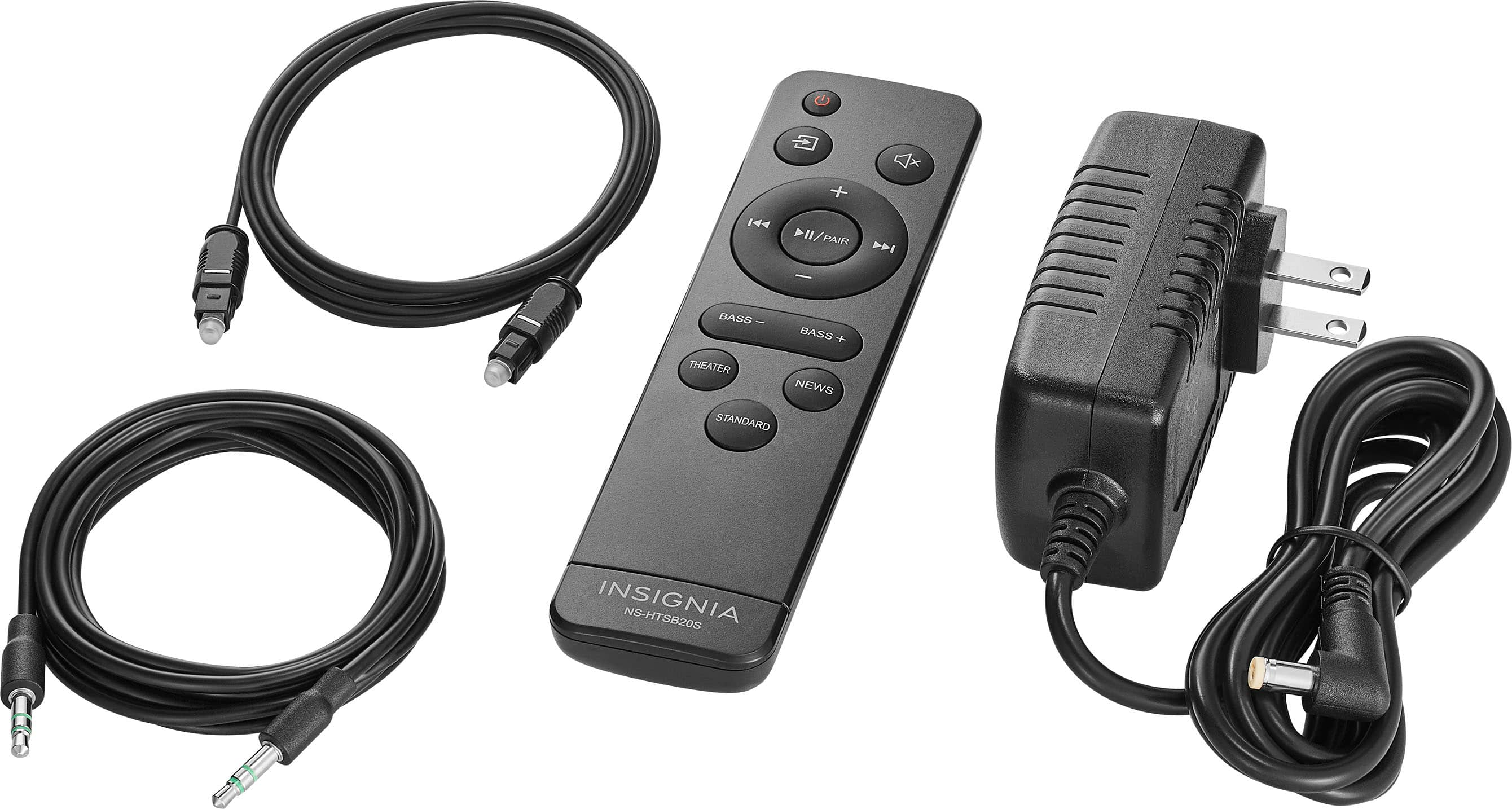
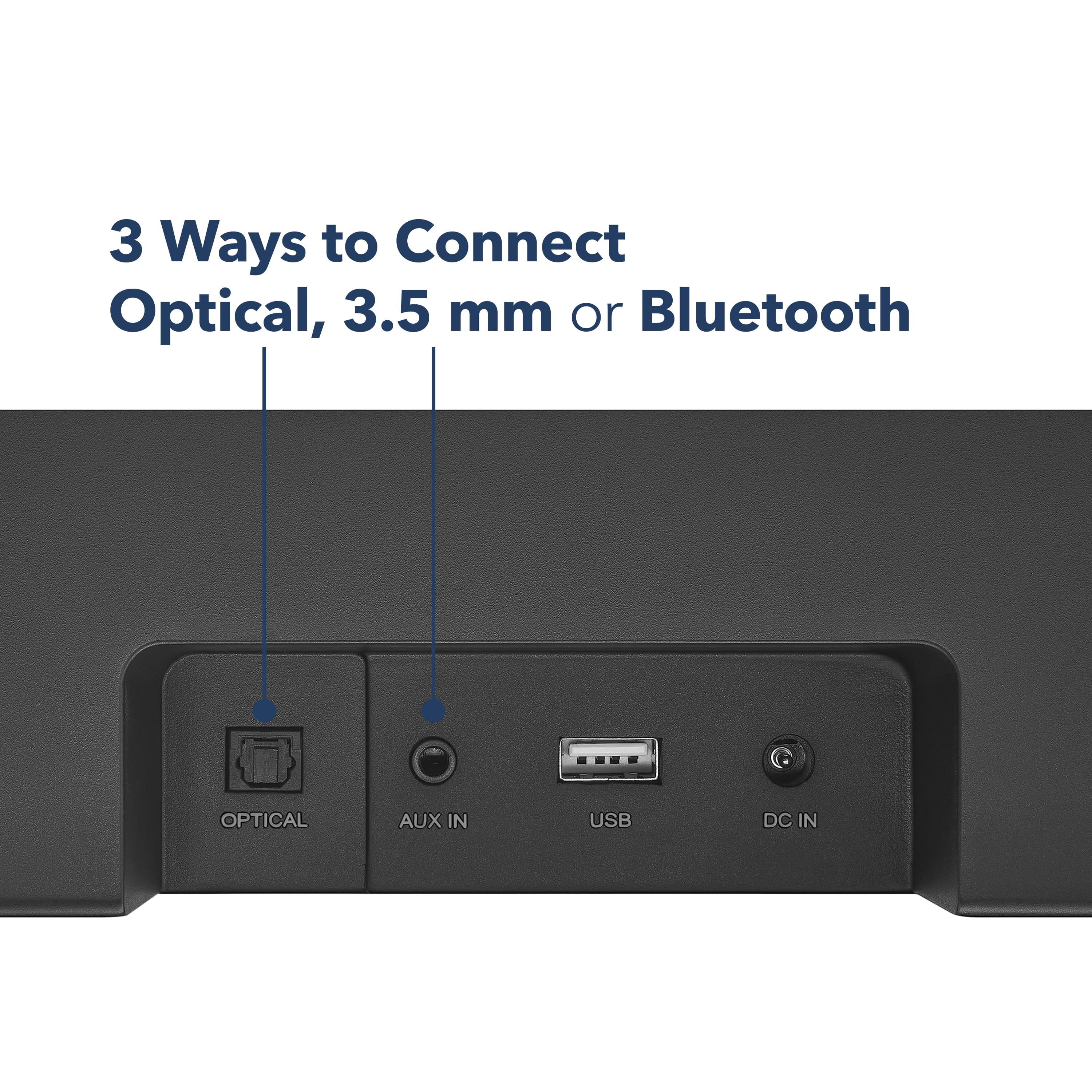
    • Answer Yes, you can connect your Insignia 2.0 Mini Soundbar to your Xbox One S using a digital audio (TOSLink) cable while using an Acer monitor. Here are the steps to set it up: 1. Connect the TOSLink cable: - Plug one end of the TOSLink cable into the optical audio output port on your Xbox One S. - Connect the other end of the TOSLink cable to the optical input port on your Insignia soundbar. 2. Configure the Xbox One S settings: - Turn on your Xbox One S and go to Settings. - Navigate to Display & sound > Audio output. - Under Optical audio, select Bitstream out. - For Bitstream format, choose DTS Digital Surround or Dolby Digital 3. Select the correct input on the soundbar: - Power on your Insignia soundbar and use the remote to select the optical input (usually indicated by a green LED light). 4. Connect your Acer monitor: - Connect your Xbox One S to your Acer monitor using an HDMI cable. This setup will allow you to enjoy high-quality audio from your soundbar while gaming on your Acer monitor. If you encounter any issues, make sure the audio output on your Xbox is set to PCM format, as some soundbars require this setting. If you need further assistance, feel free to ask!

      Answered by InsigniaCustomerSupport

  • Questionwill the insignia work with a LG Smart TV?

    Asked by Newbe.

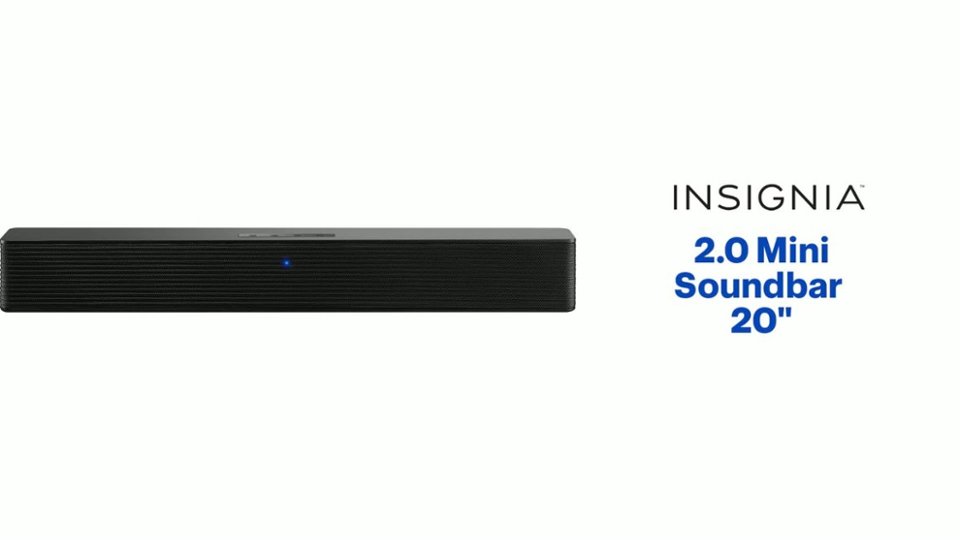
    • Answer Yes, the Insignia™ 2.0 Mini Soundbar 20" can work with an LG Smart TV. You can connect the soundbar to your TV using several methods, including HDMI ARC (Audio Return Channel) for high-quality audio and easy control with your TV remote, an optical cable for a digital audio signal with low latency, RCA (analog) connections for transmitting analog audio signals, or Bluetooth if both devices support it for wireless audio playback. Make sure to check your TV's audio output options and choose the connection method that best suits your setup. If you need any further assistance with the setup, feel free to ask! Patricia | Insignia Support

      Answered by InsigniaCustomerSupport

  • Questionwhats the volts of this soundbar ?

    Asked by speaker.

    • Answer Hello! The Insignia™ 2.0 Mini Soundbar 20" (NS-HTSB20S) operates with an input voltage of 100-240V AC. Is there anything else you need help with? If you have some questions don't hesitate to ask. Jeth | Insignia Support. https://www.bestbuy.com/site/insignia-2-0-mini-soundbar-20-black/6584143.p?skuId=6584143

      Answered by InsigniaCustomerSupport

  • QuestionCan this soundbar be used with a portable cd player? What kind of sound could I expect?

    Asked by professorofoldies.

    • Answer Yes, the Insignia™ 2.0 Mini Soundbar 20" can be used with a portable CD player. You can connect the CD player to the soundbar using the 3.5 mm AUX input or Bluetooth if your CD player supports it. In terms of sound quality, you can expect a significant improvement over the built-in speakers of most portable CD players. The soundbar is praised for its clear and balanced audio, making it a great choice for enhancing your listening experience. While it may not deliver deep bass like a system with a subwoofer, it provides good overall sound quality for its size and price3. If you have any other questions or need further assistance, feel free to ask! -Ed | Insignia Support | https://www.bestbuy.com/site/brands/best-buy-brands/pcmcat1596746025285.c?id=pcmcat1596746025285

      Answered by InsigniaCustomerSupport

  • QuestionDo you have the codes to program a tivo remote control to work with this soundbar? Thanks

    Asked by Pedro.

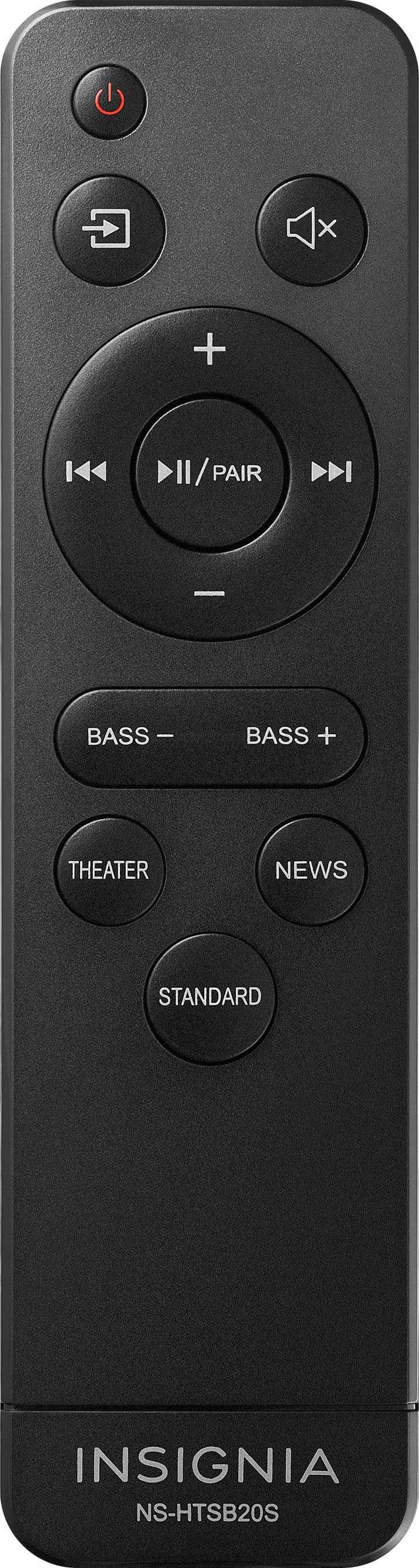
    • Answer Hi Pedro! Unfortunately, we don't have a specific code to program a Tivo remote control to this soundbar. However, you can try using the IR remote learning function. Please refer to page 9 of the user manual for detailed instructions. If you need further assistance or clearer instructions, feel free to contact our customer service at 1-888-467-4289. We're here to help! Rolf | Insignia Support https://www.bestbuy.com/site/insignia-2-0-mini-soundbar-20-black/6584143.p?skuId=6584143

      Answered by InsigniaCustomerSupport

  • QuestionCan this speaker be hooked up to a computer?

    Asked by jv1991.

    • Answer Hello, Thank you for reaching out. Yes, this sound bar can be connected to any computer that is equipped with a 3.5mm audio port. I hope you find this information helpful. Please feel free to reach out again if you have any further questions. - Carl | Insignia Support

      Answered by InsigniaCustomerSupport

  • QuestionDoes this have to be sitting by the tv or can it sit on a table near by elderly mom so she can here better and it won't be too loud for the rest of the house.

    Asked by Cat.

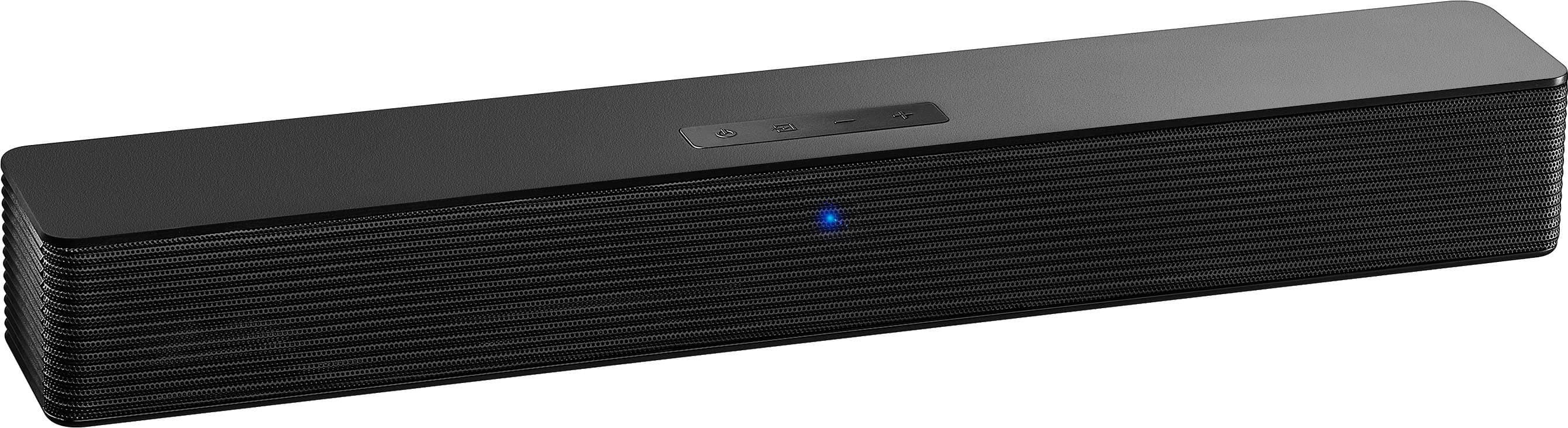
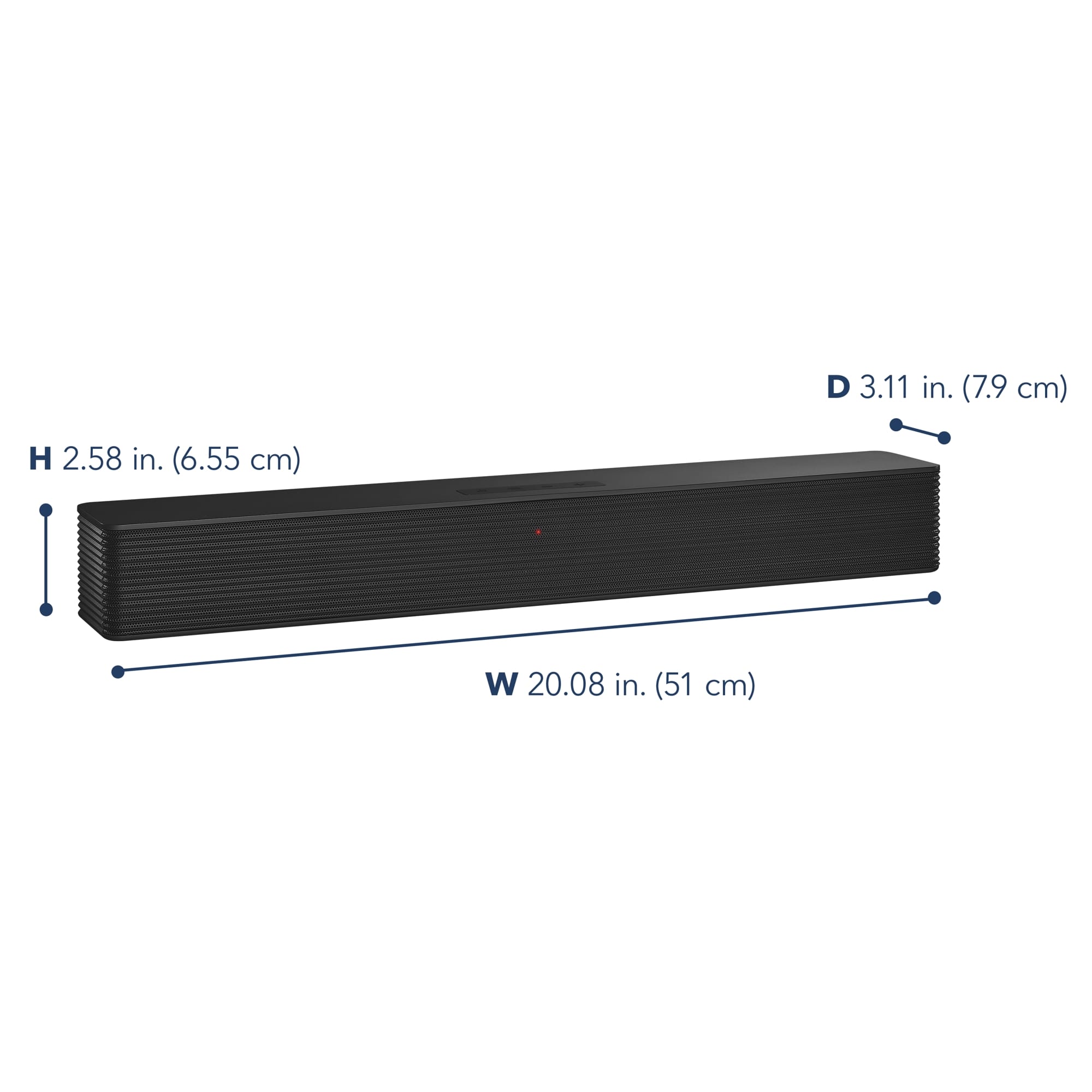
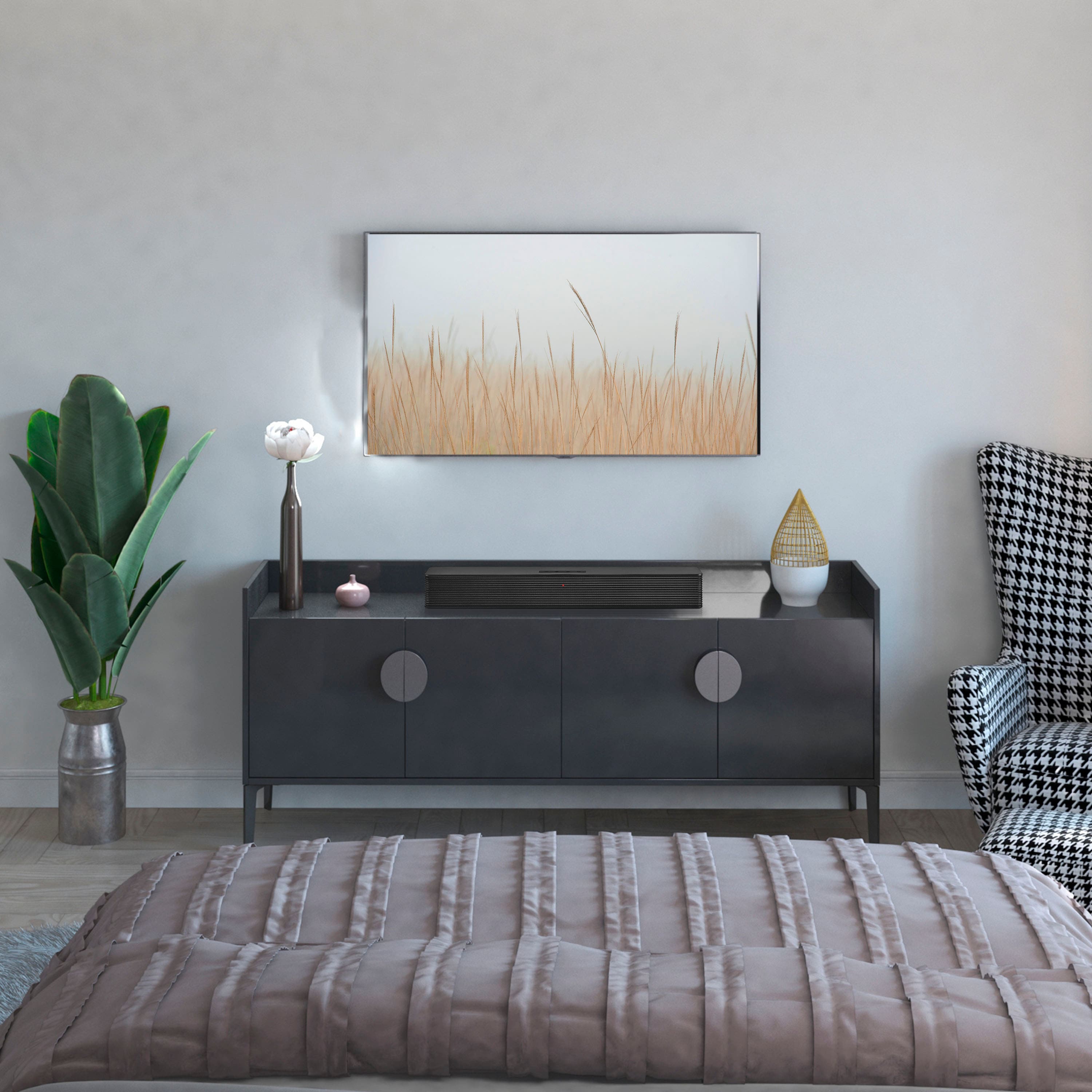
    • Answer Thank you for your inquiry! The Insignia™ 2.0 Mini Soundbar 20" can be placed on a table near your elderly mom to help her hear better without being too loud for the rest of the house. This soundbar is compact and versatile, allowing for flexible placement options. It can be connected to your TV via Bluetooth, optical, or 3.5 mm AUX input, so you don't necessarily need to place it right next to the TV. This setup should help your mom enjoy clearer audio while keeping the volume at a comfortable level for everyone else. Keith | Insignia Support https://www.bestbuy.com/site/insignia-2-0-mini-soundbar-20-black/6584143.p?skuId=6584143

      Answered by InsigniaCustomerSupport

  • QuestionWill I need to power on the soundbar every time I turn on the TV like in the morning, or will it stay on while plugged in? If I use the 3.5mm jack to connect, would I ever need the included remote? Thanks

    Asked by Rocky.

    • Answer Now you can set it up for one remote

      Answered by SAllen

  • QuestionI've never had any bluetooth accessories. Will this mini soundbar connect well with my TV? Poloroid LED TV/DVD Combo 32GSD3000FB ? I'm accustomed to always having a connecting cable between the TV and accessory.

    Asked by ZaSu2u.

    • Answer Yes it took me only 2 minutes and was paired and watching tv with it

      Answered by DMBFAN1044

  • QuestionWill it work with a one projector

    Asked by Chuck.

    • Answer Yes, the Insignia 2.0 Mini Soundbar (model NS-HTSB20S) can work with a projector, provided the projector has compatible audio output options. The soundbar offers several connection methods, including the Optical audio input, 3.5 mm AUX input and Bluetooth connectivity. If your projector has an optical output or a headphone jack, you can easily connect the soundbar using the appropriate cable. Additionally, if your projector supports Bluetooth, you can stream audio wirelessly. Make sure to check the specifications of your projector to confirm the available audio outputs. -Ed | Insignia Support | https://www.bestbuy.com/site/brands/best-buy-brands/pcmcat1596746025285.c?id=pcmcat1596746025285

      Answered by InsigniaCustomerSupport

  • QuestionIs it compatible with Vizio TV?

    Asked by nkellysanleandro.

    • Answer Yes, the Insignia Mini Soundbar is compatible with Vizio TVs. You can connect it using various methods such as an optical cable, a 3.5mm auxiliary cable, or Bluetooth. - Ed | Insignia Support | https://www.bestbuy.com/site/brands/best-buy-brands/pcmcat1596746025285.c?id=pcmcat1596746025285

      Answered by InsigniaCustomerSupport

  • QuestionWill this be compatible with an Insignia TV?

    Asked by Anonymous.

    • Answer Yes, an Insignia soundbar should generally be compatible with an Insignia TV, as both products are designed to work within similar ecosystems -Ed | Insignia Support | https://www.bestbuy.com/site/brands/best-buy-brands/pcmcat1596746025285.c?id=pcmcat1596746025285

      Answered by InsigniaCustomerSupport

  • QuestionHow can I turn off the LOUD beep when my Bluetooth connects and disconnects from the speaker?

    Asked by Joe.

    • Answer Thank you for your inquiry! The Insignia™ 2.0 Mini Soundbar (Model NS-HMSB20) does not offer a built-in setting to disable or lower the volume of the Bluetooth connection/disconnection beep. Keith | Insignia Support

      Answered by InsigniaCustomerSupport

  • QuestionOne of the answers to a question says that this will connect to a LG smart tv with HDMI Arc, but the soundbar does not have a HDMI port. How is this possible?

    Asked by Fannie.

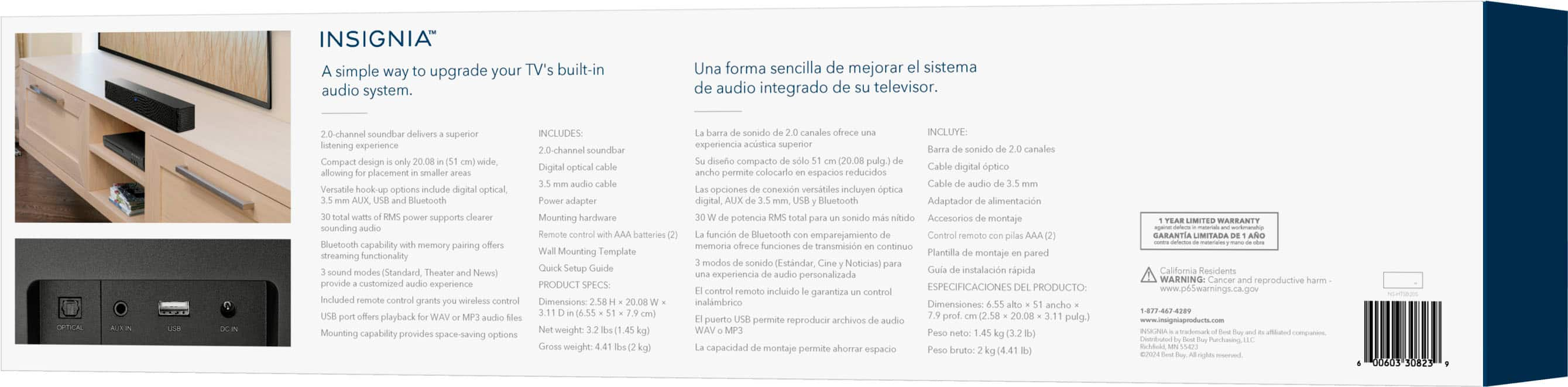
    • Answer Thank you for your inquiry! The Insignia™ 2.0 Mini Soundbar does not have an HDMI port, including HDMI ARC (Audio Return Channel). It offers connectivity options such as Bluetooth, optical, RCA, and AUX inputs. The confusion might arise from the fact that some TVs with HDMI ARC can still be connected to soundbars using other available audio outputs, like optical or RCA. To connect your LG smart TV to the Insignia soundbar, you can use the optical or RCA outputs on your TV. These connections will allow you to transmit audio from your TV to the soundbar effectively. Keith | Insignia Support https://www.bestbuy.com/site/insignia-2-0-mini-soundbar-20-black/6584143.p?skuId=6584143

      Answered by InsigniaCustomerSupport

  • QuestionI have a roku tv and purchased soundbar from Best buy will a roku bluetooth tv connect to it. If so how.

    Asked by divey.

    • Answer Hi there! Yes, your Roku TV can connect to the Insignia™ 2.0 Mini Soundbar via Bluetooth. Here’s how you can set it up: 1. Turn on Bluetooth on the Soundbar: - Press the Bluetooth button on the remote control to switch the soundbar to Bluetooth mode. You should see a blue light flashing, indicating that the soundbar is in pairing mode. 2. Access the Bluetooth Settings on Your Roku TV: - Press the Home button on your Roku remote. - Scroll down and select Settings. - Navigate to Remotes & devices. - Select Pair Bluetooth device. 3. Pair the Devices: - Your Roku TV will start searching for nearby Bluetooth devices. When it finds the Insignia soundbar, it will display it on the screen. - Select the Insignia soundbar from the list to pair it with your Roku TV. 4. Confirm the Connection: - Once paired, the blue light on the soundbar should stop flashing and remain solid, indicating a successful connection. Now, your Roku TV should be connected to the Insignia soundbar via Bluetooth, and you can enjoy enhanced audio for your TV shows and movies! If you have any other questions or need further assistance, feel free to ask.

      Answered by InsigniaCustomerSupport