“Is this compatible with Windows 10? Is this compatible with Windows 10?”
Answer This Question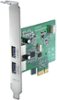
1-9 of 9 Answers
Yes it is.
Sorry, there was a problem. Please try again later.yes
Sorry, there was a problem. Please try again later.Yes, just make sure in your settings, it is given power. Also make sure you plug an extra 4 pin power supply chord from your main PSU. Most Desktop PCs have at least 2 or 3 extra bays with PCI slots ready to go, this will fit neatly into one, but needs additional power.
Sorry, there was a problem. Please try again later.The device was working fine in Windows 10 64-bit for several months, then suddenly stopped working. Attempts to reinstall the driver failed with an error message explaining that the installer for the device failed due to a script error and suggested I contact the vendor. Insignia support said it was a known issue, caused by a recent Windows update and recommended I roll back my Windows updates to the time when the device last worked. The rollback worked, and after a couple of days I allowed my Windows updates to resume. Everything was fine for several weeks. But a couple days ago, the device stopped working again, and my attempts to reinstall the driver failed with the same error. I can't keep rolling back Windows updates every time the Insignia device stops. Insignia needs to fix this problem. I do not recommend this product for Windows 10.
Sorry, there was a problem. Please try again later.Woks fine.
Sorry, there was a problem. Please try again later.Yes, installed without a problem.
Sorry, there was a problem. Please try again later.After computer reboot, yes. But USB drives keep going off-line and computer needs to be rebooted to re-establish contact. Worked OK on win 7.
Sorry, there was a problem. Please try again later.Yes, it works just fine with Windows 10
Sorry, there was a problem. Please try again later.Yes, this product will work with Windows 10.
Sorry, there was a problem. Please try again later.

