“My tv doesn’t have a power button on it. 75 inch LG Big screen How do I get my insignia remote to work on my LG tv?”
Answer This Question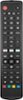
1-1 of 1 Answer
Thank you for your inquiry! To get your Insignia™ Replacement Remote (Model: NS-RMTLG17) to work with your 75-inch LG TV, start by installing two AAA batteries into the remote, ensuring the + and - symbols match the battery compartment. Make sure your LG TV is on and not in standby mode. On your Insignia remote, press and hold the red and blue buttons until the POWER button blinks twice. Point the remote towards your TV and press and hold the POWER button until your TV turns off, then release the button immediately. The POWER button should blink twice. Turn on your TV using the remote and test other buttons to ensure they work correctly. If some buttons do not work, repeat the pairing process for those specific buttons. If your LG TV doesn't have a visible power button, you can use alternative methods to turn it on, such as the LG ThinQ app.
Sorry, there was a problem. Please try again later.