“The remote button is DEAD after one week of non-use after being taken out of the package and used one day. How do you change OR recharge the battery? How do you turn the bluetooth OFF so the battery doesn't go dead so quickly?”
Answer This Question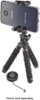
1-5 of 5 Answers
Hello sdouglas, you can find the steps on how to replace the battery on our official website, https://www.insigniaproducts.com/pdp/NS-MTRIBT10/5086538 however, if the device has a malfunction, please remember that our products are covered for one year under manufacturer's warranty. Omar S. | Insignia Products Support.
Sorry, there was a problem. Please try again later.There is a switch on the side that will shut the BT and won't kill your battery. Try to pry the case open like a car keyfob.
Sorry, there was a problem. Please try again later.The remote design is compact, so the on/off switch is on the edge. The graphics are very small. There's no indicating light for the power after it is paired with your phone. CR2032 is the battery. Changing it is easy with a small philips screwdriver.
Sorry, there was a problem. Please try again later.You need to manually go and forget the device for Bluetooth to stop running. And turn the remote off also
Sorry, there was a problem. Please try again later.There is an on/off switch at the bottom of the selfie stick handle. There is also a mini USB charging port there. Be sure to turn the stick off when not in use.
Sorry, there was a problem. Please try again later.