“How do I get a code for my light switch I just moved into this house and I’m trying to set them up”
Answer This Question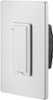
1-2 of 2 Answers
The code is on the back of the light switch and on a sticker on the instruction sheet that came with the switch. You'll have to take it out of the wall to see it but you don't need to disconnect the wires. (I would turn the breaker off though just to be safe.)
Sorry, there was a problem. Please try again later.Press and hold the small button below the switch paddle until you hear the second click and the green LED flashes. This will reset the switch to factory defaults. Then download the Insignia Connect app and follow the instructions within the app to setup the switch. Good Luck!
Sorry, there was a problem. Please try again later.