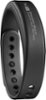
“Owners Guide?? the description says there is a quick start guide but it wasn't included. Off to a great start. I didn't see a downloadable manual on the jawbone website. Any help out there?”
Answer This Question
1-10 of 11 Answers
If you open the UP app, it will literally walk you through the steps.
Sorry, there was a problem. Please try again later.You have to download an app onto your phone and it goes step by step from there
Sorry, there was a problem. Please try again later.Go to the Jawbone website and go to the support page select the product and look for support and the manual will be there.
Sorry, there was a problem. Please try again later.The quick start guide is in there - it's the paper that has one step in multiple languages: Get the App, Connect Your Up. Meet Your Goals. I was tripped up by that, as well and already having the "blue" app for my old UP24, was confused until I got to a download link for the "purple" app (on Android, these are blue and purple, respectively). When you install/open the purple app, it walks you through pairing, has help screens, and even will show you videos (be sure to be on a broadband connection or set it up on BBuy's guest wifi before you leave). The app is ~60MB and is needed because Jawbone got rid of MotionX and other partners for this new UP2/3/4, thus the need for a new app... Hope this helps and you smash your goals. -ms
Sorry, there was a problem. Please try again later.I watch how to use on utube
Sorry, there was a problem. Please try again later.It's almost impossible to find within the app. I had to go to the website and still had trouble! They don't make it easy to find or set up.
I would recommend:
Sorry, there was a problem. Please try again later.If you download the app to your smart phone or tablet and have the Bluetooth activated, it will automatically pair and ask you to fill in the required information.
Sorry, there was a problem. Please try again later.It's right here - https://jawbone.com/support/up/manuals
Sorry, there was a problem. Please try again later.It is on the website maybe you missed it.
Sorry, there was a problem. Please try again later.It is online. Up.jawbone.com/setup
Sorry, there was a problem. Please try again later.