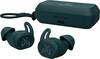
“What are the button functionalities? Play, pause, skip for music?”
Answer This Question
1-5 of 5 Answers
The earbuds have several controls available by pressing on them. Tapping the left earbud once activates Siri. Tapping the right earbud once to play/pause or to accept/end call. Tapping either earbud twice skips music forward or declines a call. See my review of the Jaybird Run for more information on these great headphones. I have had them for several weeks now and still give them 5 stars and my highest recommendation!
Sorry, there was a problem. Please try again later.Play/Pause/Next is all controlled through single tapping the right bud.
Sorry, there was a problem. Please try again later.No skip. Just play, pause and sirii. There is a secondary option where you can switch out the buttons.
I would recommend:
Sorry, there was a problem. Please try again later.why does it sound so low. theres no button to put the volume high
Sorry, there was a problem. Please try again later.Pause and play are one press, skips are 2 presses.
Sorry, there was a problem. Please try again later.