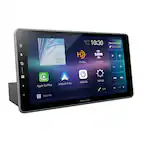
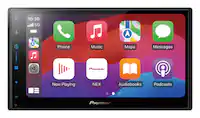
A:AnswerIt is best to always check with Kenwood, Best Buy or crutchfield to make sure. Also make sure you purchase the correct interface and all accessories needed for the installation which includes trim kit, interface and antenna.
A:AnswerLooking at our car fit guide it doesn't list your vehicle as compatible. I would advise to consult with our Best Buy installation team to see which model radios will fit in your vehicle.
A:AnswerWith the size of the screen it does show it wont fit. I would advise to consult with your local Best Buy installation team to see if there is a kit that can be used for a proper fit.
A:AnswerI do apologize that our online fit guide doesn't have RV listed. I would advise to consult with our Best Buy installation team by calling them directly to see if it will fit in your vehicle.
A:AnswerWe put ours in a Thor Vegas RV. Working good. We do have a cross wire with navigation and blinkers. Blinking tends to pause navigation for a second. But that is an installation issue, not a product one.
A:AnswerTo check into a harness kit or adapters that is needed to integrate your current setup, it would be best to consult with our Best Buy installation team. They have access on looking up this information.
A:AnswerThis model shows that it will not fit your vehicle. I would advise to consult with our Best Buy installation team to see which model radios will fit in your vehicle.
A:AnswerYou would need a steering wheel adapter to get this feature working. To see which one is needed for your vehicle please consult with our Best Buy installation team by calling them direct.
A:AnswerIf your civic has a double din opening it’s able to be installed. However, the screen is so big it may block AC vents or other controls. Watch some videos on YouTube about how big the display is and make sure it’s a good fit for your vehicle.