A:AnswerNo this is not normal for me, However the light underneath gets really hot, if you are leaving the light on this might be the issue. When I have the light on it does heat up the bottom of the microwave.
A:AnswerMake sure whatever pan you use it is NOT metal. Apply the same rules as you would to the microwave. Back to your other questions. You can turn off the turntable, which I do when baking. I have put in a 9x14 casserole dish with no problem. While it says not to use the rack unless cooking multi items I have used it for the large casserole dish only because it felt safer to me, but it fit on the circular metal stand with no problem.
A:AnswerYou can set it for auto on and off. We usually set ours for auto on 5am and off 7am but there is no timer for the light other than the auto on/off feature. I do suggest taking one bulb out because with 2 halogen bulbs it produces excessive heat inside the microwave but having only one bulb lit it does reduce the heat to warm rather than hot.
A:Answerwe just had Geek squad install this unit, it fits perfectly with the KitchenAid microwave top edge being 34.5 inches above the counter. The lower edge of the microwave is 19 3/8 inches above the counter. This leaves still 2 inches of cabinet left and right to extend lower than the base of the angled side section. We have some extra tall cabinets and fed the power cord through the base of one of the two cabinets above the microwave, looks perfect.
You just want to make sure that the rear of the microwave, lower edge, covers the subway tile top edge or wall material installed behind your cooktop (don't leave a gap). The 30 inches is not enough to allow the microwave bottom to clear a tall pot of boiling water you may use for pasts and you don't want the steam to be right below the fan area on the bottom of the microwave, that can lead to internal condensation onto the electronics boards resident in the door.
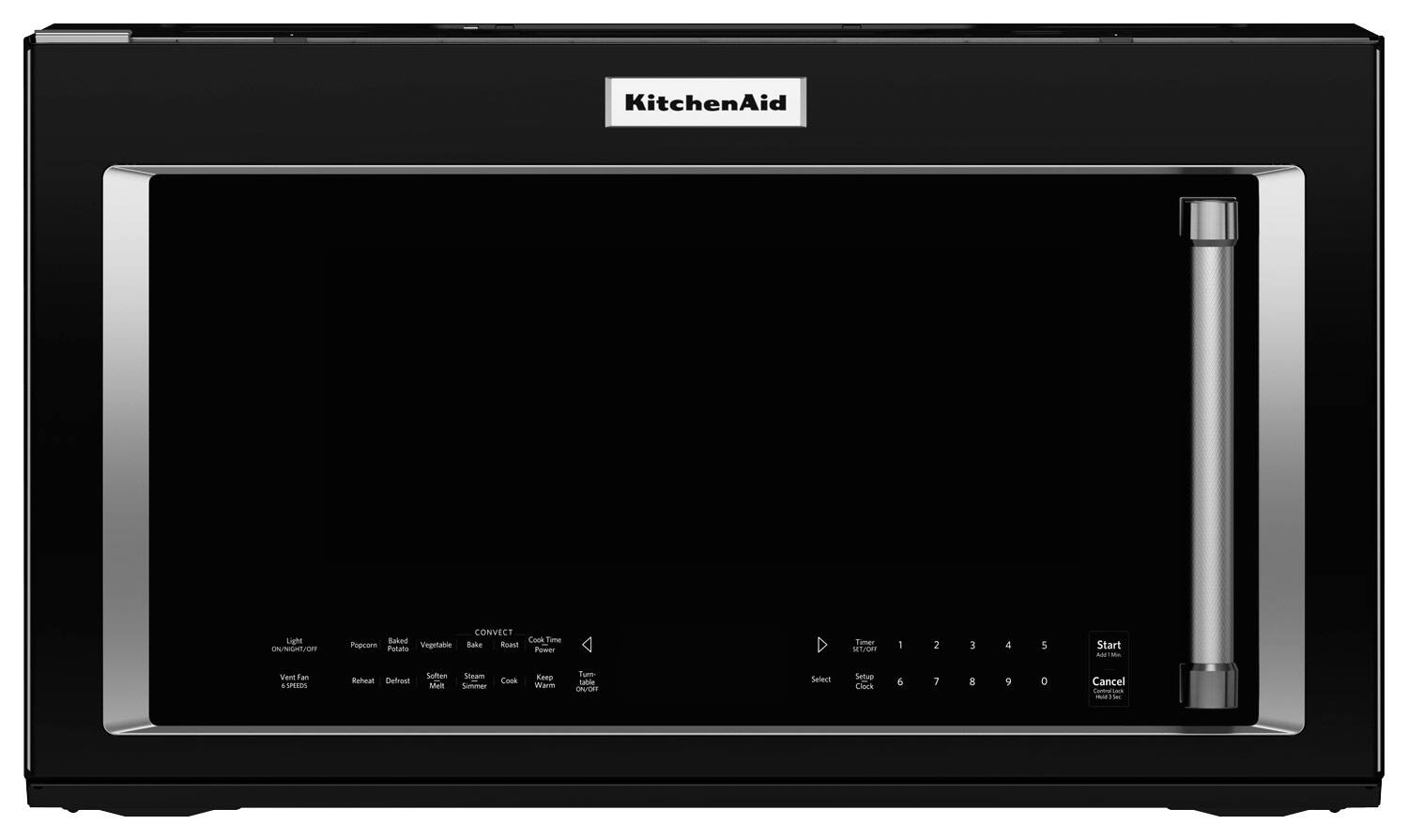
A:AnswerThere is an adjustable vent at the top of the unit that can either point forward to vent out of the top front of the unit, or can be pointed up so that it can attach to another vent that is connected externally. The installation instructions show how to do this and is easy to do (the re-pointing of the built-in vent, attaching to the external vent may be another issue).
A:AnswerHi Loi, on this particular model there is a window that illuminates on the control board. The numbers and other selections are not intended to light up.
A:AnswerYes, it can be. The manual is a little confusing because it says to use microwave safe cookware, but later tells you to only use metal bakeware if convection baking. It had us confused also.
A:AnswerIt used the same bracket as my old Whirlpool OTR from like 2013. I would bet its the same, but its easy enough to check after you get the old one down. I literally held the new one up to the old one while it was still attached...
A:Answeri8chocolate, the Microwave can be either vented to the exterior or recirculating, but it does comes set at recirculating. More information can be found in the Installation Instructions: https://www.kitchenaid.com/content/dam/global/documents/201408/installation-instructions-W10724870-RevA.pdf.
A:AnswerIts actually pretty simple. You will also need to put the included convection oven rack in the microwave and select either bake or roast under the convect lettering. Its off to the left side top row.
A:AnswerI love the steamer that came with this microwave. Put a little water on the bottom of the pan, cover and use the steamer options. Veggies turn out wonderful.
A:AnswerYes, this has a combination function. Just note, the time of the cooking cycle when using the combination function is not displayed until it is almost over.