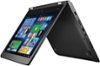
“m.2 SSD/Hard Drive installation Is it possible to replace the installed SSD with hard drive and purchase m.2 SSD to install in the available slot ? Is there an access door to do this or required to dissemble the case?”
Answer This Question
1-4 of 4 Answers
It definitely has an M.2 SSD slot. This is the Skylake version of Thinkpad Yoga exclusive to BestBuy, and the specs most closely matching that of the upcoming Thinkpad Yoga 460. Yes, you can install a 2242 M.2 SSD. There is no access door. You'll need to take the bottom cover off.
Sorry, there was a problem. Please try again later.I purchased a Scandisk 480gb ssd, only have to remove back case and one screw for the drive.
I would recommend:
Sorry, there was a problem. Please try again later.4 screws remove the bottom cover which provides almost complete access to the innards of this model. See support.lenovo.com for the Hardware Maintenance Manual. The Parts Catalog (fbubom) contains part numbers used by Lenovo. m.2 SSD has size and performance limitations. Lenovo uses a 16 GB m.2 SSD. Larger model drives have slower write performance. Personally, I love the performance of the SSD. If more size is needed, SATA models are available that perform faster than the factory installed drive and are up to 1 TB in size! Samsung and Crucial drives perform nicely!
Sorry, there was a problem. Please try again later.it only has 2.5" sata slot. no m.2 space available
Sorry, there was a problem. Please try again later.