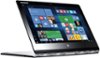
“Has anyone upgraded to windows 10 and fixed the bug that causes the keyboard not to work? Windows 10 bug results in touch keyboard not working in tablet mode>”
Answer This Question
1-6 of 6 Answers
I spent hours on the phone with Lenovo and even downgraded back to Windows 8 for which the keyboard worked in tablet mode. After many hours on the phone with Lenovo they said it was not their problem because the tablet keyboard worked with Windows8 and I needed to contact Micorsoft. My feeling was that their hardware didn't work right so I returned the laptop and got a SurfacePro3 (and it worked fine in Windows10!).
Sorry, there was a problem. Please try again later.I upgraded to Windows 10 and haven't had any issues with the keyboard.
Sorry, there was a problem. Please try again later.I just changed mine over to window 10 at the end of the year 2015 and had no issues with any thing when it was completed. Worked just fine.
Sorry, there was a problem. Please try again later.please see my review for a full description. I called Lenovo and it's a problem with a driver which does not have a fix at present. I suggest you take it back and get a Lenovo with Windows 10 preinstalled. Their only suggestion at Lenovo was to go back to Windows 8.1 - whichif you want to be modern isn't going to work for you.
I would recommend:
Sorry, there was a problem. Please try again later.I have the same problem. Whenever I try to use the keyboard in tablet mode while surfing the internet it doesn't work.
Sorry, there was a problem. Please try again later.I have an original Yoga, and it sometimes doesn't bring the keyboard back after flipping. All I have to do is flip it once of twice, and it fixes itself.
Sorry, there was a problem. Please try again later.