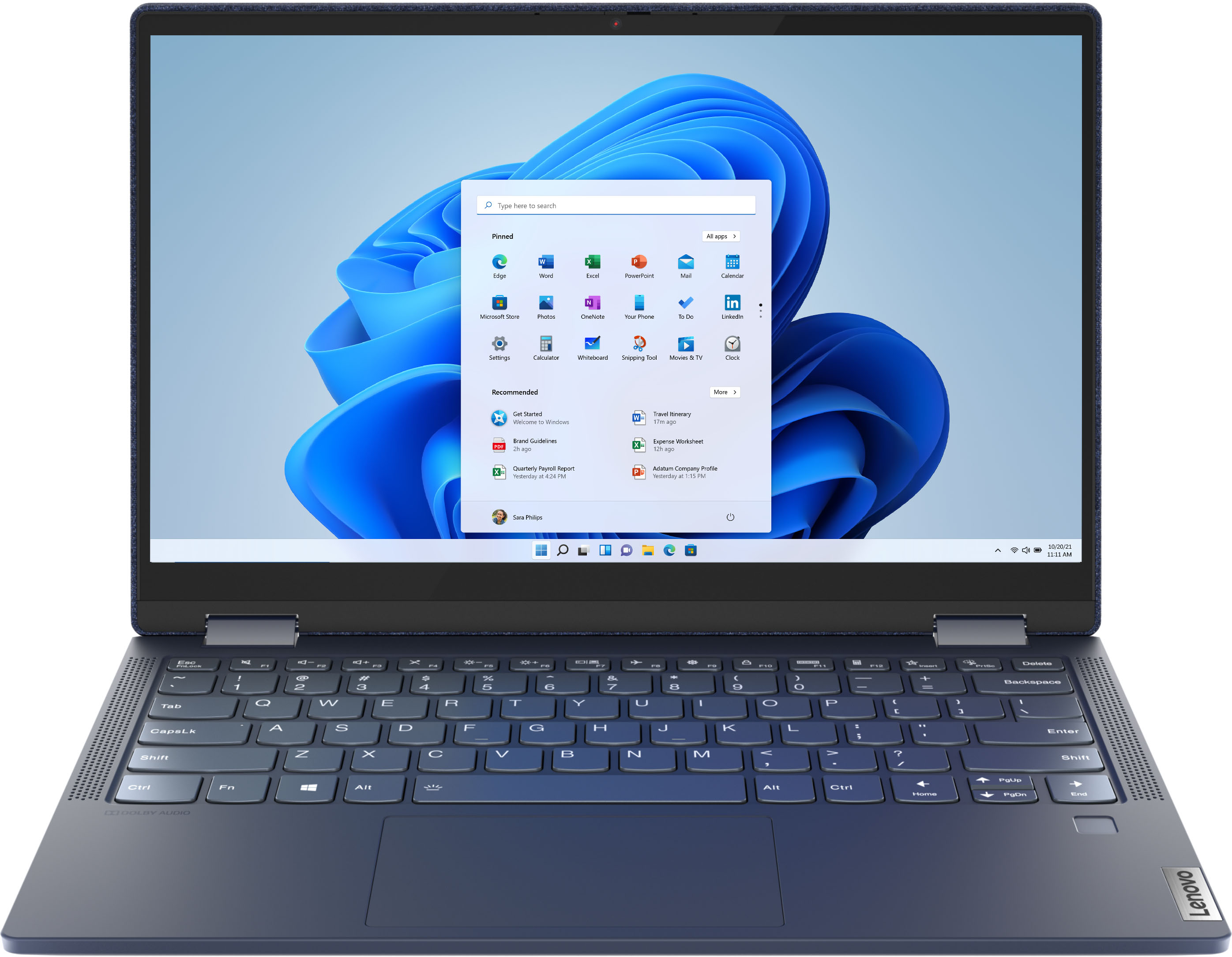
A:AnswerThe Lenovo Yoga 6 13 model number 82FN003TUS ships with a 13.3-Inch (screen size measured diagonally) LCD w/LED Backlight screen, with a resolution of 1920 x 1080 (FHD) and a brightness level of 300 nits.
A:AnswerYou are correct. This model of the Yoga 6 13 ships with the 6-Core/12-Thread AMD Ryzen 5 Pro 4650U processor. The processor base speed is 2.1GHz and the boost speed is up to 4.0GHz.
A:AnswerWe are sorry to hear that you are having issues with your lenovo Yoga 6 13. First, check to be sure that the battery has a level of charge greater than 25 Percent. Yo can check your battery charge level by placing the cursor over the battery icon at the bottom right of your Windows 11 Desktop Screen. If the battery level is at 25 Percent or less, plug the computer in and let the battery charge to full capacity. If the Battery level is above 25 percent, be sure any software you installed is compatible with Windows 11. This would include any legacy software installed from an old computer. Additionally, there is no need to install Microsoft Office software. The software is already part of the operating system, you just need to activate the software with a purchased product key. If you have installed a copy of Microsoft Office, this is conflicting with the existing copy on the system and this will slow your system down. If you have installed a 3rd party anti-virus program, be sure that Windows Defender is turned off and that the trial version of McAfee Anti-Virus software is uninstalled. There can only be one anti-virus program on the system. Here is a link to instructions for uninstalling McAfee from a Windows computer: https://service.mcafee.com/?articleId=TS101331&page=shell&shell=article-view You may need to restore your system to original factory default settings if any of the programming errors have occurred. You can do that by typing "restore" in the Cortana search window. Just click on the magnifying glass icon at the bottom of your Windows 11 Desktop. Click on "Reset This PC" Then click on "Get Started" and follow the on screen directions to restore to factory defaults. If there is no incompatible software installed but the issues persist, check to be sure you have the latest version of Windows 11 on the computer. Then update all BIOS files and drivers up to that latest version of Windows 11. You can easily accomplish this by scanning the computer with the Lenovo Utility software available on this computer. This system has Lenovo utilities installed to help maintain the health of the device and keep the operating system software up to date. Type "Lenovo Vantage" in the Cortana Search window (if Lenovo Vantage is not installed on your device, you can download the APP and install it now). Select Lenovo Vantage from the list. In the window that opens, click on "Health and Support". In the expanded menu, select "Hardware Scan" In the window that opens, select "Run Quick Tests". This will scan your entire system for errors. Follow any directions that may pop up. If the problem continues after this scan, now click on "System Update". First select Windows update from the menu. Scan your system to be sure you have the latest version of Windows 11. Once that scan is complete, select "Additional Updates". This will scan your device to be sure there are no new BIOS/Driver updates needed. Follow any instructions that may pop up. If the issue continues after these updates, we recommend you call Lenovo Tech Support at: 877-453-6686 for additional help.
A:AnswerThe open box item could be used, whether it is a return I'm not sure, it could be a store demo. As far as the warranty is concerned it only carries the original warranty that remains. In my case I have 8 months remaining on it
A:AnswerHello, thanks for your question. The Lenovo Yoga 6 13" laptop does not ship with an internal CD/DVD player. To use CD/DVDs with this laptop we recommend an external USB CD/DVD drive like the one in the following link. https://www.bestbuy.com/site/lg-8x-external-usb-double-layer-dvdrw-cd-rw-drive-black/5852919.p?skuId=5852919
A:AnswerHere is a link to a compatible AES protocol active pen that is compatible with the Lenovo Yoga 6 13: https://www.bestbuy.com/site/wacom-bamboo-ink-smart-stylus-for-windows-ink-2nd-generation-gray/6374981.p?skuId=6374981
A:AnswerThat will depend on the requirements and compatibility of the software you want to run. We recommend you check with the software publisher's web site for their compatibility with Windows 10 Home 64-bit operating system and the minimum/recommended hardware requirements (Is a Graphics card required, the processor speed and the minimum required system RAM and the minimum available hard drive space) to run their program, then compare those requirements to this system's configuration.
A:AnswerNot really but it’ll play some games with lower quality settings using the integrated Vega graphics. For gaming it’s best to look for something with dedicated graphics.
A:AnswerThis Lenovo Yoga 6 13, model number 82FN003TUS, ships with 8GB Soldered DDR4-3200MHz RAM Memory soldered to systemboard, no slots and is not upgradeable.
A:AnswerThis Lenovo Yoga 6 13, model number 82FN003TUS, ships with 2x USB-C 3.2 Gen 1 (support data transfer and DisplayPort 1.4) ports with video out capability and supports up to 3 independent displays (native display and 2 external monitors via USB-C). USB-C supports up to 3840x2160@60Hz. Here is a link to information about using a dual monitor configuration within a Zoom Meeting: https://support.zoom.us/hc/en-us/articles/201362583-Using-Zoom-desktop-client-with-dual-monitors
A:AnswerThat will depend on the requirements and compatibility of the specific APP you want to run. This Lenovo Yoga 6 13 model number 82FN003TUS, ships with Windows 10 Home 64-bit Operating System installed. We recommend you check with the specific APPs software publisher's web site for their compatibility with Windows 10 Home 64-bit operating system and the minimum/recommended hardware requirements (Is a Graphics card required, the processor speed and the minimum required system RAM and the minimum available hard drive space) to run their program, then compare those requirements to this system's configuration.
A:AnswerYes. The Lenovo Yoga 6 13 model number 82FN003TUS, ships with two USB-C 3.2 Gen 1 (support data transfer and DisplayPort 1.4) for connecting an external monitor, supporting both audio/video signals.
A:AnswerI upgraded mine to a Samsung Evo Plus 1TB NVMe SSD. Just discard the adapter for the small 2230 drive and you can install a 2280 drive. You'll need a T5 Torx screwdriver to open the back and then a small phillips-head to change out the SSD. You'll void the warranty doing this but that's not something I worry about and I've upgraded many laptops.
A:AnswerThe Lenovo Yoga 6 13 model number 82FN003TUS, is a 110V device. It does ships with a Dual Voltage AC adapter/charger, with a USA compatible wall side plug. To use outside the USA, you will need to add a compatible wall side plug adapter, compatible with the country the computer will be used in. The adapter is sold separately.