“I purchased a Lenova Yoga Book ( ANDROID operating). Also I bought a Yoga Book mouse that twists- silver. It paired with the wireless bluetooth on my Yoga Book. But its not working. Is the Lenovo Yoga Mouse Souris Yoga Lenovo mouse compatible?”
Answer This Question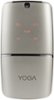
1-4 of 4 Answers
The Yoga mouse will work in the Bluetooth mode with the Android version of Yoga Book. Be sure you turn on the Bluetooth feature on the Yoga Book first. Then move the connectivity selector on the YOGA Mouse to the Bluetooth Pairing position (the extreme right position). The YOGA Mouse should appear in the list of available devices on the Yoga Book. Release the pairing button and be sure the connectivity switch on the YOGA Mouse is in the middle, Bluetooth position after pairing. If you have further issues, we recommend you call Lenovo Tech Support at: 877-453-6686.
Sorry, there was a problem. Please try again later.It took me a little time, but I learned how it works. It is compatible .
Sorry, there was a problem. Please try again later.The mouse is compatible cause I use it everyday. Mine is the Lenovo/ Yoga Laptop and mouse. Maybe it needs to have a full charge.
Sorry, there was a problem. Please try again later.It is, if it pairs it should work. But sometimes your third party apps or special power savings plans prevents you from connecting your bluetooth. Reset and try it again.
Sorry, there was a problem. Please try again later.