Questions & Answers
- Model:
- 24LQ520S-PU
- |
- SKU:
- 6506779
Q: Questionis this a 2022 model tv with a 24 month warranty.. I am a member
Asked by 2curious.
- A:Answer Yes
Answered by PatriciaC
Q: Questiondoes this LG 24inch LED TV connect to a simple Spectrum cable (from the spectrum router)
Asked by town12.
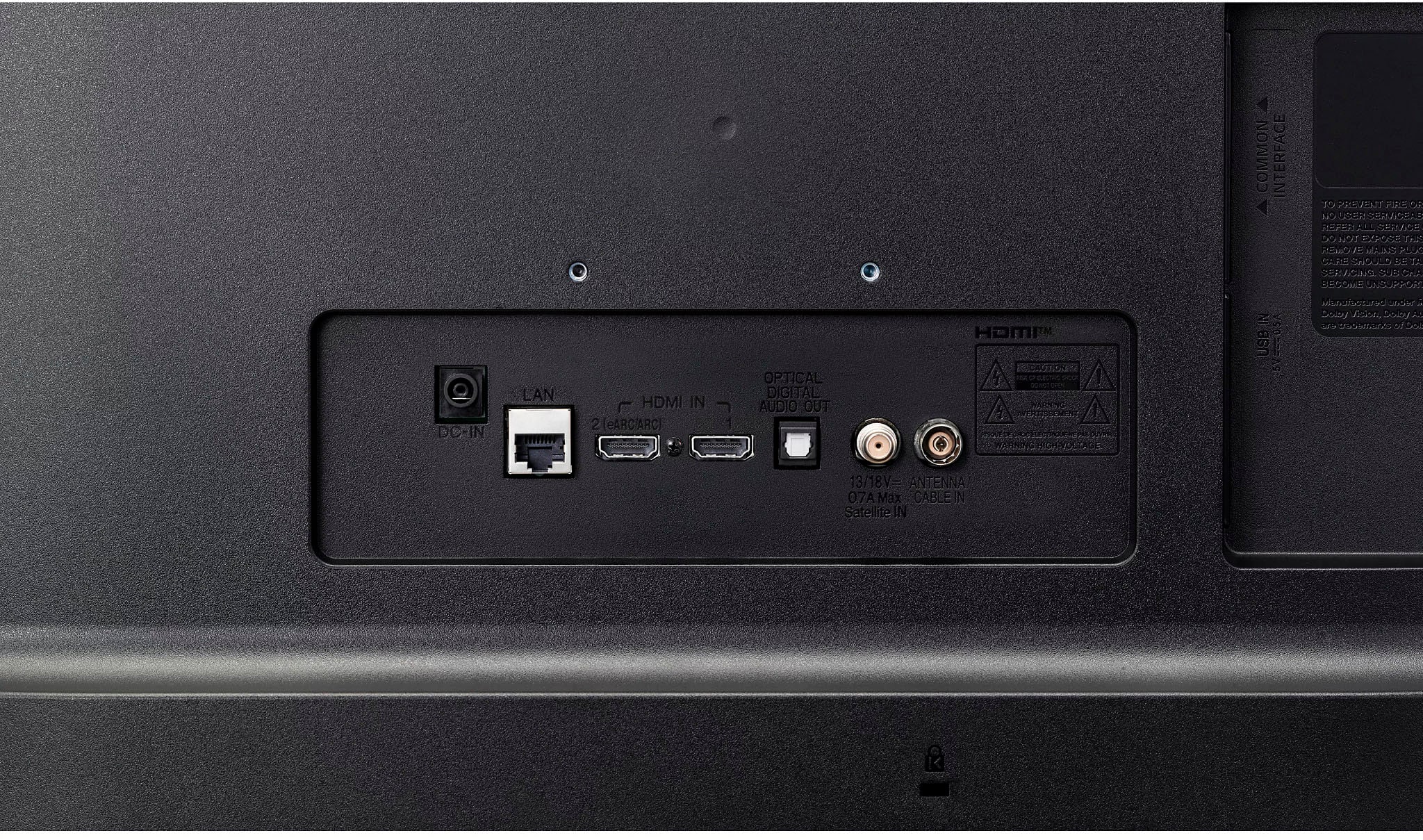
- A:Answer Hi there. Thank you for sharing your question with us. We understand your inquiry regarding the connectivity of the 24LQ520S-PU with your Spectrum cable service. The 24LQ520S-PU is a versatile Smart TV that offers multiple ways to enjoy your cable content. You can easily connect a Spectrum cable box to the television using an HDMI cable, as this model includes an HDMI port designed for high-definition input. Furthermore, because this unit features built-in Wi-Fi and the LG Content Store, you may also have the option to utilize the Spectrum TV app directly on the device, allowing you to stream your favorite channels over your home network. This model also includes a digital tuner (ATSC) and an analog tuner (NTSC), providing you with flexibility for various types of signal connections. We are committed to providing you with the accurate information necessary to get the most out of your LG display. https://www.bestbuy.com/product/lg-24-class-led-hd-smart-tv-with-webos-2022/JJ8VPZ6YTT If you have any further questions about its features, input specifications, or the setup process, please contact us on [email protected], and our team will be more than happy to assist you. —Renzo
Answered by LG Digital Customer Care
Q: QuestionIf I download Xfinity app on this LG model will I get local channels as well as cable channels without Roku or antenna
Asked by Bert.
- A:Answer Hi there, Bert. Thank you for connecting with us. We understand your inquiry regarding the channel availability when using the Xfinity app on your 24LQ520S-PU TV. To answer your question directly, yes, by downloading the Xfinity Stream app from the LG Content Store and logging in with an active Xfinity subscription, you can stream your subscribed channel lineup over your Wi-Fi connection. This means you will be able to enjoy your local and cable channels without needing a separate Roku device or an external antenna. Please keep in mind that the specific channels available to you will depend entirely on your current Xfinity service package. Your feedback is important, and we'd like to assist you further. https://www.bestbuy.com/product/lg-24-class-led-hd-smart-tv-with-webos-2022/JJ8VPZ6YTT If you have any further questions about its features, please contact us on [email protected], and our team will be more than happy to assist you. —Renzo
Answered by LG Digital Customer Care
Q: QuestionCan I use an amazon firestick 4k Max and download UTube TV on this LG-24Class LED Smart TV with web OS9(2022)?
Asked by Satisfied.
- A:Answer You can only download and install apps that are compatible with the webOS Operating System that the LG - 24” Class LED HD Smart TV with webOS (2022), Model # 24LQ520S-PU runs on from the LG Content Store (App Store), through the LG Content Store feature on the TV's home screen...^Ivan.
Answered by LG Digital Customer Care
Q: Questiondoes this tv have a sleep timer on it .. or does it just shut off after so many hours?
Asked by 2curious.
- A:Answer The LG - 24” Class LED HD Smart TV with webOS (2022), Model # 24LQ520S-PU features an Auto Off / Auto Sleep function designed to conserve energy. This feature allows the TV to turn itself off automatically after 15 minutes of inactivity or at a preset time. The function acts as an automatic shutdown timer that triggers when no user input is detected for 15 minutes. You can typically select from, or turn off, automatic shutdown settings, which may include options like 2, 4, 6, or 8 hours. Unlike a standard "Sleep Timer" (which counts down to off from the moment you set it), the "Auto Off" function usually detects if the TV has been idle for several hours...^Ivan.
Answered by LG Digital Customer Care
Q: Questioncan i hook this tv up to my acer hdmi tower computer and use the tv as a monitor/tv
Asked by js1313.
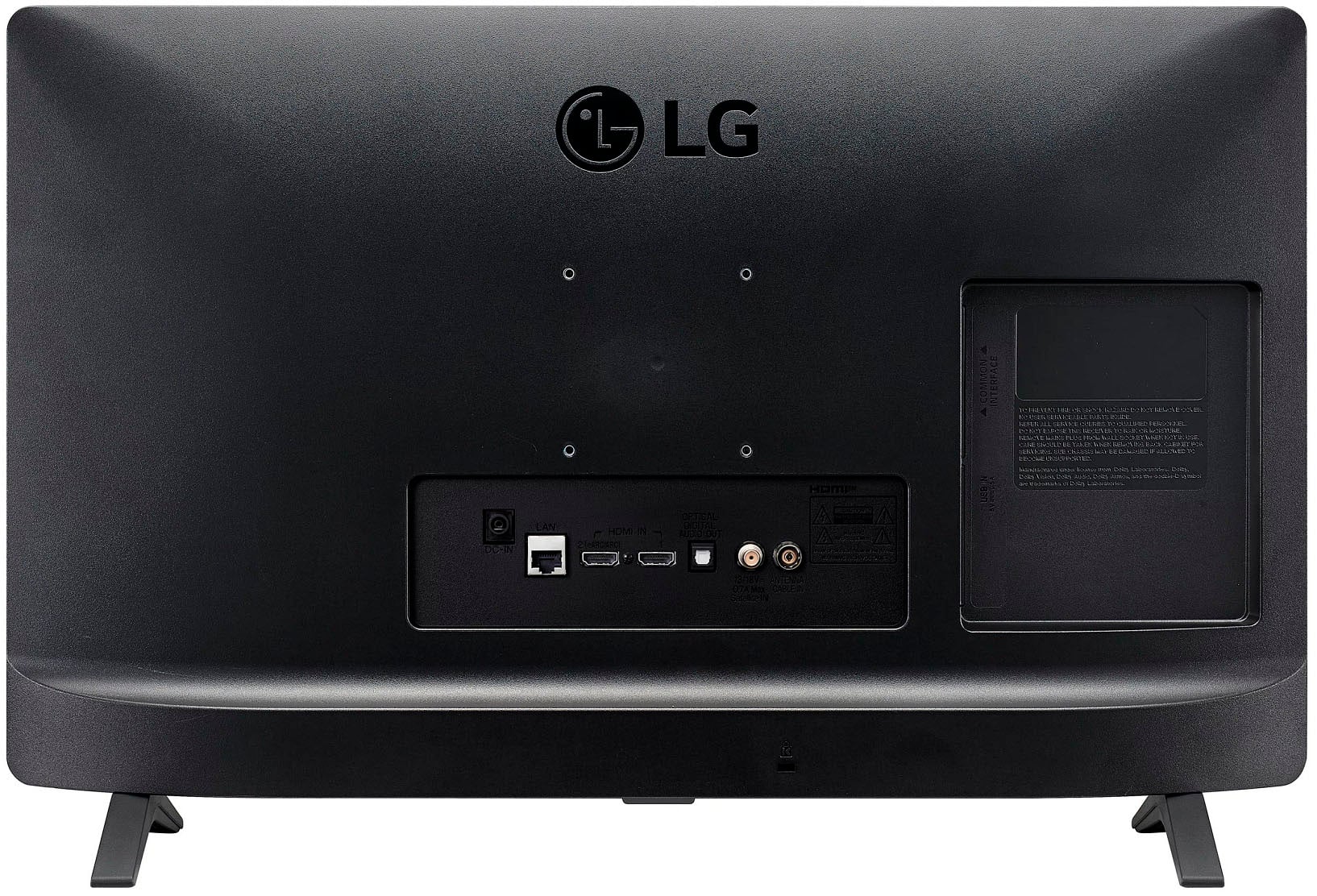
- A:Answer Hi there. Thank you for sharing your experience with us. We understand your inquiry regarding using the 24LQ520S-PU as a monitor for your Acer tower. We can confirm that you can certainly hook this TV up to your computer via the HDMI 1.4 port to use it as a monitor. To do this, simply connect an HDMI cable from your Acer tower to the HDMI input on the back of the unit. Your feedback is important, and we’d like to assist you further. https://www.bestbuy.com/product/lg-24-class-led-hd-smart-tv-with-webos-2022/JJ8VPZ6YTT If you have any further questions about its features, please contact us on [email protected], and our team will be more than happy to assist you. —Renzo
Answered by LG Digital Customer Care
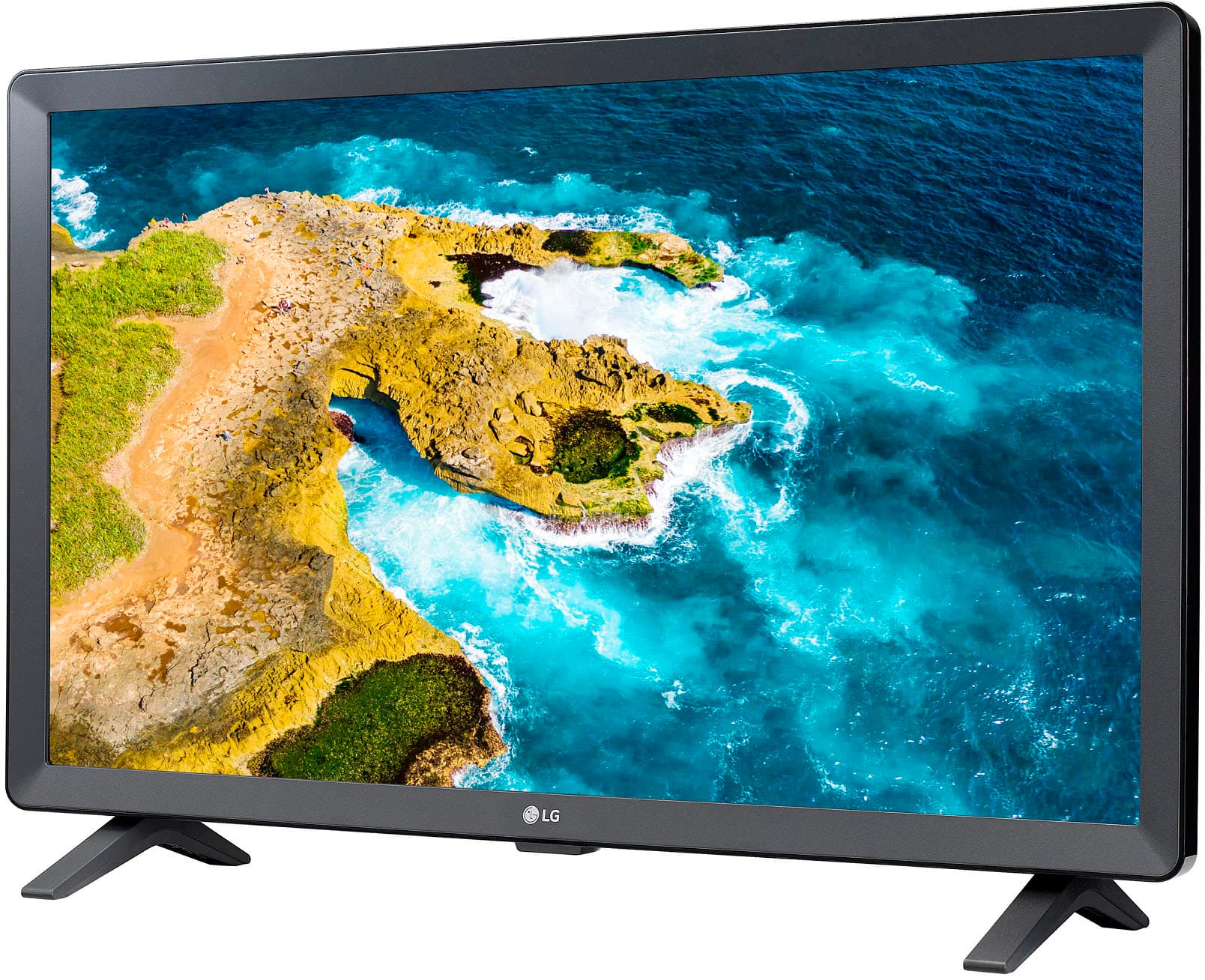
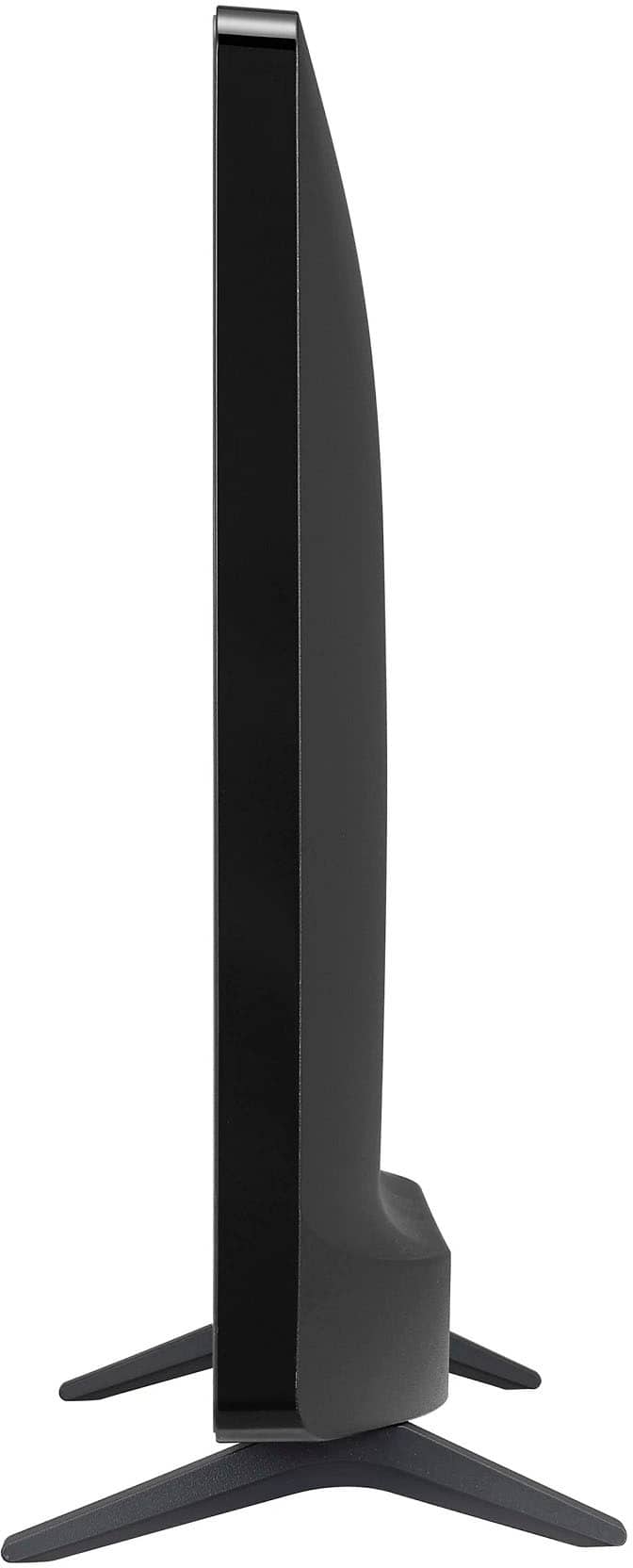
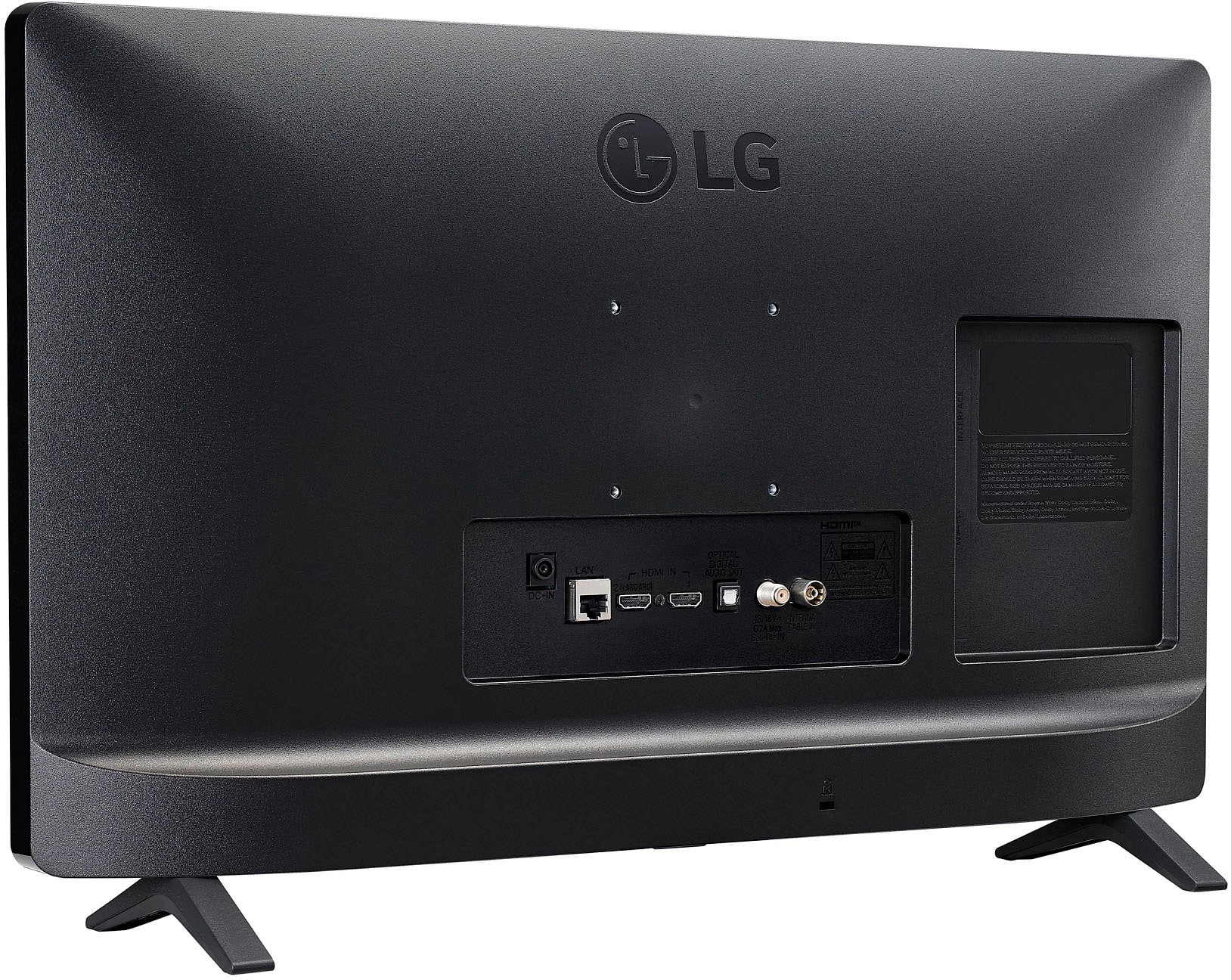
Q: QuestionCan the legs be adjusted to lift the tv higher?
Asked by Jean.
- A:Answer The stand legs for the LG - 24” Class LED HD Smart TV with webOS (2022), Model # 24LQ520S-PU, cannot be adjusted to lift the TV higher...^Ivan.
Answered by LG Digital Customer Care
Q: QuestionIS this tv safe to use in a bathroom
Asked by Notsure.
- A:Answer Depending on the size of your bathroom I think it would work well, especially if you mount it.
Answered by BrendaM
Q: QuestionWhat is the measurements from top to bottom of legs.
Asked by Anonymous.
- A:Answer The specifications for the LG - 24” Class LED HD Smart TV with webOS (2022), Model # 24LQ520S-PU, do not list a measurement for the stand legs since they slide into the slots at the bottom of the TV, so the only height measurement listed is for the TV is 14.4" for Product Height With Stand, which is measured from the surface the TV is installed on to the top of the TV...^Ivan.
Answered by LG Digital Customer Care
Q: QuestionWhat brand of universal Center table top mount is compatible with this TV. KKtoner stand blocks access to the tv's central bottom ports even with spacers added. The bottom feet included with the TV are too wide to sit on my dvd.
Asked by Jennifer.
- A:Answer Hi there, Jennifer. Thank you for sharing your experience with us. We understand your inquiry regarding the 24LQ520S-PU and your search for a compatible center table top mount. While we do not officially recommend specific third-party brands for stands, we can confirm that this unit is compatible with the VESA mount interface standard of 75 x 75 mm. When searching for a universal stand, please ensure it supports this VESA pattern and check the mount's design to ensure the brackets allow clearance for the central bottom ports. Your feedback is important, and we'd like to assist you further. https://www.bestbuy.com/product/lg-24-class-led-hd-smart-tv-with-webos-2022/JJ8VPZ6YTT If you have any further questions about its features, please contact us on [email protected], and our team will be more than happy to assist you. —Renzo
Answered by LG Digital Customer Care
Q: QuestionDoes this tv have a voice remote?
Asked by Gary.
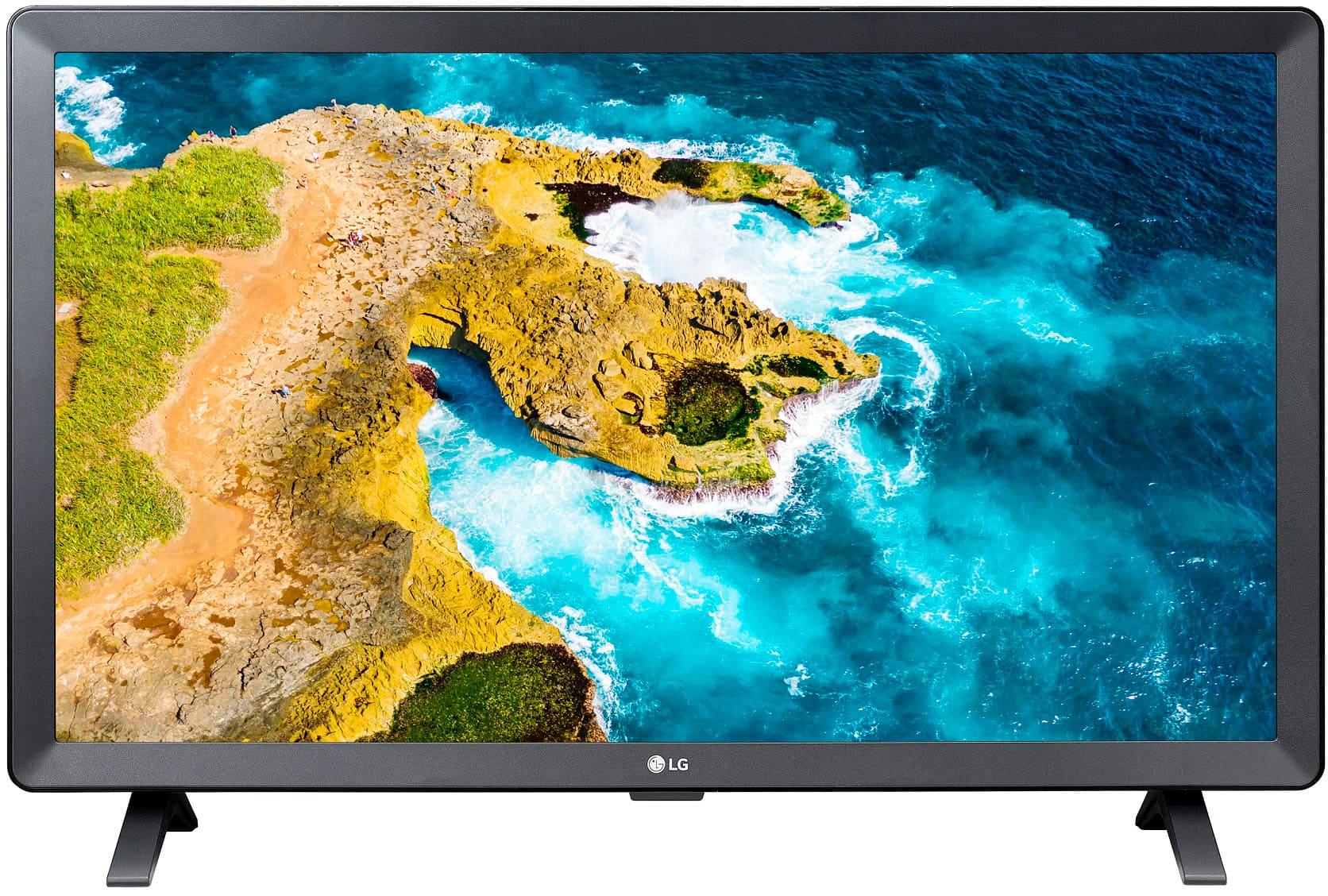
- A:Answer The LG - 24” Class LED HD Smart TV with webOS (2022), Model # 24LQ520S-PU, comes with a standard remote control that does not have voice control, and it is incompatible with the LG Magic Remote, which can be used for voice control. The TV does not support Intelligent Voice Recognition...^Ivan.
Answered by LG Digital Customer Care
Q: QuestionMy box had Roku on the box. My remote is an LG. Do I have to purchase a Roku stick?
Asked by Bruce.
- A:Answer Hello there, Bruce. Thank you for your question regarding the LG Smart TV Monitor (Model 24LQ520S-PU). We understand your inquiry regarding the operating system. This model features LG's own webOS smart platform with the LG Content Store for apps, rather than being a built-in Roku TV. If you specifically prefer the Roku interface, yes, you would need to purchase a separate Roku stick and connect it to the HDMI port. However, you can also access many apps and features directly through the TV's built-in system. https://www.bestbuy.com/product/lg-24-class-led-hd-smart-tv-with-webos-2022/JJ8VPZ6YTT If you have any further questions about its features, please contact us on [email protected], and our team will be more than happy to assist you. —Renzo
Answered by LG Digital Customer Care
Q: QuestionWill this tv be able to download a buckeyebroadband streaming app?
Asked by Vicki.
- A:Answer The Buckeye Broadband app, known as myBuckeye, is incompatible with the webOS TV Platform (Operating System) that the LG - 24” Class LED HD Smart TV with webOS (2022), Model # 24LQ520S-PU runs on, so it cannot be downloaded and installed on the TV...^Ivan.
Answered by LG Digital Customer Care
Q: QuestionWhat would be a good indoor TV antenna for this TV?
Asked by Balto.
- A:Answer Best Buy carries a variety of indoor antennas that can be connected to the F-Type, 75-Ohm, coaxial connector on the back of the LG - 24” Class LED HD Smart TV with webOS (2022), Model # 24LQ520S-PU labeled Antenna/Cable In, and you can search for Best Buy to find a listing of all the indoor antennas they carry. Each listed indoor antenna will have specifications on its product detail page, and if you need further assistance or inquiries about which one best suits your needs, you can contact Best Buy's customer support for assistance...^Ivan.
Answered by LG Digital Customer Care
Q: QuestionIs it Bluetooth enable to connect with Bose speaker or Bluetooth enabled headphones. Does the display show up in direct sunlight.
Asked by J.
- A:Answer Hi there, J. Thank you for reaching out to us. We understand your inquiry regarding the connectivity and display of the 24LM520S-WU. Based on the specifications for this model, it does not feature built-in Bluetooth support for connecting speakers or headphones; however, it is equipped with an Optical Digital Audio Out port for external audio. Regarding the display, it has a typical brightness of 200 cd/m² which is designed primarily for standard indoor viewing environments rather than direct sunlight. https://www.bestbuy.com/product/lg-24-class-led-hd-smart-tv-with-webos-2022/JJ8VPZ6YTT If you have any further questions about its features, please contact us on [email protected], and our team will be more than happy to assist you. —Renzo
Answered by LG Digital Customer Care
Q: Questionwall bracket for this tv
Asked by Anonymous.
- A:Answer Hello there. We understand your inquiry about the wall bracket for the LG HD Smart TV, model 24LQ520S-PU. To mount this TV on the wall, you will need a wall mount that supports the VESA 75 x 75 standard. This specific size refers to the distance in millimeters between the mounting holes on the back of the TV. https://www.bestbuy.com/product/lg-24-class-led-hd-smart-tv-with-webos-2022/JJ8VPZ6YTT If you have any further questions about compatible wall brackets or the mounting process, please contact us on [email protected], and our team will be more than happy to assist you. —Renzo
Answered by LG Digital Customer Care
Q: QuestionDoes this TV have a voice remote?
Asked by Anonymous.
- A:Answer Hi there. Thank you for sharing your inquiry with us. We understand your inquiry about whether the LG 24" HD Smart TV, Model # 24LQ520S-PU, includes a voice-enabled remote. The LG 24" HD Smart TV, Model # 24LQ520S-PU, does not include a voice-enabled remote control. It comes with a standard remote control for operating the TV. https://www.bestbuy.com/product/lg-24-class-led-hd-smart-tv-with-webos-2022/JJ8VPZ6YTT If you have any further questions about its features, please contact us on [email protected], and our team will be more than happy to assist you. —Renzo
Answered by LG Digital Customer Care
Q: Questiondoes itn have wifi and Bluetooth
Asked by Anonymous.
- A:Answer Hello there. Thank you for reaching out to us. We understand your inquiry regarding the connectivity features of the LG 24" Class LED HD Smart TV (2022). This model (24LQ520S-PU) is equipped with built-in Wi-Fi, allowing you to access streaming services and use screen-sharing features. It also includes Bluetooth connectivity, which enables you to pair wireless speakers or headphones for a more flexible audio experience. https://www.bestbuy.com/product/lg-24-class-led-hd-smart-tv-with-webos-2022/JJ8VPZ6YTT For further assistance and any specific concerns you may have, please contact us on [email protected]. —Renzo
Answered by LG Digital Customer Care
Most-viewed items
- $249.99$249.99The price was $379.99
- $1,999.99$1,999.99The price was $2,199.99
- $1,399.99$1,399.99The price was $2,699.99
- $449.99$449.99The price was $649.99
- $199.99$199.99The price was $349.99
- $569.99$569.99The price was $699.99
- $139.99$139.99The price was $229.99
- $329.99$329.99The price was $489.99
- $1,399.99$1,399.99The price was $2,499.99
- $2,199.99$2,199.99The price was $3,699.99
- $379.99$379.99The price was $399.99
- $269.99$269.99The price was $449.99
- $429.99$429.99The price was $499.99
- $449.99$449.99The price was $689.99
- $649.99$649.99The price was $1,299.99
- $179.99$179.99The price was $299.99
- $699.99$699.99The price was $899.99
- $149.99$149.99The price was $199.99
- $1,499.99$1,499.99The price was $2,999.99