Questions & Answers
- Model:
- OLED42C5PUA
- |
- SKU:
- 10732453
$1,166.38
Page Showing 41-47 of 47 questions
Q: QuestionCan a stand on wheels be used with a 42" LG TV? If yes, is there any info that you can share to make it easier because I would be attaching it myself. Also, is a BOSE soundbar compatible?
Asked by Lorelei.
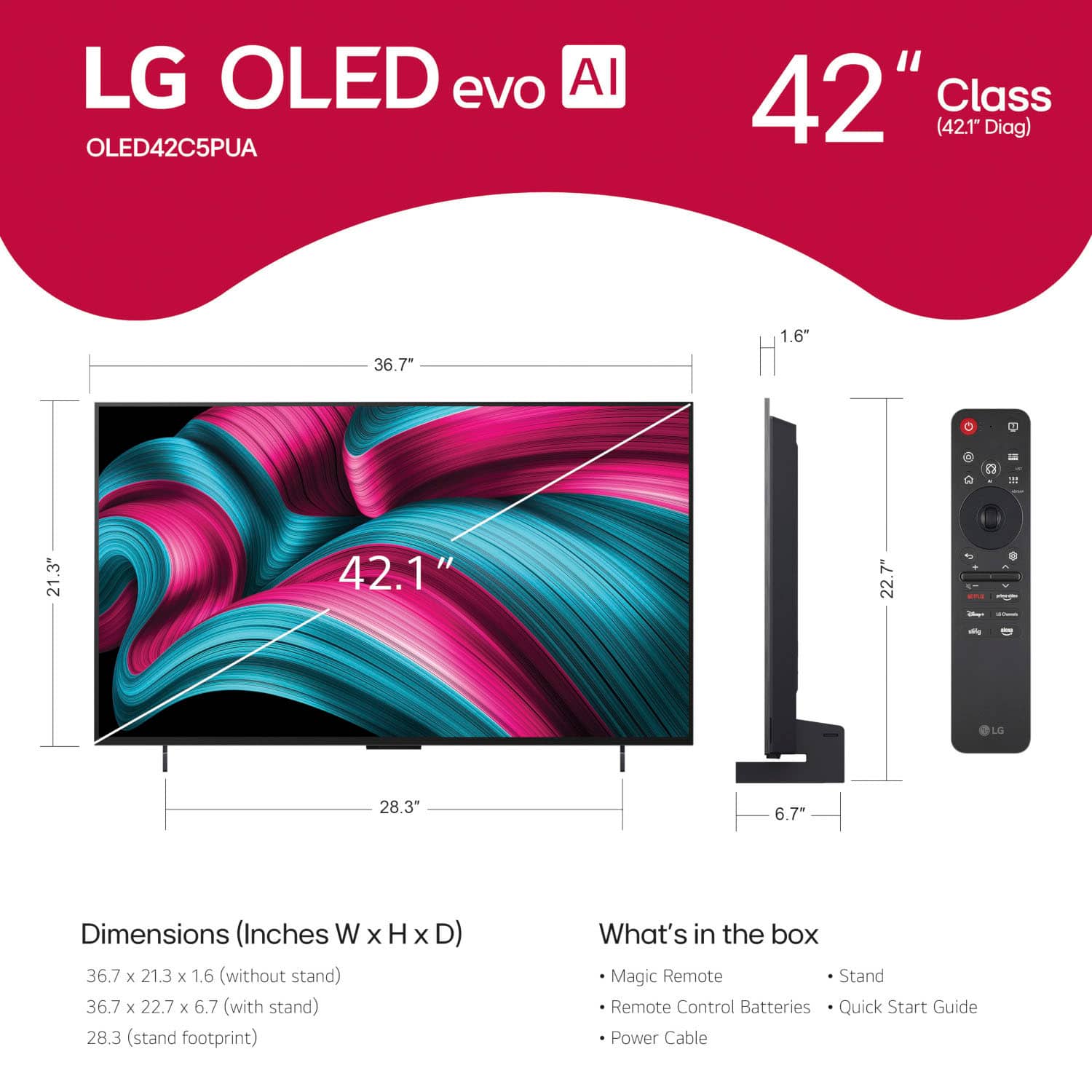
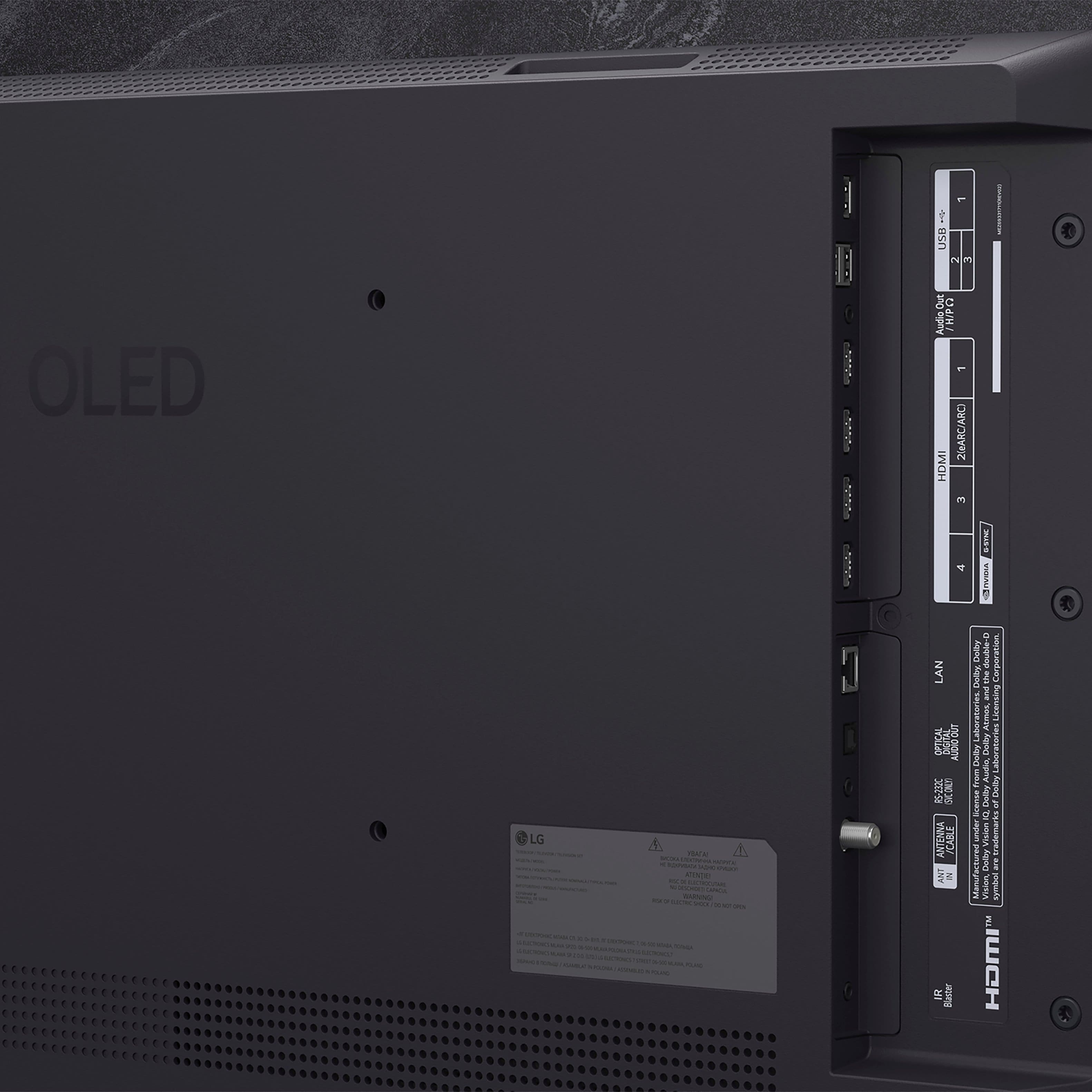
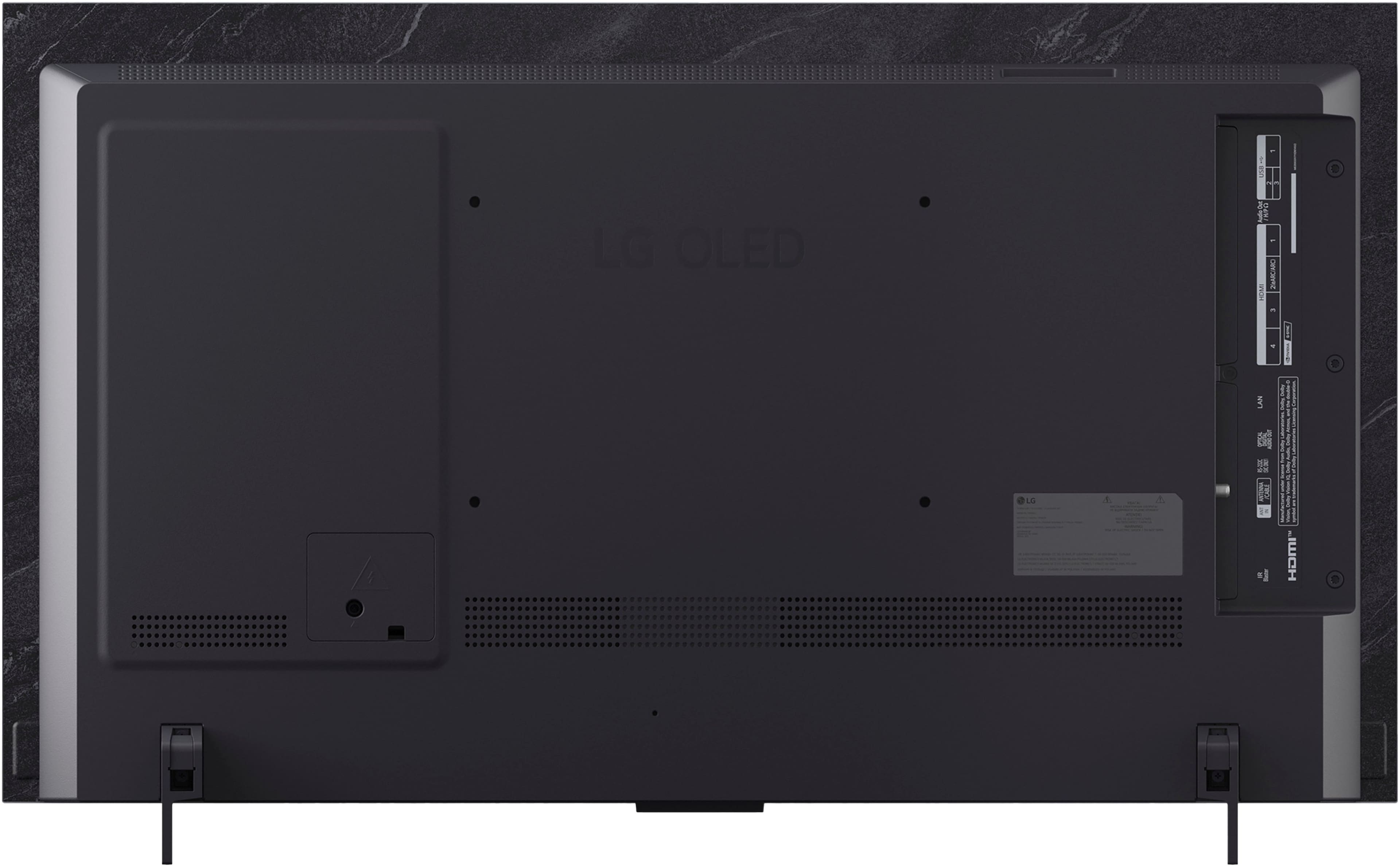
- A:Answer Is the stand on wheels that you are inquiring about a VESA-compliant Stand that has a mounting bracket that can be used to mount TVs? The 42-inch Class LG OLED evo AI C5 4K Smart TV 2025, Model # OLED42C5PUA, is a VESA-compliant display with a 300 x 200 mm VESA Mount Pattern, LG does not make TV stands with wheels, but there is a variety of third-party TV Stands with wheels that you can find online that have VESA-compliant mounts that you can mount a TV on, but you need to ensure that the TV stand supports the TV's VESA mount pattern. What connectivity does your Bose Soundbar have? The TV is a Bluetooth-enabled TV so it can be paired wireless via Bluetooth with a Bluetooth-enabled soundbar, connect the HDMI eARC port (HDMI 2) on the TV to an HDMI ARC/eARC port on a soundbar, or connect the TV's optical digital audio Output to a soundbar's optical digital audio input...^Ivan.
Answered by LG Digital Customer Care
Q: QuestionWhat is the peak HDR brightness of the 42-inch LG OLED42C5PUA for both a full-screen image and a 10% window and also in standard mode? I understand that its specifications differ from the 55-inch +
Asked by anonymous.
- A:Answer Hello there. Thank you for sharing your inquiry about the peak brightness of the OLED42C5PUA. We understand your question and your awareness that the smaller screen sizes have different performance characteristics than the larger models. Based on testing results for the 42-inch model, here are the approximate peak brightness figures: Peak HDR Brightness (10% Window): The 42-inch C5 achieves around 750 to 800 nits for a small, bright area in HDR content. This is the typical measurement that demonstrates the TV's peak highlight capability. Full-Screen HDR Brightness (100% Window): For a completely white screen in HDR, the brightness is typically around 170 to 200 nits. This difference from the smaller window is characteristic of all OLED displays, as the full-screen brightness is regulated to protect the display's pixels. Standard Mode Brightness (SDR): For a 100% white screen in Standard Dynamic Range (SDR) content, the brightness will vary depending on your specific settings, but it can typically reach between 200 and 250 nits. https://www.bestbuy.com/product/lg-42-class-c5-series-oled-evo-ai-4k-uhd-smart-webos-tv-2025/JJ8VPZTHLJ We appreciate you looking into the technical specifications of your OLED42C5PUA. If you would like to discuss optimizing your current picture settings to maximize brightness for your specific environment, please send us a private message on Social Media @LGUSSupport, and our team will be more than happy to assist you. —Renzo
Answered by LG Digital Customer Care
Q: QuestionCan this tv be wall mounted easily? Can this tv be calibrated in store after purchase?
Asked by Cejay.
- A:Answer How easily the LG 42" Class C5 Series OLED evo AI 4K UHD Smart webOS TV (2025, Model # OLED42C5PUA can be mounted will depend on your skill level. It can be easy to mount a TV, especially with the right tools and preparation, but it often requires careful planning and sometimes assistance. TV calibrations are best done in the environment in which the TV is installed. The room's lighting, size, and viewing conditions can affect the calibration results. It is recommended to calibrate the TV in a controlled environment that closely matches the conditions of the room where it will be used. This ensures that the TV's settings are optimized for the specific viewing environment, leading to the best possible picture quality...^Ivan.
Answered by LG Digital Customer Care
Q: QuestionDoes this have 120 or 144hz refresh rate? LG website says this model has 144, but best buy lists it as 120.
Asked by Andrew.
- A:Answer Hi there, Andrew. We understand your inquiry about the OLED42C5PUA refresh rate. According to the official LG specifications, the 42" Class C5 Series OLED evo AI 4K TV features a native 120 Hz refresh rate, with variable refresh rate (VRR) support up to 144 Hz for smoother gameplay. Best Buy’s listing of 120 Hz reflects the panel’s native refresh rate, while LG’s note of 144 Hz refers to the maximum VRR capability. https://www.bestbuy.com/site/lg-42-class-c5-series-oled-evo-ai-4k-uhd-smart-webos-tv-2025/6621833.p?skuId=6621833 If you have any other questions or need further clarification, please send us a private message on social media @LGUSSupport and our team will be more than happy to assist. —Renzo
Answered by LG Digital Customer Care

Q: Questionc4 42 " tv does it support steaming for paramount plus c5 42" same as abovr
Asked by Anonymous.
- A:Answer Paramount + is compatible with the webOS 25 TV Operating System that the LG 42" Class C5 Series OLED evo AI 4K UHD Smart webOS TV (2025), Model # OLED42C5PUA runs on and with the webOS 24 TV Operating System that the 42-inch Class LG OLED evo C4 4K Smart TV 2024, Model # OLED42C4PUA runs on. It comes as a preinstalled app on either TV...^Ivan.
Answered by LG Digital Customer Care

Q: QuestionDo I need a LG account or sign in with LG to stream programs (i.e.,YouTube, Discovery+, etc.) from the web on this TV? Or can I go directly to the streaming provider with the TV myself and do so? If not, can I watch Comcast Cable without LG acct/sign up?
Asked by Bucky.
- A:Answer Hello there, Bucky. Thank you for your question about your LG OLED42C5PUA. We understand your inquiry regarding streaming and account sign-in. With your 42" Class C5 Series OLED evo AI 4K UHD Smart webOS TV, you can launch apps like YouTube, Discovery+, Netflix, and more directly from the webOS home screen—no LG Sign-In required. Just connect your TV to your home Wi-Fi network, press the HOME button on your Magic Remote, select your desired app, and sign in with your streaming provider credentials. If you don’t see a particular app, open the LG Content Store, search for it, and download it free of charge. For Comcast Cable via a cable connection (without a set-top box), simply connect the coaxial cable to the RF Antenna Input, switch your TV’s source to “Live TV,” and tune to your channels—no LG account needed. Troubleshooting tip: If an app won’t launch or you can’t tune channels, please check for a webOS update by going to Settings > General > About This TV > Check for Updates, then reboot your TV. https://www.bestbuy.com/site/lg-42-class-c5-series-oled-evo-ai-4k-uhd-smart-webos-tv-2025/6621833.p?skuId=6621833 We’d love to explore further solutions with you. Please send us a private message on Social Media @LGUSSupport and our team will be more than happy to assist you. We appreciate your patience and thank you for choosing LG! —Renzo
Answered by LG Digital Customer Care
Page 3, Showing 41-47 of 47 questions


. Independently Tested for Quality and Workmanship CheckPlus: 100 % Color Volume to DCI-P3 oi PSSEANE Intertek [www.IntertekCheck.com](http://www.IntertekCheck.com). 100% Color Fidelity and '100% Color Volume to DCI-P3' applies to 2025 OLED TVs. *LG OLED Display is verified by UL for Perfect Color measured to IDMS 11.5 Ring-light Reflection standards. *100% Color Volume is defined as the performance of display which is equal or greater than the size of DCI-P3 standard color volume as verified independently by Intertek. *The LG OLED Panel is certified by Intertek for 100% Color Fidelity, measured to IDMS 11.5 Ring-light Reflection standards.](https://pisces.bbystatic.com/image2/BestBuy_US/images/products/3661ed5e-8d92-47a9-baef-65aa6eb5dcb9.jpg;maxHeight=54;maxWidth=54;format=webp)