A:AnswerIf you have already performed a "hard power cycle" by unplugging the LG 65” Class UA7050 Series LED AI 4K UHD Smart webOS TV (2025), Model # 65UA7050PUB, from the wall for at least 5 minutes to drain residual power, and while unplugged, hold the physical power button on the TV for 30–60 seconds, then plug it directly into a wall outlet, bypassing surge protectors, and it still will not power back on, it may require a service repair.
Check the Standby Light. If there is no light, check the power cable connection and the outlet with a lamp, or try turning the TV on using the button on the TV set, not the remote, to rule out a dead remote.
Disconnect HDMI devices (cable box, game console), as they can sometimes prevent a TV from turning on.
If the TV still does not turn on, the issue may be internal and may be due to a Power Supply Board Failure, which is the most common cause, often resulting from failed capacitors. Other possible causes are that the main circuit board may have failed, or a backlight failure where the TV may be turning on, but the screen remains black...^Ivan.
A:AnswerThe fubo app should be preinstalled on the LG 65” Class UA7050 Series LED AI 4K UHD Smart webOS TV (2025), Model # 65UA7050PUB. Still, it is compatible with the webOS 25 TV Platform that the TV runs on, so if it has to be downloaded and installed on the TV through the LG Content Store (App Store), it can be easily downloaded and installed on the TV. We are not aware of any reported issues downloading it...^Ivan.
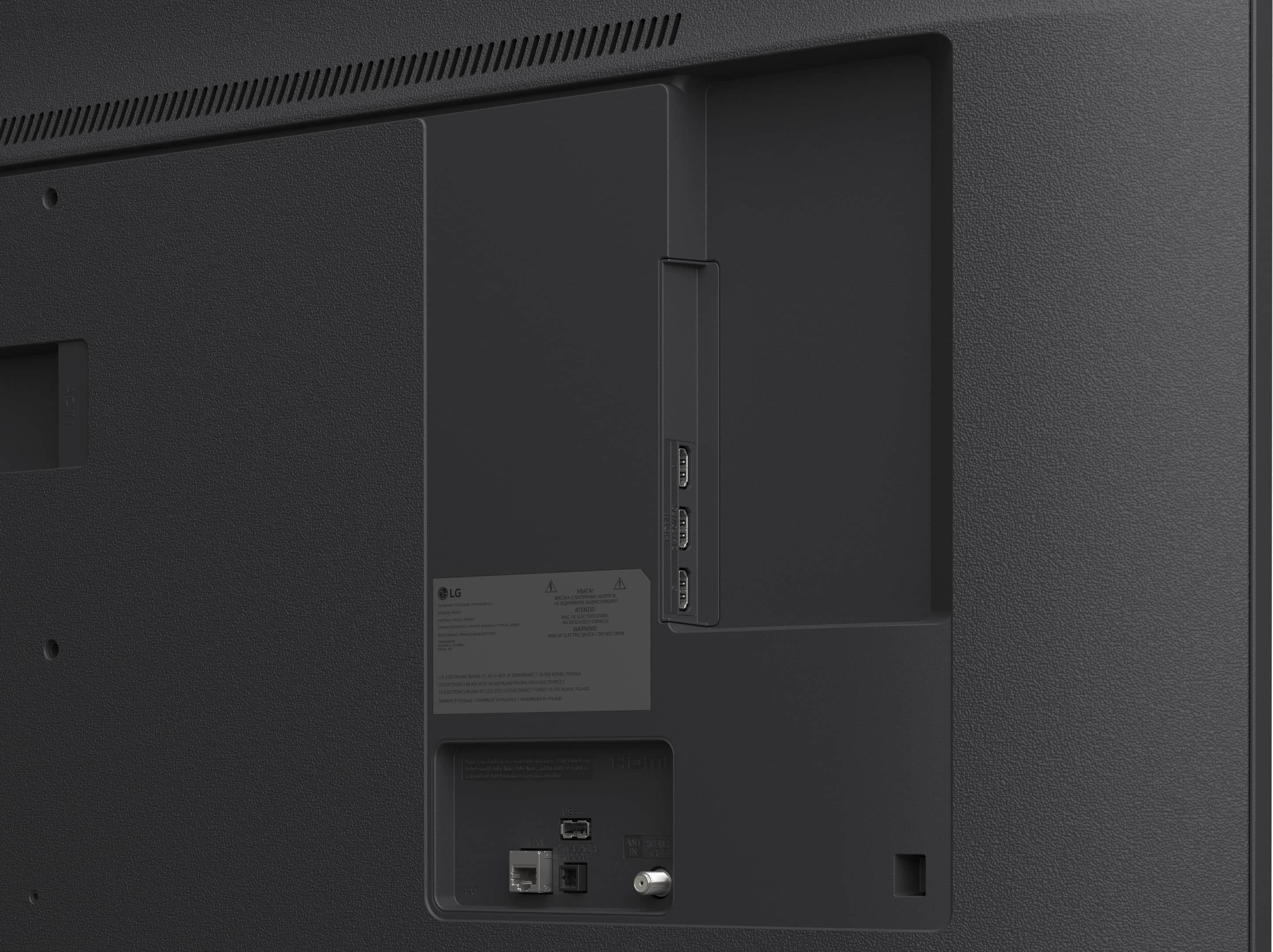
A:AnswerHello there. Thank you for reaching out to us. We understand your inquiry regarding the connectivity options on the 65UA7050PUB. Yes, this model is equipped with one SPDIF (Optical Digital Audio Out) port for your audio needs. Your feedback is important, and we'd like to assist you further.
https://www.bestbuy.com/product/lg-65-class-ua7050-series-led-ai-4k-uhd-smart-webos-tv-2025/JJ8VPZKYT2
If you have any further questions about its features, please contact us on lgdigitalcare@lg.sprinklrsupport.com, and our team will be more than happy to assist you. —Renzo
A:AnswerThe power requirement for the LG - 65” Class UA7050 Series LED AI 4K UHD Smart webOS TV (2025), Model # 65UA7050PUB, is 120 V, 50/60 Hz...^Ivan.
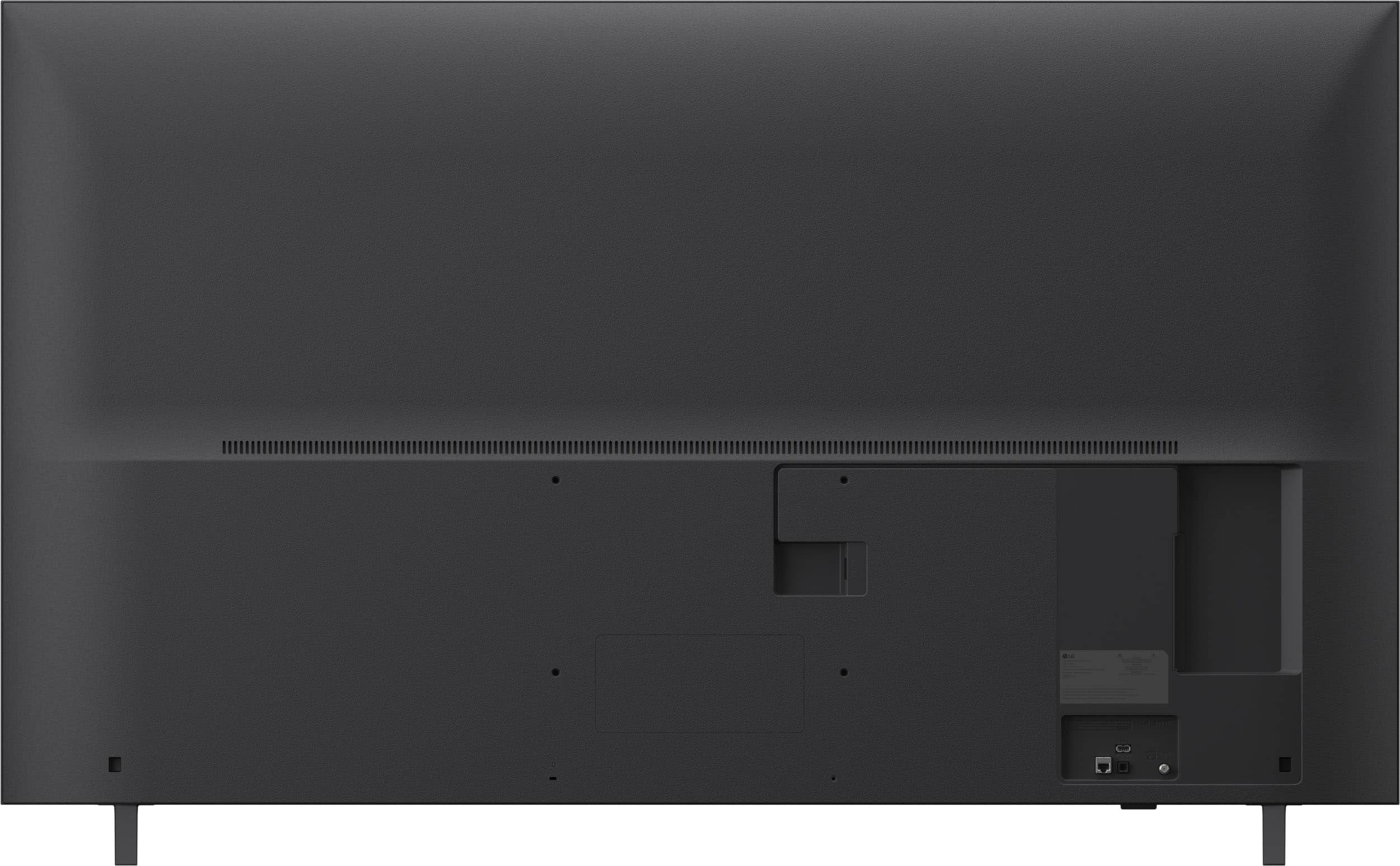
A:AnswerHow long have you had your current 55" LG TV? It may not have the same VESA Mount Pattern as the LG - 65” Class UA7050 Series LED AI 4K UHD Smart webOS TV (2025), Model # 65UA7050PUB, which has a 300 x 200 mm (11.8 x 7.8) inches VESA Wall Mount Pattern, so if your current wall mount does not support that pattern, you will not be able to use it to mount this TV.
Best Buy offers TV haul-away and recycling services. When purchasing a new TV with delivery or installation, you can add TV haul-away for a fee (approx. $49.99–$59.99). They also offer a standalone, in-home pickup service for $199.99 that covers up to two large items (TVs/appliances) and smaller electronics, even if not purchased from them.
Best Buy, through Geek Squad, offers comprehensive TV installation services ranging from basic tabletop setup to, wall mounting, and complex, wire concealment for any TV size. Services typically include unboxing, securing the TV to a mount/wall, connecting components, network setup, and a 90-day, warranty.
Basic TV Mounting includes mounting the TV on a standard drywall surface and attaching components, starting at $119.99 for smaller TVs and ranging up to over $400 for 91" or larger screens.
TV Mounting with Wire Concealment, includes In-wall cable management for a clean look, often involving placing cables behind the wall.
Tabletop Setup & Assembly involves unboxing, placing the TV on furniture, and connecting to video components.
Specialized Surface Mounting invloves mounting on surfaces like brick, stone, or over fireplaces.
Smart TV Setup & Configuration: Connecting to Wi-Fi, updating firmware, and configuring up to two streaming services (e.g., Netflix, Disney+).
Component Connection & Calibration involves connecting gaming consoles, soundbars, and Blu-ray players, along with programming remotes.
Costs vary based on TV size, with services starting around $119.99, but in-home services may be free or discounted for Best Buy Total members.
All installations are backed by a 90-day limited workmanship warranty.
Services can be booked online, and they apply to TVs bought anywhere, not just at Best Buy...^Ivan.
A:AnswerChannel volume for TV stations frequently varies due to differences in broadcasting standards, audio compression techniques, and equipment used by networks. Commercials are often mixed louder than programming, and switching between channels (e.g., from 5.1 Dolby Digital to 2.0 stereo) can cause noticeable volume jumps.
The LG - 65” Class UA7050 Series LED AI 4K UHD Smart webOS TV (2025), Model # 65UA7050PUB, has an Automatic Volume Adjustment that, when set to on, automatically adjusts the volume to a suitable level for each content you watch to help you enjoy watching more comfortably.
The Commercial Advertisement Loudness Mitigation (CALM) Act, signed into law in 2010 and enforced by the FCC, requires television commercials to have the same average volume as the programs they accompany. It mandates that broadcasters use ATSC A/85 standards to control loudness, and its purpose is to eliminate, or "mitigate," the sudden, jarring increase in volume often experienced when television programs switch to commercial breaks...^Ivan.
A:AnswerIf your mounted 54" LG TV has the same VESA Mount Pattern as the LG - 65” Class UA7050 Series LED AI 4K UHD Smart webOS TV (2025), Model # 65UA7050PUB, which has a 300 x 200 mm
(11.8 x 7.8) Inches VESA Mount Pattern, you will be able to use the same mounting bracket.
If you still have your owner's manual for the 54" TV, it will tell you what VESA Mount Pattern your TV has; if not, we will need the full model number to look up its specifications for its VESA Mount Pattern...^Ivan.
A:AnswerHi there. Thank you for sharing your inquiry with us regarding the LG - 65 Class UA7050 Series LED AI 4K UHD Smart webOS TV (2025).
https://www.bestbuy.com/product/lg-65-class-ua7050-series-led-ai-4k-uhd-smart-webos-tv-2025/JJ8VPZKYT2
We understand your inquiry about accessing your inputs. To connect with Dish Network, press the Input or Home button on your remote, then navigate to the Home Office or Inputs menu to select the specific HDMI port where your satellite box is connected. For further assistance and any specific concerns you may have, please contact us on lgdigitalcare@lg.sprinklrsupport.com. —Renzo
A:AnswerHello there. Thank you for sharing your inquiry with us regarding the LG - 65" Class UA7050 Series LED AI 4K UHD Smart webOS TV (2025).
https://www.bestbuy.com/product/lg-65-class-ua7050-series-led-ai-4k-uhd-smart-webos-tv-2025/JJ8VPZKYT2
We understand your inquiry about wall mounting. This TV is designed to be wall-mounted and is compatible with a standard VESA 300 x 300 mount. For further assistance and any specific concerns you may have, please contact us on lgdigitalcare@lg.sprinklrsupport.com. —Renzo
A:AnswerHello there. Thank you for sharing your experience with us. We understand your inquiry regarding the warranty coverage for the LG UHD TV (Model # 65UA7050PUB). Based on the specifications for this unit, it comes with a Limited Warranty that covers 1 Year for Parts and Labor from the date of original purchase. Your feedback is important, and we'd like to assist you further.
https://www.bestbuy.com/product/lg-65-class-ua7050-series-led-ai-4k-uhd-smart-webos-tv-2025/JJ8VPZKYT2
If you have any further questions about its features, please contact us on lgdigitalcare@lg.sprinklrsupport.com, and our team will be more than happy to assist you. —Renzo
A:AnswerYou will need six M4 x L20 screws to attach the stand feet to the LG - 65” Class UA7050 Series LED AI 4K UHD Smart webOS TV (2025), Model # 65UA7050PUB...^Ivan.
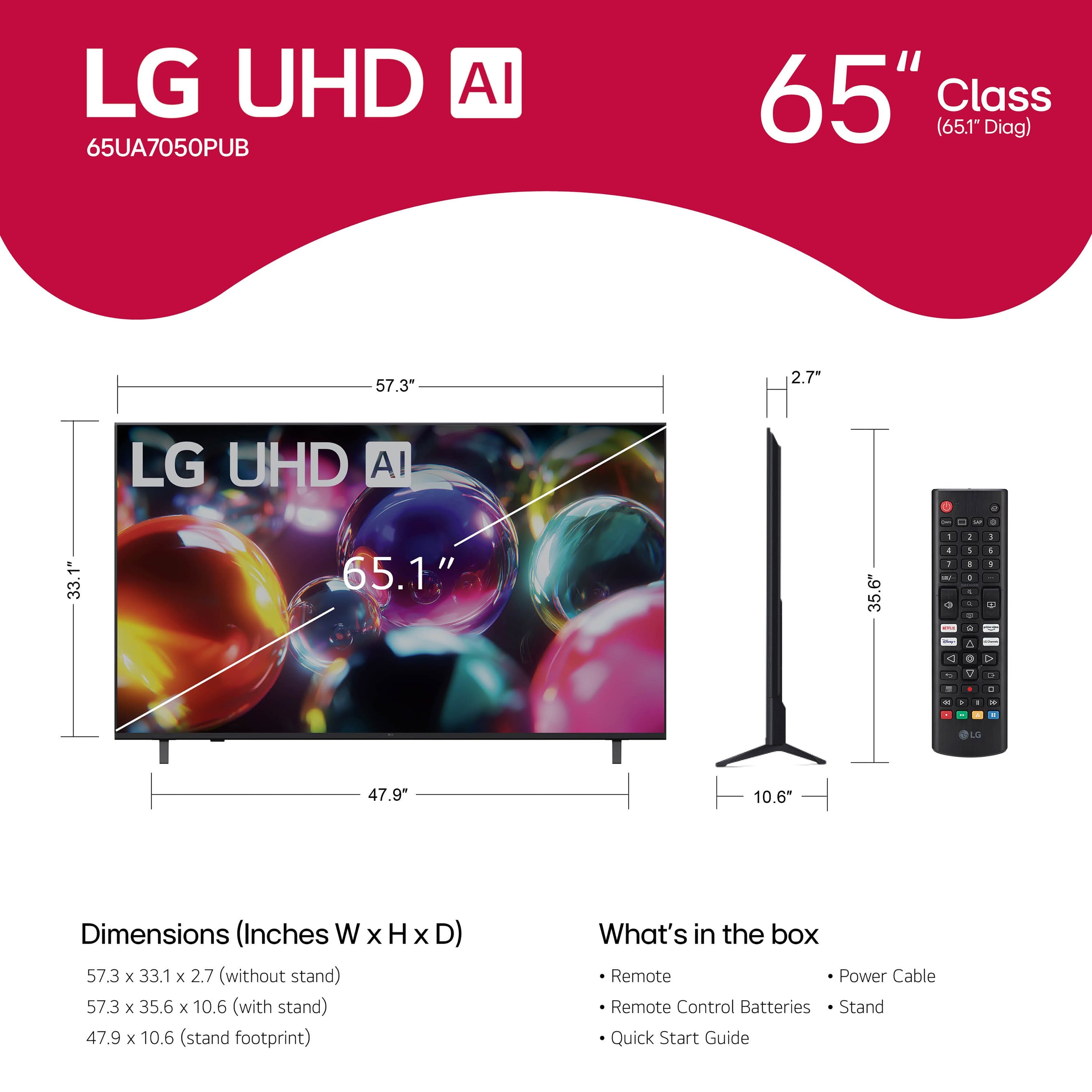
A:AnswerUsing the standard remote control for the LG - 65” Class UA7050 Series LED AI 4K UHD Smart webOS TV (2025), Model # 65UA7050PUB, is straightforward and user-friendly. The remote typically features a directional pad or arrow keys for channel selection, volume control buttons, and a power button. To power on or off the TV, simply press the power button. For channel selection, use the arrow keys or directional pad to navigate through channels. Volume control is done with the volume buttons, and menu navigation is accessed through the directional pad. The remote also includes quick access buttons for popular streaming services and apps. Overall, the standard LG TV remote is designed to provide easy navigation and control of your TV's features, making it a convenient tool for your entertainment needs...^Ivan.