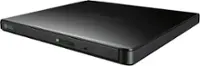
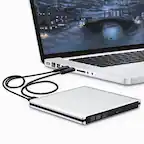
A:AnswerThank you for your interest in the LG 8x Portable DVD Rewriter with M-DISC™ (AP70NS50) model. Yes, the LG AP70NS50 external DVD/CD drive is capable of ripping CDs. You can download its owner's manual through this link for more information: https://www.lg.com/us/support/product/lg-AP70NS50.AUSR10B. ^Cris
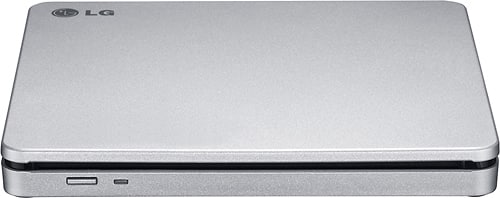
A:AnswerThank you for your interst in the LG 8x Portable DVD Rewriter with M-DISC™ (AP70NS50) model. The LG AP70NS50 external DVD drive is designed to connect to TVs, digital photo frames, and PCs via USB for playback. You can download its owner's manual through this link for more information: https://www.lg.com/us/support/product/lg-AP70NS50.AUSR10B. ^Cris
A:AnswerThank you for your interest in the LG 8x Portable DVD Rewriter with M-DISC™ (AP70NS50) model. Yes, the LG AP70NS50 external DVD writer is compatible with the Dell G16 laptop or Windows 11. You can download its owner's manual through this link for more information: https://www.lg.com/us/support/product/lg-AP70NS50.AUSR10B. ^Cris
A:AnswerThank you for your interest in the LG 8x Portable DVD Rewriter with M-DISC™ (AP70NS50) model. The LG AP70NS50 external DVD drive can be used to copy music to a CD from your HP All-in-One desktop computer, which does not have a built-in CD player. You can download its owner's manual through this link for more information: https://www.lg.com/us/support/product/lg-AP70NS50.AUSR10B. ^Cris
A:AnswerThank you for your interest in the LG 8x Portable DVD Rewriter with M-DISC™ (AP70NS50) model. Yes, the LG AP70NS50 DVD writer is compatible with macOS Big Sur version 11.7.8. You can download its owner's manual through this link for more information: https://www.lg.com/us/support/product/lg-AP70NS50.AUSR10B. ^Cris
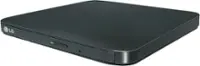
A:AnswerThank you for your interest in the LG 8x Portable DVD Rewriter with M-DISC™ (AP70NS50) model. No, the LG AP70NS50 external DVD drive cannot be used to record TV shows directly from a smart TV. The main purpose of this device is to read and write data on DVDs and CDs, not to function as a TV tuner or recorder.You can download its owner's manual through this link for more information: https://www.lg.com/us/support/product/lg-AP70NS50.AUSR10B. ^Cris
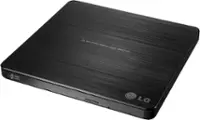
A:AnswerHello there. Thank you for sharing your experience with us. We understand your inquiry regarding the LG External Double-Layer DVDRW/CD-RW SuperMulti Blade Drive. This drive is capable of reading your home movie DVDs, and while the hardware allows for the transfer of files, you will typically need third-party media software to "rip" or copy the video content to your laptop or USB drive. The speed of the copy depends on the software used and does not usually require the movie to play in real-time.
https://www.bestbuy.com/product/lg-8x-external-double-layer-dvdrw-cd-rw-supermulti-blade-drive-silver/J7Y69525Y6
For further assistance and any specific concerns you may have, please contact us on lgdigitalcare@lg.sprinklrsupport.com, and our team will be more than happy to assist you. —Renzo
A:AnswerThank you for your interest in the LG 8x Portable DVD Rewriter with M-DISC™ (AP70NS50) model. The LG AP70NS50 external DVD drive can read and write to CD and DVD discs. It has a speedy 8x DVD-Max writing speed and works with Windows 11. Simply connect it to your laptop with the USB cable and start using it easily. You can download its owner's manual through this link for more information: https://www.lg.com/us/support/product/lg-AP70NS50.AUSR10B. ^Cris
A:AnswerHello there. We understand your inquiry regarding compatibility for the LG External DVD Drive. Yes, this device is compatible with Windows 11 and is designed to function using standard plug-and-play drivers.
https://www.bestbuy.com/product/lg-8x-external-double-layer-dvdrw-cd-rw-supermulti-blade-drive-silver/J7Y69525Y6
For further assistance and any specific concerns you may have, please contact us on lgdigitalcare@lg.sprinklrsupport.com. —Renzo
A:AnswerHello there. We understand your inquiry regarding your LG 8x External SuperMulti Blade Drive. This drive is designed for standard 12cm discs and does not support the use of smaller mini DVD discs.
https://www.bestbuy.com/product/lg-8x-external-double-layer-dvdrw-cd-rw-supermulti-blade-drive-silver/J7Y69525Y6
For further assistance and any specific concerns you may have, please contact us on lgdigitalcare@lg.sprinklrsupport.com. —Renzo
A:AnswerHi there. Thank you for sharing your experience with us. We understand your inquiry regarding the LG - 8x External Double-Layer DVDRW/CD-RW SuperMulti Blade Drive. This drive is powered directly via a USB connection from your computer or compatible device and does not require a separate AC adapter. While it can be used in a car if connected to a compatible USB-enabled laptop or head unit that supports external optical drives, its primary design is for computer use.
https://www.bestbuy.com/product/lg-8x-external-double-layer-dvdrw-cd-rw-supermulti-blade-drive-silver/J7Y69525Y6
For further assistance and any specific concerns you may have, please contact us on lgdigitalcare@lg.sprinklrsupport.com. —Renzo
A:AnswerHello there. We understand your inquiry regarding the compatibility of your LG External SuperMulti Blade Drive with Windows 11.
This unit is designed to be plug-and-play and is compatible with the latest Windows operating systems, including Windows 11. We understand the importance of ensuring your external hardware works seamlessly with your current computer setup.
https://www.bestbuy.com/product/lg-8x-external-double-layer-dvdrw-cd-rw-supermulti-blade-drive-silver/J7Y69525Y6
For further assistance and any specific concerns you may have, please contact us on lgdigitalcare@lg.sprinklrsupport.com. —Renzo