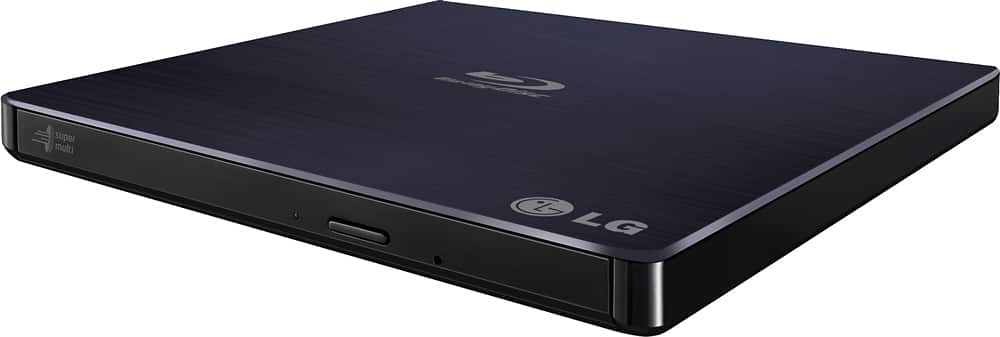
A:AnswerA mini USB "Y" cable is supplied with the LG - 8x External USB 2.0 Blu-ray Disc Double-Layer DVD±RW/CD-RW Disc Rewriter - Black, Model # BP50NB40...^IFV
A:AnswerVery easy to use. Comes with software to copy video and audio files. Also does blue ray discs. If you don’t need to have blue ray I would go with basic external player.
A:AnswerNo. You must connect it to the USB of the laptop. However, you can always get a USB multiplier so that your laptop is able to handle multiple devices from a single port.
A:AnswerWe didn’t plug it up directly to the TV. Instead, we plugged it into a Windows laptop and hooked the laptop up to a TV to watch a Blu-ray movie; however, I don’t recall what type of cable we used between the TV and laptop so you’ll want to ensure you have the right type. It worked flawlessly for us once we downloaded the software onto the computer.
A:AnswerThe LG 8x External USB 2.0 Blu-ray Disc Double-Layer DVD±RW/CD-RW Disc Rewriter - Black, Model # BP50NB40 will write to BD-R (DL), BD-R (SL), BD-RE (SL/DL/TL), BD-R (LTH), BD-R (TL), BD-R(QL), CD-R, CD-RW, DVD-R (SL), DVD+R (DL), DVD+RW, DVD+R (SL), DVD-R (DL), DVD-RAM, M-DISC DVD(DVD+RSL), DVD-RW, and M-Disc BD (BD-R SL) discs. It comes with a Blu-ray Drive Install Disc for Windows (Power DVD, Power 2 Go, Power Producer, and Media Espresso). MKV is a container file format, capable of holding an unlimited number of video, audio, and subtitle tracks, along with any metadata. It is open and free so it is supported by nearly every software player and many hardware devices. Many hardware players do not play MKV directly - for that MKV files need to be transcoded into a format that particular hardware player understands. Since all meta information is preserved in MKV and compressed media data (video, audio, subtitles) and is not changed in any way, it is always possible to transcode MKV files into the original format. For example, MKV files produced from a Blu-ray disc may be transcoded back to a Blu-ray image or set of M2TS files without any losses by freeware transcoding tools. However, the discs are protected by technological measures preventing unauthorized duplication (including, but not limited to, "Cinavia" technology). MakeMKV doesn't remove such measures, so MKV file produced from a commercial Blu-ray disc will not play on a Blu-ray player, even when converted back to M2TS format. If you have additional questions, you can contact our computer specialists directly by calling 800-243-0000. ^CP