Winter SaleEnds 1/19. Limited quantities. No rainchecks.Shop now

Main Content

Questions & Answers

Page Showing 41-60 of 309 questions
  • Questiondoes this play CDs/DVDs

    Asked by TIGER.

    • Answer It plays CD, DVD and standard Bluray discs. It does not play 4K Bluray discs. It does not play the DSD layer of a SACD but it will play the regular CD layer of a Hybrid SACD.

      Answered by AnOldGuy

  • QuestionDoes this play bluray discs and dvds?

    Asked by Awajgirl.

    • Answer You'll need software. The software that included doesn't work. I use a player carried Leowa . It's free. Very basic. But it works

      Answered by damianmann

  • QuestionWill this work with the Macbook Pro?

    Asked by Anonymous.

    • Answer The LG 3D Blu-ray Disc Playback & M-DISC™ Support, Model # BP50NB40 is compatible with the Windows 8.1, Windows 8, Windows 7, Windows Vista (32 bit, 64 bit), Windows XP (SP3) and Windows 10 Operating Systems and is also compatible with the Mac OS X v.10.7.5 or higher Operating Systems. When connected, it appears as another drive on the computer and you can select which files you want to transfer from a DVD to your Mac the same way he would move any file in his Mac. ^CP

      Answered by LG Digital Customer Care

  • QuestionWill this work on my late 2014 Mac mini to save photos to dvd disc. THANK YOU

    Asked by Samurai.

    • Answer Yes this unit works with Mac Minis. Yes you can "burn" photo files to a dvdr/dvdrw.

      Answered by Peoriarudy

  • QuestionThe cable that plugs into the player is Micro-B. If you find the cable too short you can go to amazon and order this extension. Hope this helps USB 2.0 Micro-B 5-Pin Extension Male/Female Cable

    Asked by MSlotsGeekSquadontknow.

    • Answer Hi there. Thank you for your inquiry about the LG BP50NB40. We understand your question about the cable and your suggestion for a longer one. The included cable for the BP50NB40 is a USB 2.0 cable with a Micro-B connector on the drive end. The use of a standard extension cable may work, but we cannot guarantee proper functionality. https://www.bestbuy.com/site/lg-8x-external-usb-2-0-blu-ray-disc-double-layer-dvdrw-cd-rw-disc-rewriter-black/9243009.p?skuId=9243009 If you have any other questions, please send us a private message on Social Media @LGUSSupport and our team will be more than happy to assist you. We appreciate your patience. —Renzo

      Answered by LG Digital Customer Care

  • QuestionCan this be used to burn AVCHD (MTS or M2TS) video files to Blu-Ray disc (BD-R)? I’ve got several of these video/audio files I made on my Sony camera over the last decade that I’d like to burn to disc somehow, but confused on compatibility. Thank you

    Asked by MelMel.

    • Answer Hi, Mel. Thank you for reaching out with your question. We understand your interest in using the LG Blu-ray (BP50NB40) model to burn your AVCHD (MTS or M2TS) video files to Blu-Ray discs. we strive to provide high-quality products and ensure a smooth experience. Yes, this unit is compatible with Blu-Ray (BD-R) discs, and it can handle AVCHD files, such as MTS or M2TS, when used with compatible software for burning the files to disc. You'll want to ensure you're using a program that supports AVCHD file formats, such as Nero, Ashampoo, or other similar software that allows you to create Blu-Ray video discs. For more information regarding the product, you may visit https://www.lg.com/us/burners-drives/lg-bp50nb40-external-blu-ray-dvd-drive. Please feel free to send us a private message on social media @LGUSSupport if you need further guidance or recommendations on compatible software. We’re here to help. We appreciate you reaching out to us and look forward to assisting you. ^Juvy

      Answered by LG Digital Customer Care

  • QuestionWill this work on a Windows 11 operating system?

    Asked by CuriousCustomer.

    • Answer Hello, there. Thank you for your inquiry about the LG DVD writer model BP50NB40. Generally, the BP50NB40 DVD writer is compatible with various Windows operating systems, including Windows 11. However, for the best compatibility and performance, it's recommended to check for any specific drivers or updates that may be required for Windows 11. If you encounter any issues or need further assistance with setup on Windows 11, please feel free to send us a private message on our social media platform via @LGUSSupport. We're here to help ensure your LG products work seamlessly with your setup. ^Sam

      Answered by LG Digital Customer Care

  • QuestionIs this Window's 11 Compatible?

    Asked by David.

    • Answer I have had no issues using this burner on my laptop that is running Windows 11.

      Answered by VanceH

  • QuestionIs this compatible with a Mac desktop

    Asked by Danndo.

    • Answer Works great on my 27 inch Mac.

      Answered by Sonos

  • QuestionCan this drive play Blu-ray 3D discs?

    Asked by John.

    • Answer Yes, this drive supports 3D Blu-ray Disc Playback. ^Daphane

      Answered by LG Digital Customer Care

  • QuestionWill this drive be compatible with Windows 11 ?

    Asked by Benchrest.

    • Answer Yes, this drive will be compatible with Windows 11. ^Daphane

      Answered by LG Digital Customer Care

  • QuestionHow old is the cyberlink media suite software that comes with this unit as of 5/21/21 and does one need to separately pay for a costly upgrade to that software to allow this unit to play blue ray discs? Current cyerberlink media suite 16 is $150+.

    Asked by Bert.

    • Answer I cannot provide details on the version of software included with this drive. Based on the specs, I do not see that suite comes with this drive. The included software is listed as Blu-ray Drive Install Disc for Windows, Power DVD, Power 2 Go, Power Producer and Media Espresso. ^Daphane

      Answered by LG Digital Customer Care

  • QuestionWill this play a CD-rom?

    Asked by Donna.

    • Answer Supported discs are BD-ROM(Single/Dual), BD-R(Single/Dual, LTH), BD-RE(Single/Dual), BD-R/RE XL(3 Layer), DVD-ROM (Single/ Dual), DVD-RW, DVD-R, DVD+RW, DVD+R, DVD+R Double layer, DVD-R Dual layer, DVD- RAM, M-Disc(DVD+R SL, BD-R SL), CD-DA, CD-Extra, CD-ROM, CD-ROM XA, CD-TEXT, CD-R, CD-RW, Photo-CD (Single & Multi-Session), Video CD, DVD-VIDEO, BD-MV. ^Daphane

      Answered by LG Digital Customer Care

  • QuestionCan it play and or rip 4K UHD blu ray discs?

    Asked by robhir.

    • Answer You will need additional software. Please reach out to our support team via direct message Twitter or Facebook @LGUSSupport or call at 800-243-0000. Please be sure to provide your contact information, model/serial numbers and date of purchase. ^Daphane

      Answered by LG Digital Customer Care

  • QuestionWill it read a game disc. For example if I want to install an older pc game that have a disc for will it read it?

    Asked by Anonymous.

    • Answer Supported discs are BD-ROM(Single/Dual), BD-R(Single/Dual, LTH), BD-RE(Single/Dual), BD-R/RE XL(3 Layer), DVD-ROM (Single/ Dual), DVD-RW, DVD-R, DVD+RW, DVD+R, DVD+R Double layer, DVD-R Dual layer, DVD- RAM, M-Disc(DVD+R SL, BD-R SL), CD-DA, CD-Extra, CD-ROM, CD-ROM XA, CD-TEXT, CD-R, CD-RW, Photo-CD (Single & Multi-Session), Video CD, DVD-VIDEO, BD-MV. If you have further questions or concerns, please reach out to our Support team on Twitter via @LGUSSupport or on Facebook at https://www.facebook.com/LGUSA. ^Daphane
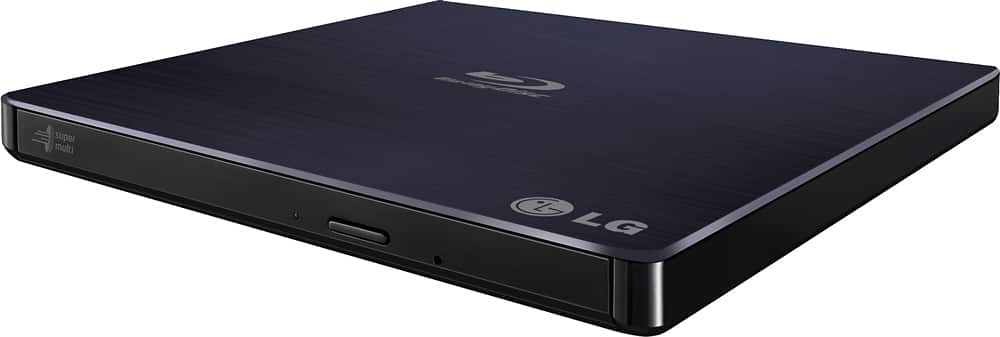
      Answered by LG Digital Customer Care

  • QuestionWill it play 3D CD and Blue-Ray?

    Asked by NonTech.

    • Answer This drive is compatible with the following disc types: BD-R/RE/R TL/ROM, DVD±RW/±R/±R DL, DVD-RAM, DVD-ROM and CD-R/RW/ROM. ^Daphane

      Answered by LG Digital Customer Care

  • QuestionCan this be used as a stand alone player and recorder on my tv?

    Asked by Anonymous.

    • Answer No , this device is not a stand alone player and cannot be used to record live TV. This unit must be used to play data records or DVD video disc. For assistance with using a disc drive, please give our computer specialists a call at 800-243-0000. ^Daphane

      Answered by LG Digital Customer Care

  • QuestionCan this record from TV like the older DVD recorders?

    Asked by Molly.

    • Answer No, this is just a DVD and Blue Ray disc player and writer. It is must be connected to a computer to use.

      Answered by Darren

  • QuestionHi, I bought a new laptop only to find it didn't have a dvd drive. Will this allow me to play computer games that require you to install them from a disk?

    Asked by NewtoallofThis.

    • Answer Yes, you can play computer games. ^Daphane

      Answered by LG Digital Customer Care

  • QuestionI have a Core Duo 1.8Ghz in my system. Is this compatible? Also, Can I burn blue ray movies that regular dvd players can play? Thanks.

    Asked by radiokalin63.

    • Answer For device system requirements for a CPU are Pentium 2.4 GHz or higher. For playing Blu-ray Disc the CPU recommended is Intel: E6400 or higher. ^Daphane

      Answered by LG Digital Customer Care

















