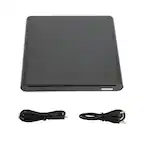
A:AnswerYou can read DVD formatted discs and copy to your computer. In my case, I converted old DVD's of family photo slideshows to mp4 files for saving onto my MacBook, mp4 is a more compact video format. I did need to purchase a low cost application from the App store to make the conversion.
A:AnswerHi, there. Thanks for reaching out with your question about the LG DVD Drive (SP80NB80) model. We’re glad to help clarify things for you. While it works primarily with Windows and Mac OS, it can also be used with a Chromebook. However, there are some limitations.
You can read and copy data files like documents and photos from CDs and DVDs, but playing movies directly from a DVD or music from an audio CD is not possible due to Chrome OS lacking the necessary software codecs.
This unit can write data, but Chrome OS cannot burn files to a disc. To watch movies or rip music, you’ll need a different OS, like Windows or Linux.
For more details, visit https://www.lg.com/us/burners-drives/lg-sp80nb80-slim-external-dvd-drive. If you need further assistance, please send us a private message @LGUSSupport. We’ll be happy to help. ^Juvy
A:AnswerHi, there. Thanks for reaching out with your question about the LG Portable DVD Writer (SP80NB80) model. This unit is meant for computers (Windows or Mac OS) and not compatible with car stereos, as it requires specific software not available on them. Car stereo USB ports are designed for flash drives, not for operating an optical drive. Additionally, the drive can't handle the vibrations and temperature changes in a vehicle, which could damage it. For more details on the product, visit https://www.lg.com/us/burners-drives/lg-sp80nb80-slim-external-dvd-drive. If you have more questions, message us on social media @LGUSSupport. We’re here to help. ^Juvy
A:AnswerHello there, Mike. Thank you for sharing your inquiry with us. We understand you're asking if you can plug your LG 8x External USB Double-Layer DVD±RW/CD-RW Drive (SP80NB80) directly into a car's USB port to listen to a CD.
While the LG SP80NB80 is a portable external CD/DVD drive, it is designed to connect to a computer (PC or Mac) and relies on the computer's operating system and software to play CDs. Most car USB ports are designed to read music files from USB flash drives or connect to specific media devices like smartphones, rather than acting as a host for an external optical drive that requires its own drivers and playback software.
Therefore, this external drive is generally not compatible with a car's USB port for direct CD audio playback.
https://www.bestbuy.com/site/lg-8x-external-usb-double-layer-dvdrw-cd-rw-drive-black/5852919.p?skuId=5852919
We're always here to help. If you have any further questions or need additional assistance, please send us a private message on Social Media @LGUSSupport and our team will be more than happy to explore possible solutions. We appreciate your patience. —Renzo
A:AnswerHello there, Whitey. Thank you for sharing your experience with us. We understand your inquiry about viewing pictures from a CD using the LG 8x External USB Double-Layer DVD±RW/CD-RW Drive, model # SP80NB80.
Yes, this external drive is designed to read various CD and DVD formats, including data CDs that contain pictures. When you connect the drive to your computer via USB and insert the CD with pictures, your computer's operating system (Windows or Mac OS) should recognize the disc and allow you to browse its contents through File Explorer (Windows) or Finder (Mac). You can then open the picture files directly using your computer's built-in image viewer or any other photo viewing software you have installed.
https://www.bestbuy.com/site/lg-8x-external-usb-double-layer-dvdrw-cd-rw-drive-black/5852919.p?skuId=5852919
If you encounter any issues with your computer recognizing the disc or viewing the images, we'd be happy to assist you further. Please send us a private message on Social Media @LGUSSupport and our team will be more than happy to explore possible solutions. We appreciate your patience. —Renzo
A:AnswerThe TV Connectivity function for the LG 8x External USB Double-Layer DVD±RW/CD-RW Drive - Black, Model # SP80NB80 allows you to enjoy videos, pictures and music
by connecting this product to a compatible TV that supports USB connectivity.
The drive is defaulted to ODD mode when it is powered on.
1. With the tray open, you can press and hold the ‘Eject’ button for 2 seconds.
(The LED indicator will turn on, switching to TV mode.
Pressing and holding the button again for 2 seconds with the tray open will return it to ODD mode).
When you insert your supported media into the drive, the disc file system will be converted to FAT32 and will be recognized as USB flash memory...^Ivan.
A:AnswerHello there. Thank you for sharing your question with us. We understand your inquiry about using the LG external DVD drive (model SP80NB80) to play older games like Luxor. This drive supports CD-ROM media, so if you have the game on a compatible CD or DVD disc, the drive can read the disc on a computer that recognizes external USB optical drives.
Here are a few tips to help you get started:
Check System Compatibility: Ensure your computer’s operating system (e.g., Windows 10/11 or macOS) recognizes the external USB DVD drive. After connecting the SP80NB80 via USB, verify it appears in File Explorer (Windows) or Finder (Mac).
Install Any Required Software/Drivers: Most modern OS versions include generic drivers for USB optical drives. If prompted, allow your OS to install drivers automatically. If you experience recognition issues, you can check Device Manager (Windows) or System Information (Mac) for problems and update drivers if needed.
Run the Game Installer or Executable: Insert the game disc into the SP80NB80. In File Explorer or Finder, open the disc’s contents and run the installer or executable file for Luxor.
Use Compatibility Settings (Windows): If the game was designed for an older version of Windows, you may need to run the installer or game executable in compatibility mode. Right-click the setup or .exe file, select Properties > Compatibility, and choose an older Windows version (e.g., Windows 7).
Check Disc Condition: Older discs can accumulate scratches or dirt. Clean the disc gently if you notice read errors. If the drive cannot read the disc, try another drive if available or use a disc-cleaning kit.
Game Updates or Patches: Some older games require patches or may not support modern hardware directly. After installing, check online (through the game publisher or community forums) for any patches or settings adjustments to ensure it runs smoothly on your current system.
Power and Connection: Ensure the SP80NB80 is connected to a stable USB port (avoid unpowered USB hubs). If you experience intermittent disconnects, try a different USB port directly on your computer.
Software Bundles: The drive includes software like Power2Go, but game installations typically proceed directly from the disc without additional burner software. You don’t need to burn or write discs—only read the game disc.
https://www.bestbuy.com/site/lg-8x-external-usb-double-layer-dvdrw-cd-rw-drive-black/5852919.p?skuId=5852919
If you’ve followed these steps and still encounter issues—such as the drive not recognizing the disc or the game failing to launch—please send us a private message on Social Media @LGUSSupport. We can review details like your computer’s OS version, any error messages, and help troubleshoot further. We appreciate your patience and look forward to helping you enjoy your games. —Renzo
A:AnswerHi there! Thank you for sharing your inquiry with us regarding the LG - 8x External USB Double-Layer DVDRW/CD-RW Drive - Black. We understand your inquiry about Windows 11 compatibility. We can confirm that this model is compatible with Windows 11 as it is a plug-and-play device that utilizes standard USB drivers already built into the operating system. We want to ensure you have a great experience using your drive with your current setup.
https://www.bestbuy.com/product/lg-8x-external-usb-double-layer-dvdrw-cd-rw-drive-black/JXTZZLCVZK
For further assistance and any specific concerns you may have, please contact us on lgdigitalcare@lg.sprinklrsupport.com. —Renzo