A:AnswerThis unit has a regional code printed on the rear of the unit. This unit can play only DVD discs labeled same as the rear of the unit or “ALL”. ^Daphane
A:AnswerYou can select the option to display various playback options. While the movie is playing, press the ↑↑ buttons to navigate the menu options. Use → or ← and numerical button to adjust the selected option value to display elapsed playing time and total time of current title/file. ^Daphane
A:AnswerYou can set the recording speed pressing AUDIO during USB direct recording. X1 Track: While normal speed recording, you can listen to the music. X4 Track: While 4X speed recording, you cannot listen to the music. Recording format: MP3 file. The Encoding Bit rate: 128 Kbps / 160 Kbps / 192 Kbps / 256 Kbps / 320 Kbps. ^Daphane
A:AnswerTry to reset your remote by removing the batteries and press and hold the number 1 but for 60 seconds. If that does work, you'll need to order a replacement. To order a replacement, the part is COV33662806. It can be ordered through Encompass online at https://lgparts.com/item/11581518/LG/COV33662806/
A:AnswerThis unit features slow down of the playing speed in forward only. While the playback is paused,
press FAST FORWARD repeatedly to play various speeds of slow motion. Press PLAY to continue play at normal speed. ^Daphane
A:AnswerPrevious DVD players made by LG used a 14 bit dac similar to those
used by Toshiba and Samsung Dvd players , much different than the others dvd player makers using a normal 12 bit dac , to my knowledge the hdmi version has never been published by LG , so this must be answered by the factory as the specs for this player are not really known.
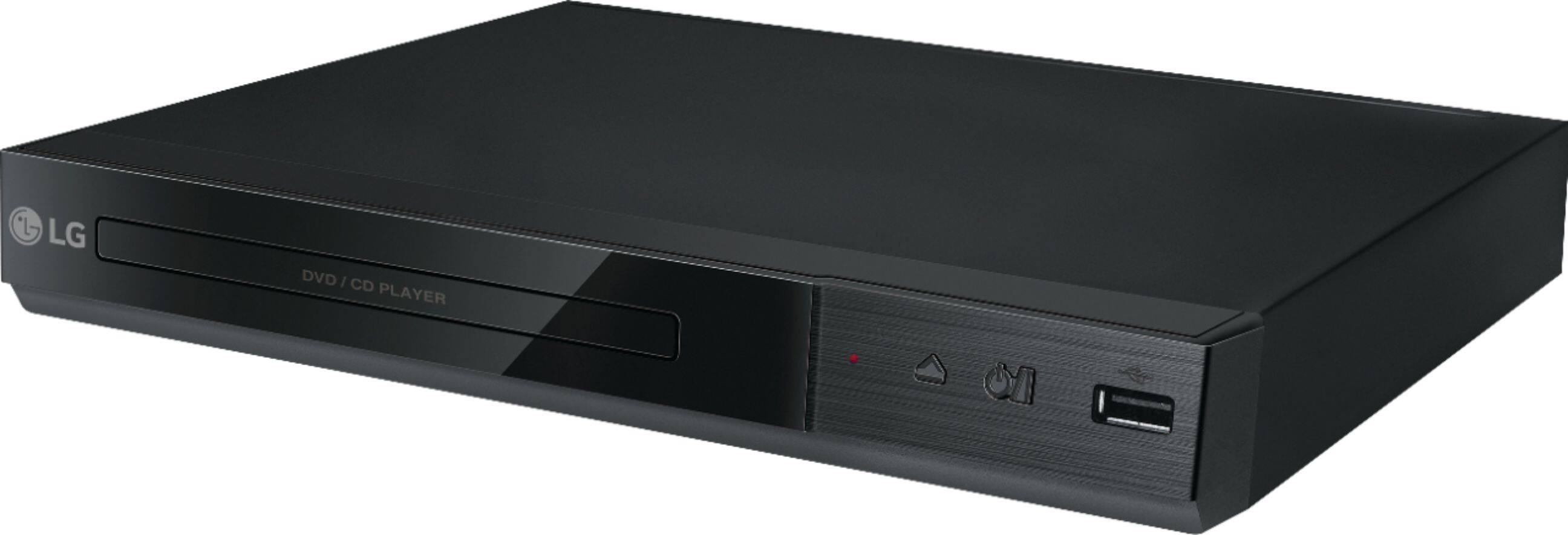
A:AnswerThe DVD Player with MP3 Playback/JPEG Viewer - Black, Model # DP132H will play Xvid”, “MPEG-1”, “MPEG-2” Video codecs and .avi”, “.mpg”, ”.mpeg”, “.mp3”, “.wma”, “.jpg”, “.jpeg” File Extensions. It is recommended that you use a USB Flash drive of 32GB or less...^IFV

A:AnswerDuring playback or pause mode on the LG DVD Player with MP3 Playback/JPEG Viewer - Black, Model # DP132H, you can press ZOOM repeatedly to select zoom mode. The ZOOM sequence is: 100% > 200% > 300% > 400% > 100%. You can use ▲/▼◄/► to move through the zoomed picture...^IFV
A:AnswerYES ,forward and reverse on all DVD discs it can also work on USB video AVI format and a few others Clearly not a bad buy considering the thousands of movies available on dvd
A:AnswerThe LG DVD Player with MP3 Playback/JPEG Viewer, Model # DP132H will play Region 1 DVDs and DVDs coded as "ALL" (i.e all regions) or those coded "0" (i.e. region free). Best Buy's return policy is printed on the back of their receipts so you will want to review their return policy. Best Buy's return policy has a standard return policy of 15 days from the date of purchase. Items eligible for a full refund and exchange with a receipt; without a receipt, the item can be exchanged. If you’ve signed up with My Best Buy Elite membership, the standard return policy extends to 30 days. However, if you’ve signed up for Best Buy Elite Plus membership, you can extend the standard return policy to 45 days from the date of purchase...^IFV
A:AnswerThe DVD Player with MP3 Playback/JPEG Viewer, Model # DP132H cannot be mounted vertically. It is not a Vertical Mount DVD Player and unlike Vertical Mount DVD Players, it does not have a snap-in wire piece that holds the disc in position. If you try to turn it vertical, the disc will slide out of position, and possibly jam in the player...^IFV