Presidents’ Day SaleEnds February 16. Limited quantities. No rainchecks.Shop now

Skip to contentGo to Product SearchGo to Footer
Gift Ideas
45575 Dulles Eastern Plz
Ste 188
Sterling, VA 20166
Opens at 10 am
Find Another Store
Main Content

Questions & Answers

Your price for this item is $14.99
Clearance
The comparable value price is $74.99
Page Showing 261-280 of 548 questions
  • QuestionMy smart TV recognizes my DVD player , yet will not play blu ray dvd....

    Asked by PapaGus.

    • Answer Please reach out to our support team via private message on Facebook @LGUSSupport and use #VOC in your first message to our social media support team or call at 800-243-0000. Also, be sure to provide your contact information, model/serial numbers and date of purchase. ^Daphane

      Answered by LG Digital Customer Care

  • QuestionWhat other Apps are on this player?

    Asked by Anonymous.

    • Answer Preinstalled Premium Content Providers apps on this LG Blu-ray Disc™ Player with Streaming Services, Model # BP175 are Netflix, Vudu, Amazon Prime Video, YouTube, Napster, and Pandora. The Hulu app was a preinstalled app until Hulu pulled their support for the app as of August 14, 2019...^IFV

      Answered by LG Digital Customer Care

  • QuestionWill these play all Blu-Ray discs including those that are BD live discs even if you do not connect it to the internet?

    Asked by Johan.

    • Answer Yes

      Answered by Wolfmomma76

  • QuestionCan you watch Vudu, Netflix, Disney +, amazon, ect. or download it on this player?

    Asked by Docpotter.

    • Answer Netflix, Vudu, Pandora, YouTube, and Amazon Prime Video are preinstalled apps on the LG Blu-ray Disc™ Player with Streaming Services, Model # BP175. Disney+ is not available on this unit...^IFV

      Answered by LG Digital Customer Care

  • Questiondoes it have Disney app?

    Asked by Anonymous.

    • Answer The Disney+ app is not available on the LG Blu-ray Disc™ Player with Streaming Services, Model # BP175...^IFV

      Answered by LG Digital Customer Care

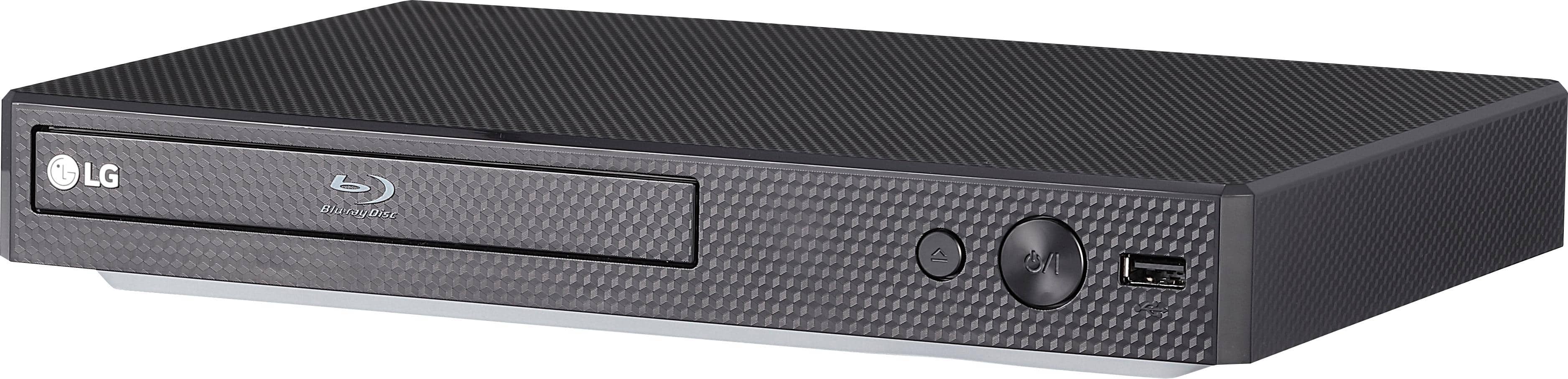
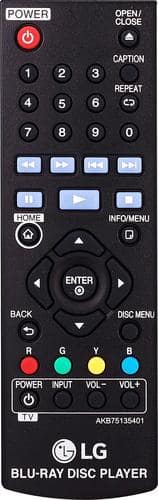
  • Questiondoes the remote light up at night? does the dvd player have an on/ off light?

    Asked by dlr57.

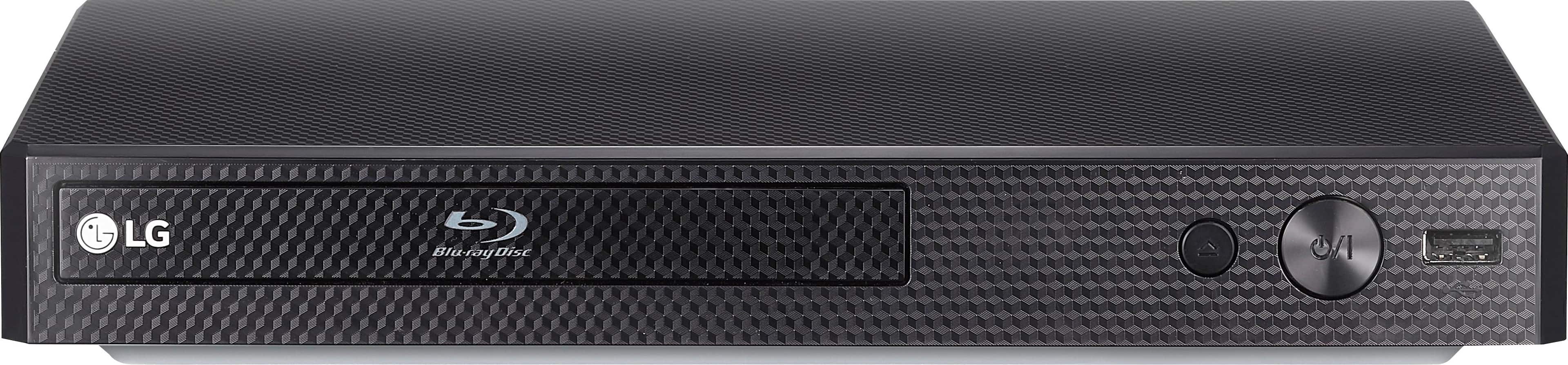
    • Answer The remote does not have any backlighting. There is a green LED on the front on the unit to indicate power is on/off. ^Daphane

      Answered by LG Digital Customer Care

  • QuestionDoes it have wireless connection for streaming Netflix and amazon available?

    Asked by Dee.

    • Answer LG BP175 does not have wireless internet, but does have an ether net port for wired connections.

      Answered by remymario

  • QuestionIs this one zone free? We have relatives in Europe that visit us with children and they bring zone 2 disks

    Asked by Anonymous.

    • Answer The Streaming Audio Blu-ray Player - Black, Model # BP175 is not a region free player. It is region coded for Region A for Blu-ray discs and for Region 1 for regular DVDs. It will play Blu-ray DVD discs or DVD discs that are coded as "ALL" or "0"...^IFV

      Answered by LG Digital Customer Care

  • QuestionWill this work with a Roku tv and soundbar that uses ARC connection?

    Asked by Anonymous.

    • Answer The LG Blu-ray Disc™ Player with Streaming Services, Model # BP175 only has an HDMI® Out for connecting to a TV or an external receiver. It does not support HDMI ARC functionality. It also has an Optical Digital Audio Output for connecting to a Soundbar...^IFV

      Answered by LG Digital Customer Care

  • Questioncan this play8cm mini discs from sony camcorder. (does it have the indented part of the disc tray to fit smaller disc)?

    Asked by Macy.

    • Answer The Blu-ray DVD tray for the LG Blu-ray Disc™ Player with Streaming Services, Model # BP175 will hold standard Blu-ray DVD, DVDs and CDs with a diameter of 120 millimeters (4.7 inches or 12 cm). You will need an adapter to use for 8cm discs( MiniDVD discs- 3.15 inches)...^IFV

      Answered by LG Digital Customer Care

  • QuestionDoes the USB support mp4 format for playback?

    Asked by Bobbyh54.

    • Answer The supported video codecs through the USB port on the LG Blu-ray Disc™ Player with Streaming Services, Model # BP175 are XVID, MPEG1 SS, H.264/MPEG-4, AVC, MPEG2 PS, MPEG2 TS, VC-1, and SM (WMV3) and the supported file extensions are “.avi”, “.mpg”, “.mpeg”, “.mkv”, “.mp4”, “.asf”, “.wmv”, “.m4v” (DRM free), “.vob”, “.3gp”, “.mov”, “.trp”, “.m2t”, “.mpe”, “.m1v”, and “.m2v”...^IFV “.wm”, ”.flv”, “.ts”, “.dat”

      Answered by LG Digital Customer Care

  • QuestionCan this unit be used in a vertical position to conceal behind my tv in my RV? If not could you maybe point me in the right direction! Thank you

    Asked by ET.

    • Answer Please reach out to our support team via direct message Twitter or Facebook @LGUSSupport or call at 800-243-0000. Please be sure to provide your contact information, model/serial numbers and date of purchase. ^Daphane

      Answered by LG Digital Customer Care

  • QuestionDoes this DVD player work with amazon prime video, Netflix, and Disney+?

    Asked by Questionair.

    • Answer Yes, using it with our smart tv.

      Answered by NewEnglander

  • QuestionWill it stream Disney plus?

    Asked by Ken.

    • Answer Amazon Video Prime, Netflix, Vudu, Hulu, Pandora, and YouTube are preinstalled Premium Content Provider apps on the LG Blu-ray Disc™ Player with Streaming Services, Model # BP175. Disney + is not available on this unit. It was released well before the Disney+ app was launched ( NOV 12, 2019 was the Disney+ launch date)...^IFV

      Answered by LG Digital Customer Care

  • QuestionIf I lost the remote will a premium remote make it work

    Asked by Kwani.

    • Answer Hi Kwani. Regrettably, we are not familiar with what a premium repote is and will need some clarification. You ccould use a universal or programmable remote with the Blu-ray Disc™ Player with Streaming Services, Model # BP175 but you will need to check the packaging for those type of remotes to see if the packaging lists LG Blu-ray Players as products that they can control. If the packaging lists LG Blu-rays, there will be a list of infrared codes that you can use to program the remote to control some of the functions on the Blu-ray player. The remote will also list what functions it can control on the Blu-ray player...^IFV

      Answered by LG Digital Customer Care

  • QuestionDoes this player play mp4 discs in addition to mp3 discs.

    Asked by Dick.

    • Answer The playable disc formats for the LG Blu-ray Disc™ Player with Streaming Services, Model # BP175 are DVD-ROM, CD-R/RW, DVD-RW, BD-R, DTS-CD, Audio CD, DVD-R, BD-Rom, and BD-RE. The supported Audio Formats are: MP3, Dolby TrueHD, LPCM, Dolby Digital, MPEG 1/2 L@, WMA, DTS, DTS 2.0 + Digital Out, AAC, DTS-HD Master Audio and FLAC...^IFV

      Answered by LG Digital Customer Care

  • QuestionCan this player play Disney plus?

    Asked by Jennnn.

    • Answer Hi Jennnn. The Disney+ is an app that was launched on 11/12/2019 which is well after the release of the LG Blu-ray Disc™ Player with Streaming Services, Model # BP175 which only has preinstalled apps and does not have the capability to download and install additional compatible apps on it. Regrettably, Disney+ is not available on this unit...^IFV

      Answered by LG Digital Customer Care

  • Questiondoes this dvd stream disney and hulu

    Asked by mike.

    • Answer The DVD player would stream HULU, but it would not stream Disney. ^Jamal

      Answered by LG Digital Customer Care

  • QuestionWith no internet input plugged in, the unit is only a DVD player. Is there a way to set it up to skip the page where the user chooses DVD play over various internet choices? Thank you.

    Asked by Cyril.

    • Answer I don't have internet. When I hooked up my player for the first time I think it let me start the setup but I think I turned it off in the middle of it cause I was busy. I turned it on after that and it just didn't setup for internet. Now I just turn my player on and put a DVD or Blu-ray in and push play and it starts with no problem. I can always set it up for the internet if I ever need to.

      Answered by Francis68

  • QuestionI have a bunch of home movies on an external hard drive. Using the USB port, can I play those using the Blu Ray player? And if so what are the supported file formats?

    Asked by Christine.

    • Answer The supported file extensions for the LG Blu-ray Disc™ Player with Streaming Services, Model # BP175 are “.avi”, “.mpg”, “.mpeg”, “.mkv”, “.mp4”, “.asf”, “.wmv”, “.m4v” (DRM free), “.vob”, “.3gp”, “.mov”, “.trp”, “.m2t”, “.mpe”, “.m1v”, “.m2v”, “.wm”, ”.flv”, “.ts”, “.dat” and the supported Codecs formats are XVID, MPEG1 SS, H.264/MPEG-4, AVC, MPEG2 PS, MPEG2 TS, VC-1 SM (WMV3). An “avi” file which is encoded “WMV 9 codec” is not supported. This player does not support files that are recorded with GMC (Global Motion Compensation), or Qpel (Quarter Pixel) and it only supports a USB External HDD with FAT32 or NTFS formatting...^IFV
      Answered by LG Digital Customer Care