Black Friday is hereShop new DoorbustersShop now

Main Content

Questions & Answers

Your price for this item is $62.99
Clearance
The comparable value price is $249.99
Page Showing 121-140 of 352 questions
  • QuestionCan i plug an ipod into it and will it play songs on an ipod? Also can i add more speakers into the wire clips on the back?

    Asked by ShawnDaBomb.

    • Answer The only way I could get my iPod to work is through the AUX input. When I tried one of the USB ports it says "Error"

      Answered by Dennis

  • QuestionCan you attach a soundbar to this?

    Asked by Groovy.

    • Answer No, a Soundbar cannot be connected to the speaker system. ^Daphane

      Answered by LG Digital Customer Care

  • QuestionCan I hook a xm home receiver to this

    Asked by Anonymous.

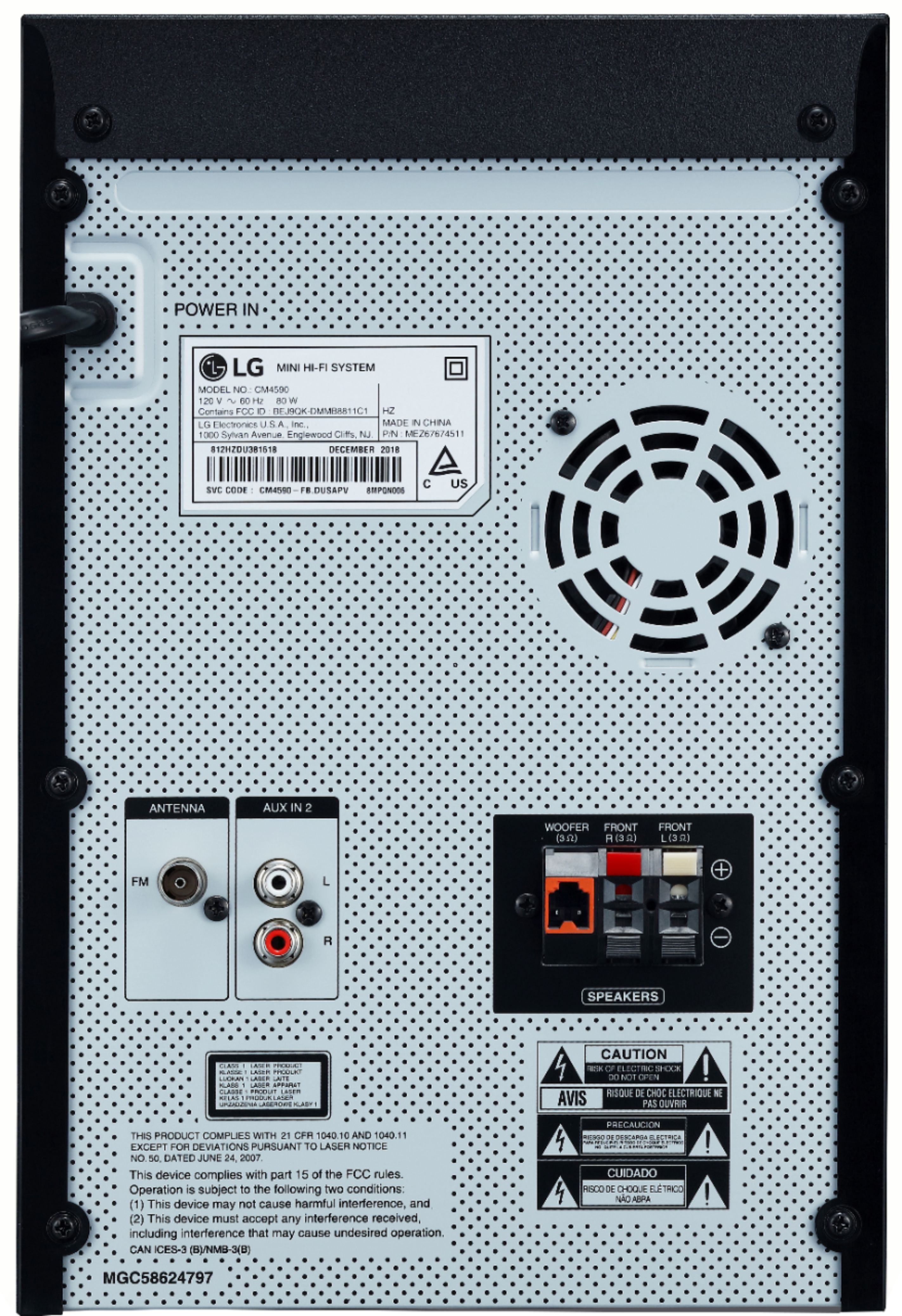
    • Answer There are 2 AUX connections to connect an output (earphone or line out) of portable device or connect an output of auxiliary device (Camcorder, TV, Player, etc) to the AUX IN 2 (L/R) connector. For further assistance, please reach out to our technical support team via private message on Facebook @LGUSSupport and use #VOC in your first message to our social media support team or call at 800-243-0000. ^Daphane

      Answered by LG Digital Customer Care

  • Questionwhen i record a cd to usb it records at 128 can i change it to record at 320

    Asked by qualitysound.

    • Answer Please reach out to our technical support team via private message on Facebook @LGUSSupport and use #VOC in your first message to our social media support team or call at 800-243-0000. Also, be sure to provide your contact information, model/serial numbers and date of purchase. ^Daphane

      Answered by LG Digital Customer Care

  • QuestionCan I record the music from Spotify to my flashdrive as it plays?

    Asked by Watts57.

    • Answer I having problems heading Bluetooth

      Answered by Deleon

  • QuestionWhat format do the speakers go input Straight or across

    Asked by Chula.

    • Answer What do you mean by "format do the speakers go input Straight or across". Please clarify your question so that I can provide a useful and accurate response. Thank you. ^Daphane

      Answered by LG Digital Customer Care

  • QuestionCan I play music through the speakers and headphones simultaneously?

    Asked by AddisMac.

    • Answer This unit only has input jacks. Therefore, you cannot hook up headphones. You could possibly use Bluetooth headphones with this unit. The owner's manual does not suggestion that you can have audio from the speaker and Bluetooth devices simultaneously. ^Daphane

      Answered by LG Digital Customer Care

  • QuestionCan you hook up an XM radio attenna to a lg 700 watt boom box

    Asked by Anonymous.

    • Answer I send it to Jamaica they dont receive it as yet

      Answered by Anonymous

  • QuestionWhat gauge are the speaker wires? Looking to get some to extend the speakers and place them further apart, but I have no clue what wiring to get

    Asked by Owen.

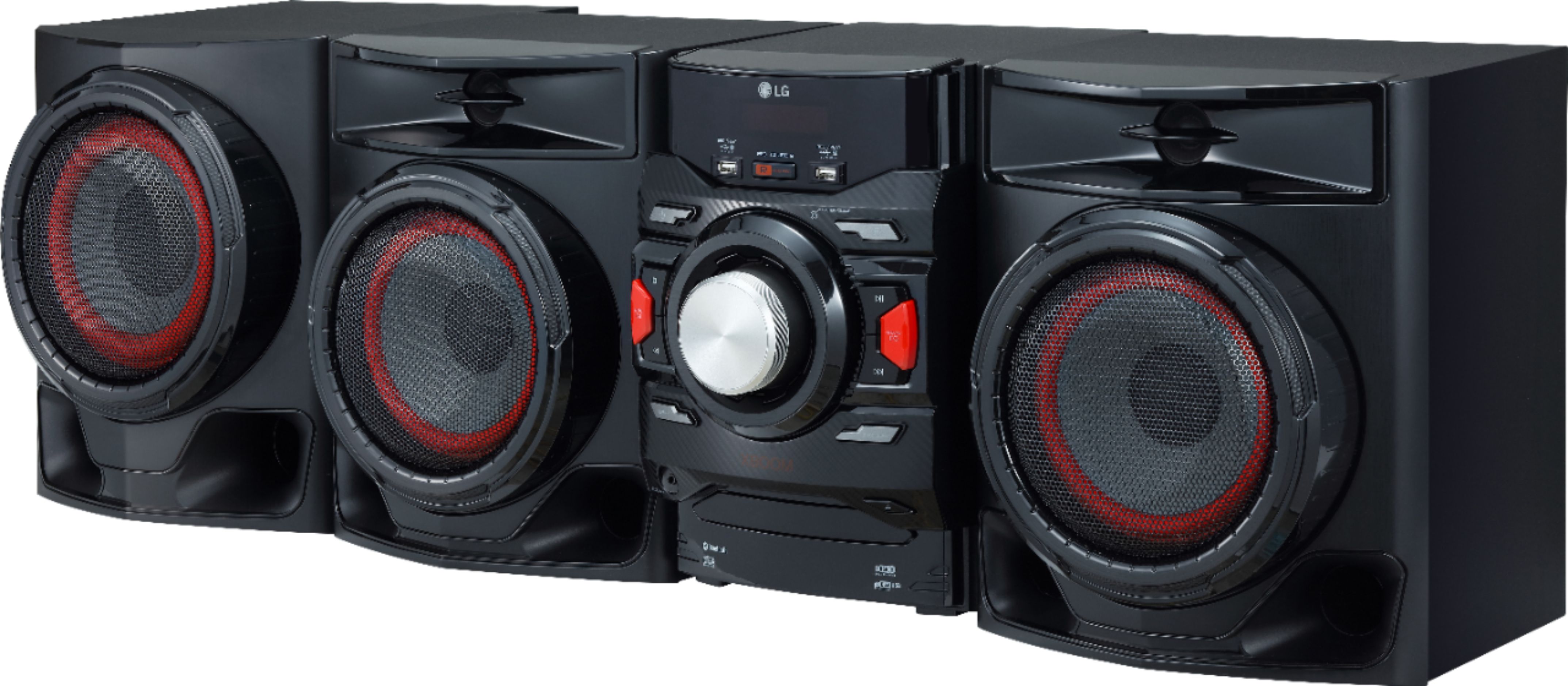
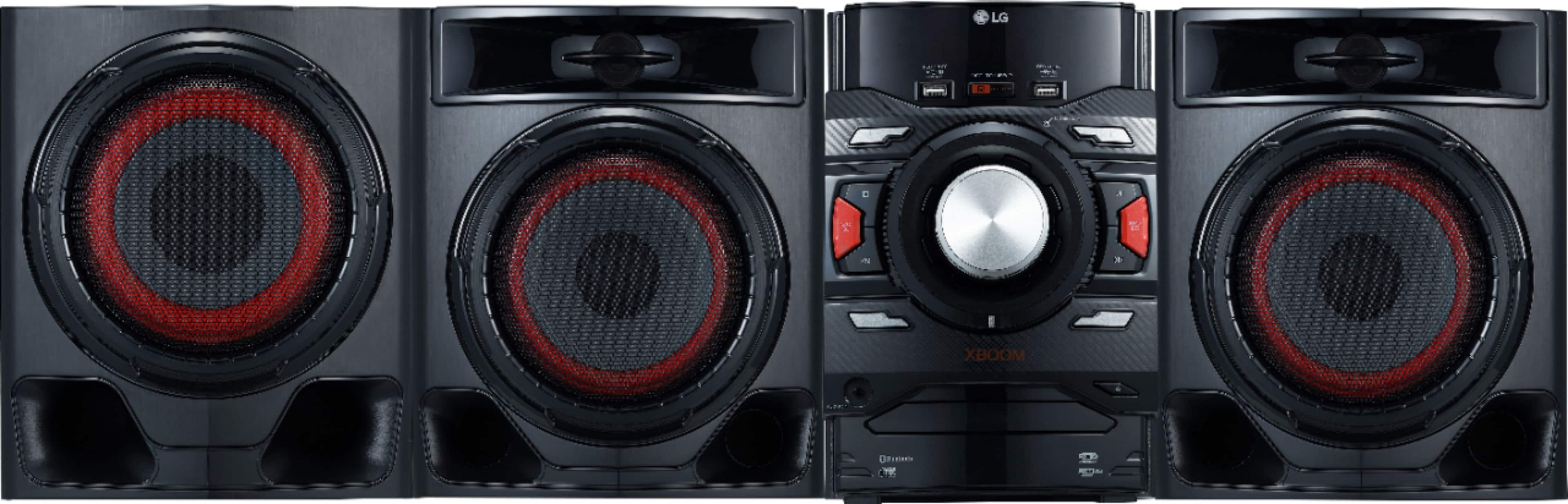
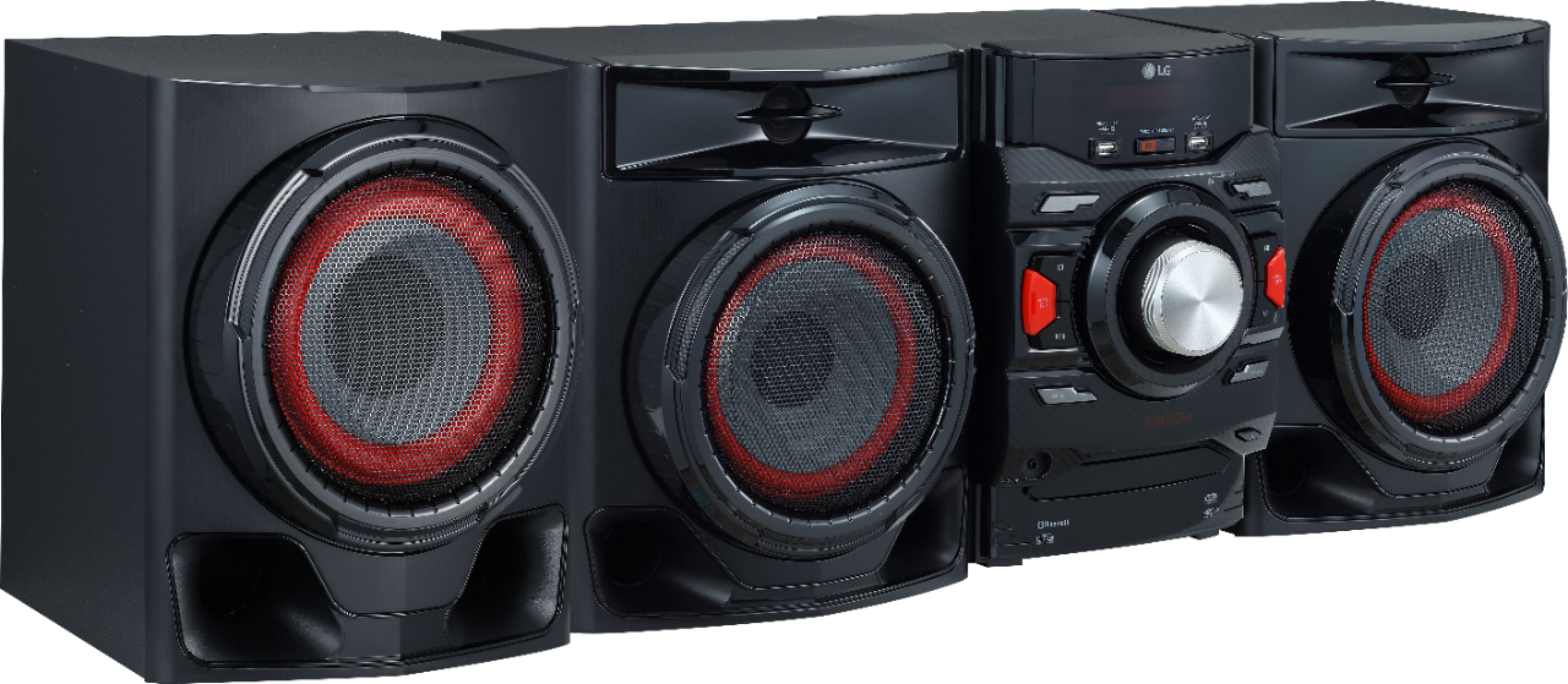
    • Answer The supplied speaker wires for the LG XBOOM 700W 2.1ch Mini Shelf System with Subwoofer and Bluetooth®, Model # CM4590 are typically 16 or 18 gauge wires. ^Daphane

      Answered by LG Digital Customer Care

  • QuestionWould I be able to connect a turn table to this?

    Asked by Samantha21.

    • Answer That will depend on what type of turntable you are looking to connect to the LG - XBOOM 700W Main Unit and Speaker System Combo Set - Black, Model # CM4590. The CM4590 has an Auxiliary port (AUX IN) which is a line level input. It doesn't have a Phono Input. Turntables need a special preamp in order to work. The PHONO input has this built in. Some turntables have this preamp built in so if yours has one, you can plug it into the AUX In. If it doesn't have the preamp built in, you will need to get an outboard "phono preamp" to plug between the turntable and the CM4590. For further assistance, please reach out to our support team via private message on Facebook @LGUSSupport and use #VOC in your first message to our social media support team or call at 800-243-0000. ^Daphane

      Answered by LG Digital Customer Care

  • Questioncan I listen to stereo music from me apple 12pro iphone?

    Asked by Frank.

    • Answer Yes you can. It has BLUETOOTH option or auxiliary cord option. And you can choose doing it all through the remote control that it comes with.

      Answered by JapaneseJing

  • QuestionWill this link to visio tv

    Asked by Anonymous.

    • Answer Yes it can link to any TV once it has Bluetooth connection.

      Answered by JapaneseJing

  • QuestionHow do i connect the small stereo speaker wires to the main unit? And can i put a protective wire sleeve on the stereo speaker wire?

    Asked by Rawtek.

    • Answer EAch speaker has two wires. On the back of the main unit there is a "button" for each of the wires. If you push the "button" a "slot" opens up. The ends of the speaker wires are already stripped, showing bare wire. Once one "slot" opens up, put the bare wire in the slot and release the "button". Repeat for the other wire in the other slot. The woofer speaker has a different connector on its wires. Put the connector for those wires into the only place on the back where that connector can be inserted.

      Answered by Willy

  • Questioncan I connect a turntable via Bluetooth

    Asked by Anonymous.

    • Answer Yes, the unit features Bluetooth® Connectivity. ^Daphane

      Answered by LG Digital Customer Care

  • QuestionCan u hook this to your tv

    Asked by Me.

    • Answer Connect an output of auxiliary device (Camcorder, TV, Player, etc) to the AUX IN 2 (L/R) connector. or via Bluetooth. ^Daphane

      Answered by LG Digital Customer Care

  • Questionwhere can I buy an antenna for my LG boom system model # 4550 or can I buy any antenna

    Asked by Anonymous.

    • Answer Please reach out to our support team on Facebook at @LGUSSupport. Please be sure to provide your name, phone number, address, email, model/serial numbers, and date of purchase and we will be happy to assist you. There are policies and procedures in place to ensure resolutions are consistent and fair. I am confident that we will work to provide an agreeable resolution.^Venette
      Answered by LG Digital Customer Care

  • QuestionHow do you connect 2 lg 700 watt soundsystems with a wireless bluetooth adapter

    Asked by Jack.

    • Answer Please reach out to our support team via private message on Facebook @LGUSSupport and use #VOC in your first message to our social media support team or call at 800-243-0000 to verify. Also, be sure to provide your contact information, model/serial numbers and date of purchase. ^Daphane

      Answered by LG Digital Customer Care

  • QuestionI have a onn roku TV but not Bluetooth compatible,I have a firestick which I heard can be Bluetooth compatible.I like to listen to music in my backyard through the TV but my LG sound bar sl4y is in my garage and can't hear it outside.could this work?

    Asked by Ron54.

    • Answer I do not really follow the question. Are you wanting to connect the speaker to the Firestick for audio? Please clarify your question . Then reach out to our support team via private message on Facebook @LGUSSupport and use #VOC in your first message to our social media support team or call at 800-243-0000 to verify. Also, be sure to provide your contact information, model/serial numbers and date of purchase. ^Daphane

      Answered by LG Digital Customer Care

  • QuestionLG CM4590 / LG-XBOOM 700W Will this unit copy music CDs to thumbdrive ? Thanks

    Asked by Waldo.

    • Answer Yes, you can record a Cd to USB. Please see page 25 of the owner's manual for more details. The manual can be downloaded from the support page at https://www.lg.com/us/support/product/lg-CM4590.DUSALLK. If you have further questions or concerns, please reach out to our Support team via private message on Facebook @LGUSSupport use #VOC in your first message to our social media support team. Please be sure to provide your contact information, model/serial numbers and date of purchase. ^Daphane

      Answered by LG Digital Customer Care

  • QuestionHOW DO YOU MAKE CD WORK

    Asked by ace.

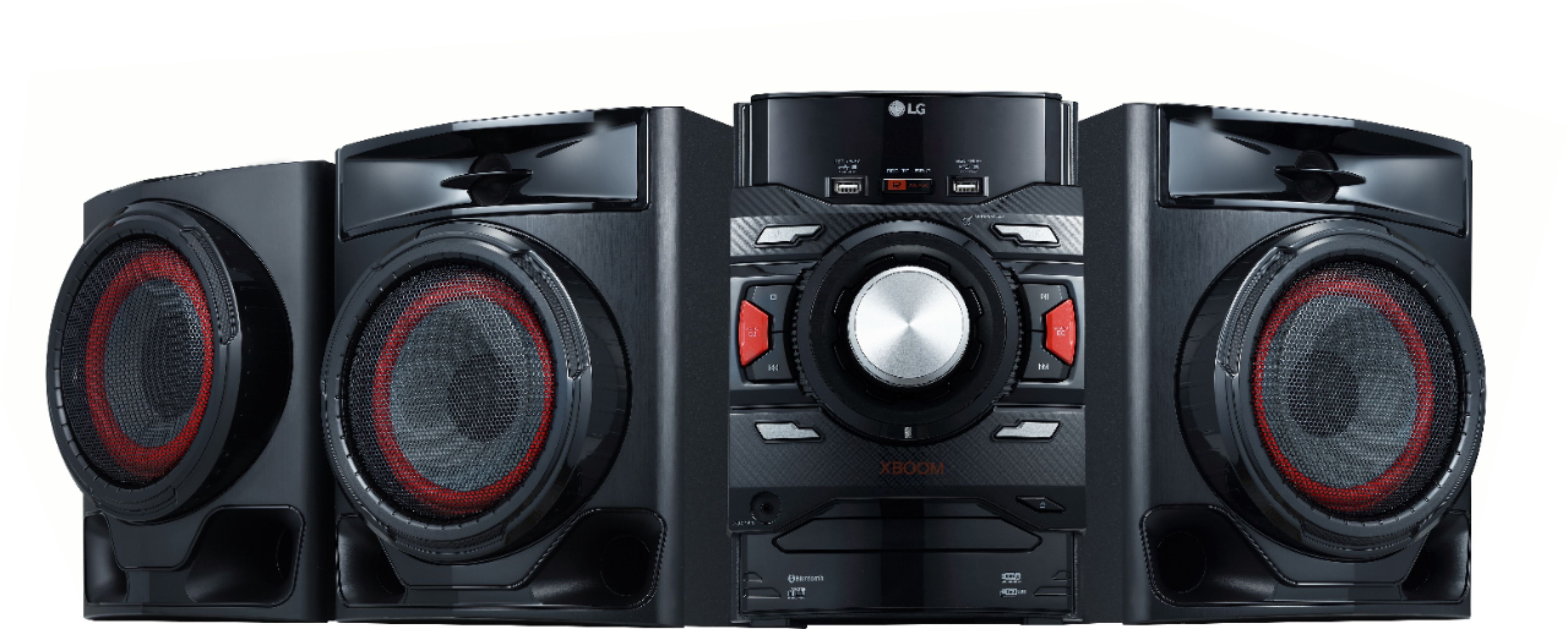
    • Answer Insert the disc by pressing the open button on the left across from the power button. Or connect the USB device to the USB port. Select CD or USB function by pressing the Function button. For further assistance, please reach out to our support team via private message on Facebook @LGUSSupport and use #VOC in your first message to our social media support team or call at 800-243-0000. ^Daphane

      Answered by LG Digital Customer Care