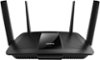
“REPLACING WRT54GL WILL I HAVE ANY ISSUES REPLACING THE OLD LINKSYS WRT54GL WITH THIS ROUTER?”
Answer This Question
1-9 of 9 Answers
We replaced Linksys E1550 and also replaced Comcast/Xfinity modem with Arris TM820G and connected to desktop with Netgear A6210 wifi USB adapter. Download speed went from 45-50 to 175-180 Mbps. Works great!
Sorry, there was a problem. Please try again later.No, you should have a better performance over your WRT54GL with a better wireless signal.
Sorry, there was a problem. Please try again later.We replaced a Linksys with this new technology and it works great.
Sorry, there was a problem. Please try again later.Shouldn't have any issues with replacing the router. Will have to go through the set up process and change your passwords to access the wifi.
Sorry, there was a problem. Please try again later.No, the product walks you through set-up. I removed my former router first that just shut down my computers, hooked up the router, restarted main computer, found new router and followed the install steps and was done.
Sorry, there was a problem. Please try again later.It's a good replacement for the wrt54gl. It was an easy install. It does run a little hot so I use some small toy blocks to get more air underneath it.
Sorry, there was a problem. Please try again later.For best performance I recommend EA8500 model which has flawless connectivity.
I would recommend:
Sorry, there was a problem. Please try again later.No issues at all, I replaced the same router. The Netgear genie helps you out step by step.
Sorry, there was a problem. Please try again later.I don't think you will have a problem with this router no matter what you had before. I know I didn't when I changed. Like I wrote - not cheap but so much better than my old one. I had Linksys before I bought my previous Motorola modem, and I hated Linksys service. I went back to Comcast and even though their service makes me crazy, when it works, it is great. Hope this helps.
Sorry, there was a problem. Please try again later.