“I currently have the latest AT&T Pace modem / router. Can the AT&T modem be placed into a bridge mode enabling just the modem function? From research, this is a very complicated procedure. I would prefer to return the rental AT&T unit.”
Answer This Question
1-10 of 10 Answers
If AT&T has a modem without wireless that will probably be the most painless avenue. I did return my Comcast wireless modem for a modem only.
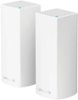
Sorry, there was a problem. Please try again later.Sorry, I can't say about that particular modem. My experience with most modem/router units directly from the ISP is that they are restricted in what they can do. I usually recommend people not use rental ISP equipment at all and buy their own modem. Netgear makes a great basic modem for only $60 ( http://www.bestbuy.com/site/netgear-docsis-3-0-cable-modem-black/8860013.p?skuId=8860013 ). If you're paying $10/month to rent the AT&T modem, the Netgear will pay for itself in seven months ( but you probably already know this ). I don't think you're using "bridge mode" correctly. That's most commonly used to run a virtual hardline to wired devices in another part of your house ( plug your Xbox/PlayStation and cable box into the bridge, then that connects wirelessly to your main router on a sort of dedicated link ). If you simply want to disable any wireless feature on it, I'm willing to bet you can. With Comcast modems that usually involves a call into customer service so they can do it remotely. But again, you're still paying the monthly rental fee. So getting your own modem is usually the better way to go. I usually recommend you get a separate modem and wireless router rather than a combo unit. While this might be a bit more expensive up front, it can save costs in the future as you can replace one unit or the other if need arises ( if you want to upgrade your wireless performance, you can still use the modem; if you need a different modem for a new ISP, you can still use the router ). If you need something in actual bridge mode, this is how you'd do it with the Velop. Get your own modem and at least a 2-node Velop pack. The first Velop node plugs right into the modem. Setup your other node next to the devices that need a wired connection ( most often this is a TV, cable box, Blu-ray player, or game console ). Connect the second Velop node to the wireless, then you can plug your other devices into its network ports. If you have more than two devices to plug in, you'll need a switch to get them all through the Velop ( something like this http://www.bestbuy.com/site/netgear-200-series-unmanaged-soho-5-port-10-100-1000-gigabit-switch-white/7902325.p?skuId=7902325 ).
 Top 1000 Contributor
Sorry, there was a problem. Please try again later.I would agree with your second statement - and would always recommend that people purchase their own dedicated modem (cable or DSL) and then use a separate dedicated router configuration. You have more control that way - can keep your devices firmware updated regularily, and usually have better equipment!
- Top 250 Contributor
Sorry, there was a problem. Please try again later.While I don't have Internet access via AT&T, I do have Internet access via an owned modem/router combo with Xfinity. In my experience, while I was also wary of potential bridge setting issues, the VELOP system *does not require* any external modem/router to be pre-configured for anything. Instead, the VELOP system attaches itself directly to an open Ethernet port on your modem/router and self-configures. In other words, once everything is set up, you actually have at least two SSIDs in action; one for your previous wifi network, and one for the VELOP mesh network.
- Top 500 Contributor
Sorry, there was a problem. Please try again later.You can simply call your ISP (AT&T) and ask them to bridge it for you. They'll take care of it.
Sorry, there was a problem. Please try again later.I would return the rental to. Why spend the extra money for a something you don't own. You can purchase a Docisis 3 modem and use the Velop mesh system to get great wifi coverage through out your house.
Sorry, there was a problem. Please try again later.The easiest way from my experience is to turn off the wifi from your at&t gateway and just set up your own network using the hard wire to a new router. Setting up a bridge mode is not needed and is much more complicated.
I would recommend:
Sorry, there was a problem. Please try again later.You don't have to bridge the modem/router but then you will have two wireless networks. Buy a compatible modem and save yourself the rental fee.
Sorry, there was a problem. Please try again later.I would assume so. You would need to go through AT&T to get the proper setup done. I know it can be done. I would think you can simply shut off the WiFi network after you have setup the Velop. Check with AT&T.
Sorry, there was a problem. Please try again later.If you do indeed have a modem that is separate from your router, you can use that modem with this system. The Velop is a router like any other router, it just has the capability to mesh with additional nodes for greater coverage.
Sorry, there was a problem. Please try again later.