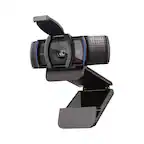
A:AnswerYes, the C920s webcam will work with Macs running OS 10.10 and later. If your Mac does not have a USB-A port, you will need a hub or lightning adapter to connect it.
A:AnswerHello Chele, the requirements for the C920s webcam are: macOS® 10.10 or later. As long as your Mac meets these requirements, the webcam will work.
A:AnswerHello bpac, yes, this camera will work with video conferencing platforms. Just make sure to adjust your settings in the program and that you have the C920S webcam selected as your source for camera.
A:AnswerThe Logitech C920S HD Webcam only needs a USB cable to connect to your computer, and it is included. Everything you need is in the box. You can also download the "Logitech Capture" software for free, which will give you more advanced controls with your new webcam.
A:Answerthe cord is only 5' long, which is too short if you are going to mount it on the top of your monitor and your pc tower is under your desk!
they should have made the cord AT LEAST 6' long so that it would reach your pc! Why is Logitech so cheap? Pretty sad!