Everything for Back to School — and then someShop now

Skip to contentGo to Product Search
Main Content

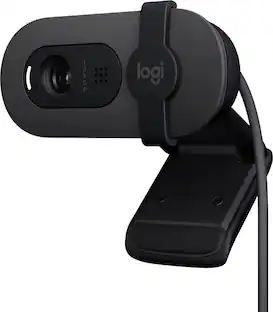
Logitech - Brio 300 1920x1080p USB-C Webcam with Privacy Shutter - Graphite

Model: 960-001497
SKU: 11236631
Sold & shipped by
$78.99
Save $18.00
The comparable value is $97.49
or
Availability
FREE shipping to
Sold & shipped by
4.27(92)
Specifications
  • Video Resolution
    Full HD (1080p)
  • Key Specs
    • Video Resolution: Full HD (1080p) (Refers to the number of pixels, both horizontally and vertically, used to capture the video. The higher the resolution the finer the video detail that can be seen.)
  • General
    • Brand: Logitech
    • Model Number: 960-001497
    • Product Name: Brio 300 1920x1080p USB-C Webcam with Privacy Shutter
    • Color: Graphite
  • Camera
    • Video Resolution: Full HD (1080p) (Refers to the number of pixels, both horizontally and vertically, used to capture the video. The higher the resolution the finer the video detail that can be seen.)
    • Maximum Video Frame Rate: 1080p (Full HD) @ 30 FPS (The maximum frequency at which consecutive images can be captured by a video recording device.)
    • Megapixels: 2 megapixels (Measures the amount of graphic resolution that the product can capture.)
    • Image Resolution (Display): 1920 x 1080 (Refers to the number of pixels, both horizontally and vertically, used to either capture an image or display it. The higher the resolution the finer the image details.)
    • Autofocus: false (Allows the camera to automatically focus through the lens, rather than by adjusting the lens manually.)
    • Field of View (Diagonal): 70 degrees
    • Digital Zoom: 1x (A digital zoom is accomplished electronically, with no adjustment of the camera's optics, and no optical resolution gained in the process. The existing data is not enhanced or added to, merely displayed at a lower resolution, thereby giving an illusion of an enlarged image.)
  • Features
    • Integrated Microphone: true
    • Mount Type: Clip-on
    • Privacy Shutter: true
    • Plug And Play Operation: true (The product can work when first used or connected, without reconfiguration or adjustment by the user.)
    • 360 Degrees Rotation: false (The product is capable of turning freely about an axis, incorporating horizontal points of view covering 360 degrees.)
  • Connectivity
    • System Requirements: Required: Available USB-C port. Compatible with Windows 10 or later, macOS 10.15 or later, Chrome OS (The software that a product must have for it to be able to integrate with another product.)
    • Connectivity: USB-C
    • Cable Length: 5 feet
  • Dimensions
    • Product Height: 2.58 inches (The out of box height of the item. Height is measured as the vertical distance from the bottom of the item to the top as it would be primarily used or placed.)
    • Product Width: 2.09 inches (The out of box width of the item. Width is measured as the horizontal distance from one side of the item to the other as it would be primarily used or placed.)
    • Product Depth: 1.78 inches (The out of box depth of the item. Depth is measured as the distance from the front of the item to the back as it would be primarily used or placed.)
    • Product Weight: 0.17 pounds (The out of box weight of the item.)
  • Warranty
    • Warranty - Parts: 1 year
    • Warranty - Labor: None
  • Other
    • UPC: 097855181053

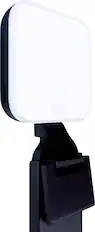
Say hello to better video meetings. Place Brio 300 at your best angle for an eye-to-eye connection. Look natural thanks to 1080p resolution and auto light correction for low-light situations. A noise-reducing mic suppresses background noise so others can hear you clearly. Spin the easy-to-use privacy shutter to cover the lens between calls. Brio 300 is certified for Microsoft Teams, Google Meet, and Zoom, so you can enjoy hassle-free meetings.

  • Be your best self on every video call: Full HD 1080p webcam resolution provides natural image quality, so you look like the real you on all meeting apps.
  • Auto light correction: RightLight 2 technology automatically compensates for poor video lighting conditions so you can be seen clearly.
  • Sound like you: The mono noise reduction mic suppresses background sound so everyone on the call can hear you easily.
  • Spin for instant privacy: Spin the webcam privacy shutter to block the camera lens when you don’t need to be on screen.
  • Made for meetings: Brio Webcam 300 is compatible with most video conferencing platforms and certified for Zoom, Microsoft Teams and Google Meet.
  • Logi Tune: Enjoy the free app to customize your video experiences such as adjusting color and image quality.
  • More sustainable: Brio 300 is made with 62% post-consumer recycled plastic for a better future.**
Whats Included
  • Brio 300 with attached USB-C cable
  • User documentation

Q: What type of connection does this webcam use?

A: The Logitech Brio 300 webcam connects via a USB-C port.

Q: What is the video resolution of this webcam?

A: The Logitech Brio 300 webcam has a Full HD 1080p video resolution.

Q: Does this webcam have a built-in microphone?

A: Yes, the Logitech Brio 300 has an integrated noise-reducing microphone.

Q: Is this webcam compatible with popular video conferencing platforms?

A: The Brio 300 is compatible with most video conferencing platforms and is certified for use with Zoom, Microsoft Teams, and Google Meet.

Q: How does the Logitech Brio 300 handle low-light conditions?

A: This webcam uses RightLight 2 technology to automatically adjust for poor lighting, ensuring you're clearly visible.

Q: Can this webcam be used with a Chromebook?

A: While the webcam is compatible with Chrome OS, the Logi Tune software is not available for Chromebooks.

Q: Can I turn off the microphone and still record/stream/go live?

A: Hey! Yes, the Logitech - Brio 300 webcam does have a built-in microphone. The microphone can be disabled while still recording or streaming. You can typically control the microphone through the software you are using to record or stream.

Sponsored

Compare similar products

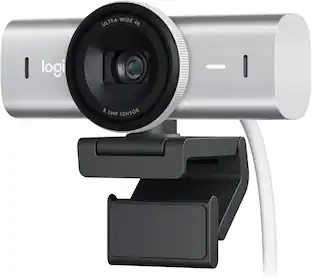
Logitech - Brio 300 1920x1080p USB-C Webcam with Privacy Shutter - Graphite

Say hello to better video meetings. Place Brio 300 at your best angle for an eye-to-eye connection. Look natural thanks to 1080p resolution and auto light correction for low-light situations. A noise-reducing mic suppresses background noise so others can hear you clearly. Spin the easy-to-use privacy shutter to cover the lens between calls. Brio 300 is certified for Microsoft Teams, Google Meet, and Zoom, so you can enjoy hassle-free meetings.

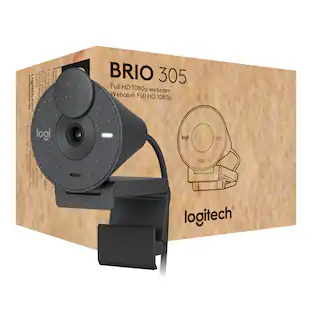
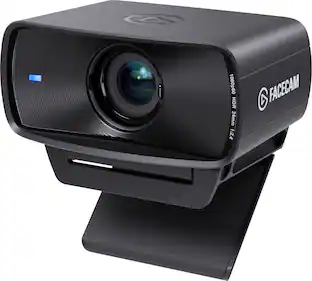
Logitech - Brio 305 Full HD 1080P Webcam with Privacy Shutter, works with Zoom, Microsoft Teams, Google Meet - Graphite

Give employees a simple-to-use 1080p webcam for better collaboration. Brio 305 is certified for Microsoft Teams, Zoom, and Google Meet to make joining meetings a breeze. Auto light correction and noise-reducing mic ensure everyone is seen and heard clearly. Affordably priced, you can deploy Brio 305 with confidence.

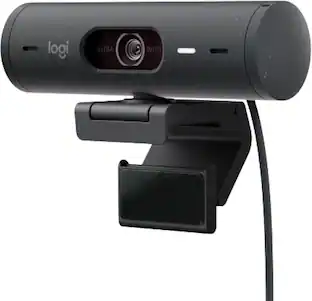
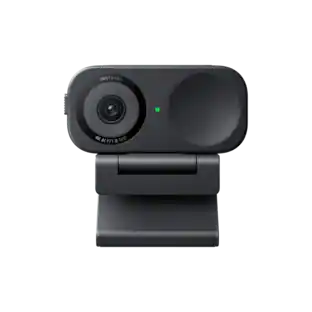
Logitech - Brio 100 1080p Full HD Webcam for Meetings and Streaming - Graphite

Look, sound, and meet better with Brio 100—a simple and affordable webcam that lets you show your best self in video calls. Full HD 1080p resolution and auto-light balance bring clarity and brightness to your calls, so you look your best. Sound better with a built-in microphone, and get total privacy with an integrated shutter.

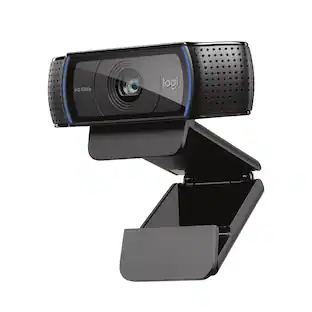
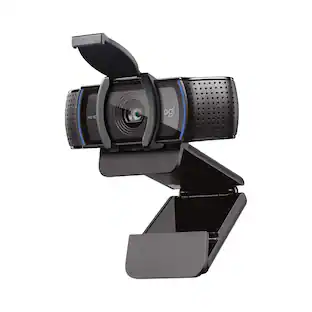
Logitech - C920s Pro 1080 Video Conferencing, Streaming, and Gaming Webcam with Privacy Shutter - Black

Logitech C920s is a budget-friendly, work-from-anywhere webcam that delivers a professional video meeting experience. It includes features designed to make you look and sound great in your next meeting. A 78º diagonal field of view perfectly frames you and your space, while autofocus adjusts smoothly and precisely. RightLight 2 technology automatically adjusts to your lighting situation even in low-light or backlit conditions. And dual integrated mics accurately capture your voice from multiple angles for greater nuance. If you’re streaming or recording, use Logitech’s Capture app to edit and customize. Flip down the lens cover at any point to protect your privacy.

Pros for Logitech - Brio 300 1920x1080p USB-C Webcam with Privacy Shutter - Graphite
Image Quality, Setup, Ease of Use, Privacy Shutter, ConnectivityThere were no pros for this productImage Quality, Ease of Use, Setup, Privacy FeatureSetup, Ease of Use, Privacy Feature, Video Quality, Overall Performance
Cons for Logitech - Brio 300 1920x1080p USB-C Webcam with Privacy Shutter - Graphite
Mounting OptionsThere were no cons for this productFocus, Field of View, Mounting, Connectivity, DesignFocus, Field of View, Autofocus, Compatibility, Cable Length

Specs

Reviews

Rating 4.6 out of 5 stars with 130 reviews

93% would recommend to a friend

Top Mentions

  • Image Quality (57)
  • Setup (14)
  • Privacy Shutter (12)
  • Connectivity (9)
  • Ease of Use (5)
  • Mounting Options (11)

Customer Images

The vast majority of our reviews come from verified purchases. Reviews from customers may include My Best Buy members, employees, and Tech Insider Network members (as tagged). Select reviewers may receive discounted products, promotional considerations or entries into drawings for honest, helpful reviews.

  • Rated 5 out of 5 stars

    Nice quality for the price

    Purchased this camera to be able to do remote physician and therapy visits from home. Picture is clear, non-pixelated and great quality for the price. Would highly recommend for anyone looking for a moderately priced camera for home or remote office use. The only downside was that the monitor I have doesn't really have an anchor point so I did have to secure it in place with some "Command Strip" Velcro. There could be some improvements done in that area.

    This review is from Logitech - Brio 300 1920x1080p USB-C Webcam with Privacy Shutter - Graphite

    Posted by RichardL

  • Rated 5 out of 5 stars

    Easily one of the best webcams!

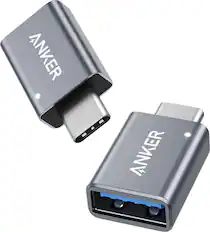
    Logitech Brio 300 Full HD webcam is easily one of the best webcams available in the market. It’s super easy to use and produces video of high quality. Here are some key features and reasons why it’s one of the best. Installation ------------- Installation process is very simple - just plug-and-play. Connect it to any of the USB-C port on your computer and it is good to go. Also, you can install Logi Tune app to customize video experience with color adjustments and image quality settings. Video Quality -------------- This is a 1080p 30 fps 2MP Full HD webcam and provides a clear and natural video image. Video at the other end is crisp and clear. One of its amazing feature is the Auto-light correction, which produces a relatively clear video even under poor lighting conditions. Mic Quality ------------ I am pleasantly surprised by the quality of its mic. It produces a clear and true sound and the people at the other end could hear me loud and clear. This is most useful when connecting to a PC that does not have an in-built mic. When used with a laptop with mic or with a headset with mic, this doesn’t impede. Features --------- This comes with a privacy shutter to block the camera when not in use. This is especially helpful when logging into meetings accidentally with video-on. Also, there is a LED indicator that glows when the webcam is in use. Use-case --------- One may wonder, I have a laptop with camera, then why a webcam? I always use my monitor as my main display. And laptop is angled to the side. During video calls it always seem I never face the camera. By connecting a webcam, I can look into the monitor and still face the camera straight. Also, for computers without camera, this is a must have. This doubles as a mic as well. Compatibility -------------- I have used this webcam with Google Meet, Microsoft teams and Zoom and had no issues on any of these applications. This works with Windows OS, Mac OS and Chrome OS. Connectivity ------------- The connector is a USB-C type rather than the regular USB. This may work to one’s benefit or vice-versa depending on the available ports on your computer. One of my laptops has 2 USB ports and 1 USB-C port whereas the other one has 1 USB and 2 USB-Cs. So, I use a USB Hub with USB-C port. USB to USB-C convertor also works to connect it to a USB port if needed. Conclusion ----------- Overall, I am quite happy and satisfied with this webcam and I have absolutely no hesitation to recommend it.

    This review is from Logitech - Brio 300 1920x1080p USB-C Webcam with Privacy Shutter - Graphite

    Posted by Kalai

  • Rated 4 out of 5 stars

    Certainly an upgrade to any laptop webcam.

    First, I commend Logitech for being environmentally conscious. While the camera’s funnel shape design and speckled color may not appeal to all, I’ve grown fond of it overtime. I found the design language is rather functional in many aspects but lacking in others. I certainly welcome the lid-based privacy cover which not all have. The mount is easy to place virtually anywhere on top of most screens, but unfortunately there is no tripod screw for alternate positioning. It’s also strange that the camera can only move up and down but not side to side, which makes one stay always in the center view. This camera has a USB-C only cable connection, and unfortunately does not come with a USB-A adapter, as some others include at this price range, so please keep that in mind when considering. Also, the 5ft cable might be a bit too short, and can barely reach my under-the-table tower from my 32” monitor. The picture quality is decent. It is certainly ten times better than most laptops. The 1080p/30Hz cam does a good job in showing clear pictures in a well-lit environment. There is only minimal noise in shadowy or black areas. There is only a slight ghosting effect when moving fast. Unfortunately, there is a lot of graininess in darker environments, so I strongly recommend using a forward-facing light or lamp. If you place the light on one side, it can make the entire picture look washed out. The cam has good viewing angles for showing more than one person. Another thing to note is that there is no auto-focus at all, so one must keep at least 4ft away to stay in focus. The single mono microphone is rather good. While it lacks a bit of body and bass, it does capture voices very well and clearly -even above 10 feet away from it. Unfortunately, it also captures a lot of ambient noise, so be careful when pounding on those keyboards. I recommend downloading the Logitech Logi Tune app for your Mac or Windows PC. There, you can easily manage some basic picture controls such as brightness and exposure, as well as adding filters. In the end, I think this is a budget-friendly upgrade to any basic laptop webcam and works well with all major online meeting platforms. However, if you are looking for a more professional result, such as in streaming or webcasting, perhaps looking into a higher end set up may be a better option.

    This review is from Logitech - Brio 300 1920x1080p USB-C Webcam with Privacy Shutter - Graphite

    Posted by insomniak1

  • Rated 5 out of 5 stars

    Small but mighty webcam

    When I first opened the box for the Logitech - Brio 300, I though I was going to be extremely disappointed because the camera itself is very, very small - especially in comparison to other webcams I have used in the past. But, wow, was I wrong! The Logitech Brio 300 may be small, but it is a GREAT webcam. First of all, it has a USB-C connector which is a huge plus since I don't have many USB-A slots on my Studio. The camera is very lightweight - almost too lightweight to get it to stay on my center monitor. But, once situated and secured on the screen - this webcam really shines brightly. The picture, color, and clarity are all exceptional -- especially for a webcam at this price point. I tried using both the internal microphone and my AirPods for audio and I must say, while it's not terrible, the audio quality isn't superb. I am in Teams or Zoom meetings nearly all day and I was given the feedback that I sounded either muffled or like I was too far away from the microphone. Not terrible, but nothing special. The camera also includes a very easy-to-use privacy shield that just slides over the lens when not in use. The camera has a bright white light to let you know when it is in use. Overall, I am really impressed with this webcam and would highly recommend it.

    This review is from Logitech - Brio 300 1920x1080p USB-C Webcam with Privacy Shutter - Graphite

    Posted by Winger81

  • Rated 4 out of 5 stars

    Simplicity wins

    The Brio 300 is a little different than webcams I’ve owned in the past. I am not missing the days when every computer peripheral I bought came with a special driver to install and moderately useless app to take advantage of all features. The Brio 300 was truly a near-instant plug & play. It was recognized and in use in seconds. Nothing to download, nothing to install. There is the “Logi Tune” app which offers image adjustments and makes firmware updates easy. As I should have expected, this is another device which connects with a built-in USB-C cable, which means it will have to compete with other obstinate devices for my single USB-C port until I spring for a hub. The shape is odd. It is conical, reminiscent of an old CRT, with the camera lens in the center of the large end. It looks kind of strange because the lens is very small in relation to the face of the unit. (see photo 1) The shape doesn’t bother me, except that it is a tad bulky in my laptop bag. Other cams I have used were more compact. The privacy cover is a gem in simple design. It operates smoothly, lightly clicks when in position, and because the lens is set in from the surface, it is safe from being scraped by the cover. Fancier, slick-looking mechanisms may seem higher-tech, but this is what “good design” means. (see photos 2 & 3) Attaching to my laptop screen was also simple, yet effective. This is the first webcam of many I have owned that did not require a lot of fiddling around to get it to stay in place. There is a white “On” light on the face of the unit. I had thought that it was used to illuminate in low light, but it really doesn’t help, and is bright to the point that it is annoying and distracting. A dimmer blue or red led would have been a far better choice. At 1080p, streaming, picture, and video (30fps) quality are good. I expected better, but perhaps I have become spoiled by 4k video. Just keep in mind that this is a webcam, and not a document scanner. It couldn’t capture text from my iPhone that was readable. Overall, this is a good, no-nonsense webcam that most people with basic-to-moderate needs will be happy with.

    This review is from Logitech - Brio 300 1920x1080p USB-C Webcam with Privacy Shutter - Graphite

    Posted by dsjjfgrn

No content

Customers often buy these together

Ask BlueAI

Finance Options

My Best Buy® Credit Card
Buy Now, Pay Later