Questions & Answers
- Model:
- 960-001087
- |
- SKU:
- 5579380
Q: QuestionWhat is the quality of picture at night or very low lighting?
Asked by GaryB.
- A:Answer If you don’t turn on artificial lights after sunset, the picture will get noisy. As an example, I attended a ZOOM meeting that started before sunset. As the sun was going down the scene became darker and noisier. I turned on a few lights, and it was fine. It has a great little lens, but don’t expect DSLR sensor capabilities without light.
Answered by PhotoJoe
Q: Questiondoes this webcam hook into the computer
Asked by Anonymous.
- A:Answer Yes, it just has one plug in that goes to the computer.
Answered by Jerry
Q: QuestionCan you sync this with a smart TV?
Asked by Danceclass.
- A:Answer Hello, the C922 needs a computer to work. You can always connect your computer to the TV and use the TV as your computer monitor... but no, it will not natively work with the TV.
Answered by Logitech
Q: QuestionDoes this camera have a zoom function
Asked by sbtech.
- A:Answer Its not an amazing zoom but you can adjust the zoom using the Logitech G HUB software. Not sure if there is anywhere else you can adjust those types of settings, but in that software you can control contrast, brightness, etc. including some filters.
Answered by ethan
Q: QuestionWhats the difference between 922 and 922x
Asked by TFTS.
- A:Answer The C922x is an Amazon exclusive that comes with a 6-month license for XSplit streaming software. Other than that, they are the both the same C922 model of webcam.
Answered by Logitech
Q: QuestionHow good is the microphone? My family and I want to use this about six feet from the camera.
Asked by Brian.
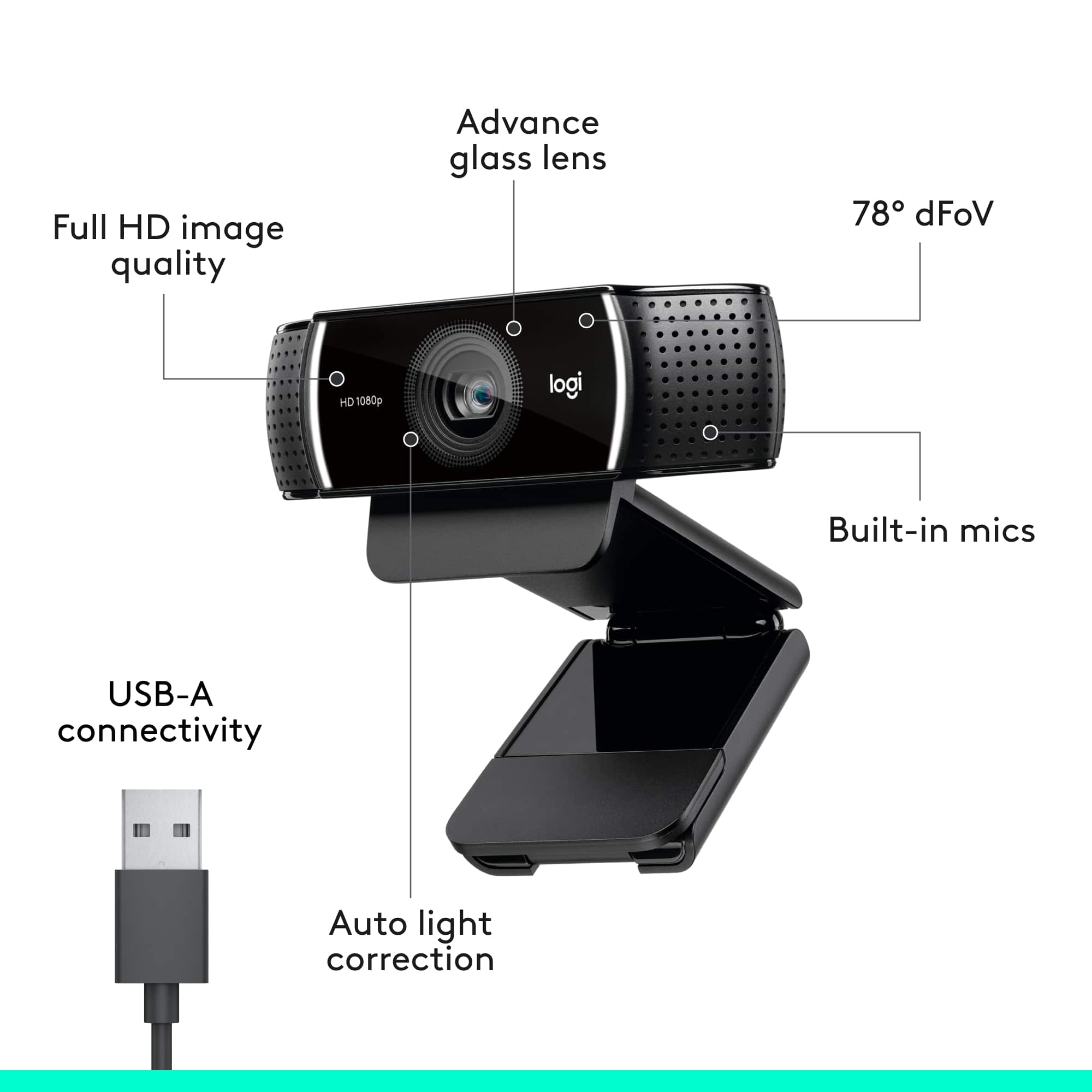
- A:Answer Fitted with two microphones, one on either side of the camera, the C922 Pro Webcam is able to capture more realistic sound from every angle, so that your voice comes through sounding natural and clear. Although It is designed to be close to you, as a webcam It will be a great upgrade over the computer. If you want to go all out, see our Blue mics for the best in audio: https://www.bluedesigns.com/
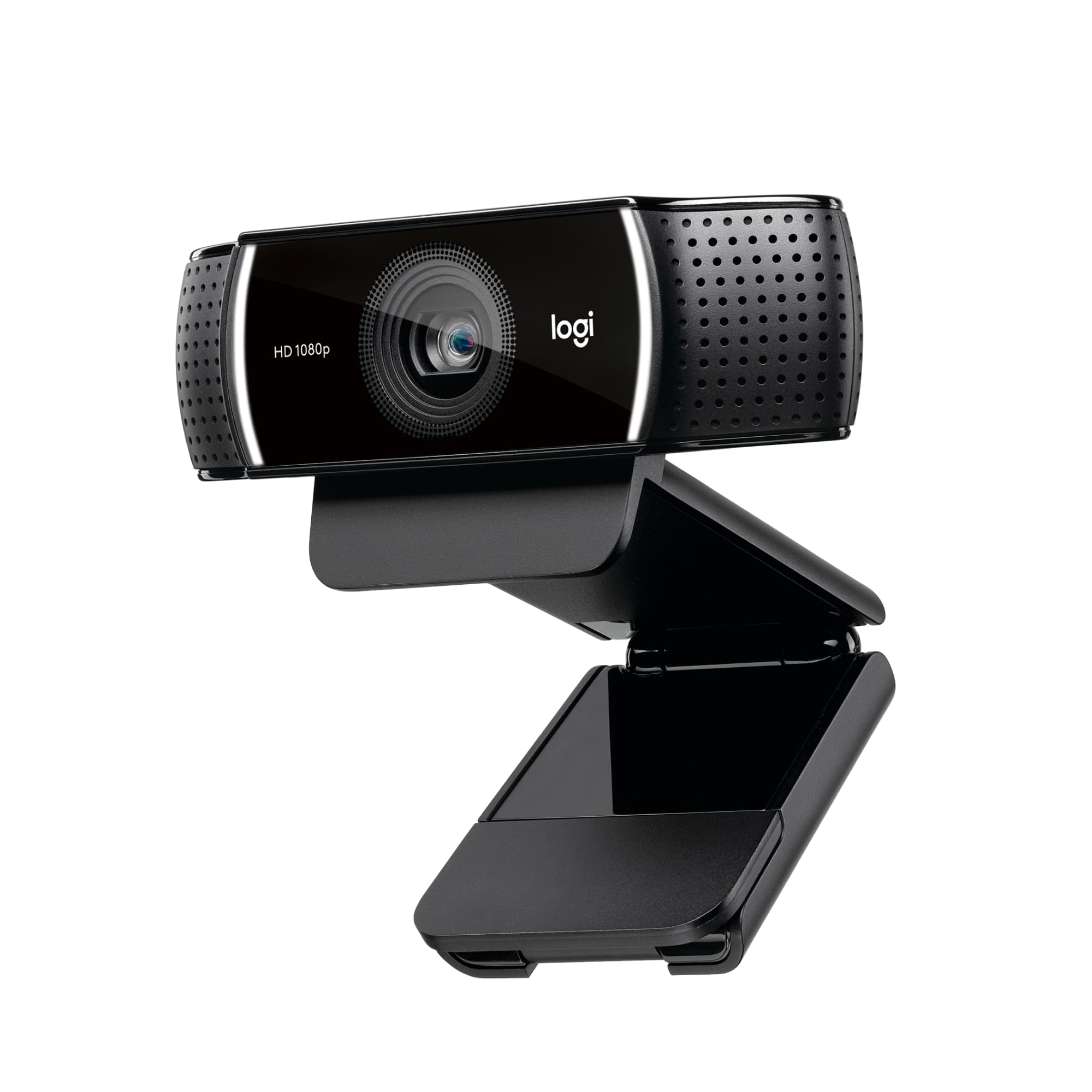
Answered by Logitech
Q: QuestionHi! I was wondering when to look back for a restock?
Asked by Hailey.
- A:Answer Set up an account with Best Buy and flag this product for notification when available. I did that and got a notice when a few of the cameras came in. I was able to order immediately.
Answered by BobN
Q: QuestionWill this camera work with an HP Envy Desktop 750-624 and Microsoft 10 and is it plug and play
Asked by Tinlizzie01.
- A:Answer Hello Tinlizzie01, Yes, the C922 Pro Stream Webcam will work on Microsoft 10 with your HP Envy Desktop, and yes C922 is plug and play. You will want to select the c922 as your input device, and you may need to allow the webcam in your computer settings. Please visit the Logitech website if you need assistance. I recommend downloading the Logitech “Capture” software. This is a free download on the Logitech website. -John
Answered by Logitech
Q: Questioni am looking to show product to my vendors via zoom meetings and need to attach a webcam to a laptop to show product - what is the best alternative for me via a logitech product? Annamaria Siegel
Asked by Anonymous.
- A:Answer Hello Annamaria! Any of our webcams will work for you. They are all plug-and-play... meaning all you will have to do is plug it in and your computer should do the rest! The C922 is considered by many to be our top all-around webcam.
Answered by Logitech
Q: Questioni have a pc desktop with windows 10 and no camera. will this webcam work on my computer?
Asked by DeeDee.
- A:Answer Hi DeeDee, the C922 will work on a computer with Windows 10.
Answered by Logitech
Q: QuestionWhen it will be on stock?
Asked by Sam.
- A:Answer Set up an account with Best Buy. One of the features of having an actual account is that you can request notification when the product is next available.
Answered by BobN
Q: QuestionDoes this webcam come with a lens cover to protect privacy when you want to physically cover the camera?
Asked by Kurt.
- A:Answer No, this model does not come with a lens cover.
Answered by Jake
Q: QuestionCan I connect this model to my smart tv?
Asked by Loris.
- A:Answer Hello Loris! You cannot use the c922 Pro Stream HD webcam directly on your TV unfortunately, but you can connect it to a Windows PC, Mac or Chromebook that is connected to you TV in example. So if you start a voice chat like Skype, you'll be able to see the image on your bigger TV.
Answered by Logitech
Q: QuestionHow long is the USB cord?
Asked by CB415.
- A:Answer The USB cord on the C922 webcam is 5-feet long.
Answered by Logitech
Q: Questiondoes this webcam enable user to also take photos or screenshots and save them to desktop computer? If so does it save them as jpg's?
Asked by cottonb.
- A:Answer The camera itself does not have the capability to take photos or screenshots, However, that is a function provided by your computer.
Answered by Jake
Q: QuestionWill this camera work using Google Meet?
Asked by Anonymous.
- A:Answer Yes! The C922 will work just fine with Google Meet.
Answered by Logitech
Q: QuestionWill the Webcam steam live on facebook?
Asked by Mike.
- A:Answer The C922 can be used to stream to Facebook Live. It even comes with the free downloadable Logitech Capture software that can give you more options and features to use on your live stream!
Answered by Logitech
Q: QuestionI have a MacBook Pro and the built in camera is not working right now. I need a quick web cam for class. Is this compatible with the MacBook Pro?
Asked by Tuyet.
- A:Answer Yes, the C922 is a great option and even an upgrade for your MacBook Pro! Keep in mind, this has a USB A cable, so if your MBP has only USB C ports, you will need to use an adapter.
Answered by Logitech
Q: QuestionOn which models can you use the Virtual Background from Zoom: c920, c920s or c922?
Asked by doublepurchase.
- A:Answer Hello, all three of these models are capable of using the Virtual Background feature on Zoom.
Answered by Logitech
Q: Questionhow long until back in stock
Asked by Anonymous.
- A:Answer Check with your local Best Buy, or on line. I had to go to a distant store for pick up
Answered by PhotoJoe
Top Rated
- $69.99Your price for this item is $69.99
- Last Minute Deal$29.99Your price for this item is $29.99
- $149.99Your price for this item is $149.99$199.99The comparable value for this item is $199.99
- $199.99Your price for this item is $199.99
- $169.99Your price for this item is $169.99$199.99The comparable value for this item is $199.99
- Last Minute Deal$109.99Your price for this item is $109.99
- Last Minute Deal$19.99Your price for this item is $19.99
- $59.99Your price for this item is $59.99$99.99The comparable value for this item is $99.99
- $99.99Your price for this item is $99.99$149.99The comparable value for this item is $149.99
- $169.99Your price for this item is $169.99
- $39.99Your price for this item is $39.99
- $129.99Your price for this item is $129.99
- $189.00Your price for this item is $189.00$219.99The comparable value for this item is $219.99
- $591.00Your price for this item is $591.00$599.99The comparable value for this item is $599.99
- $169.99Your price for this item is $169.99
- $59.99Your price for this item is $59.99
- $119.99Your price for this item is $119.99
- $99.99Your price for this item is $99.99