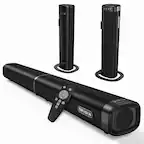
A:AnswerAny sound bar is a passive device connected to the audio out circuits of your TV, thus the TV volume is what controls the sound bar and the Harmony can manage the volume....
A:AnswerJust had my new remote installed and love it! It’s so nice to have just one remote to handle all my devices.
I started streaming last month and got rid of Directv. The new remote is handling my Visio Tv, Appletv, Polk sound-bar and Panasonic DVD player - well worth the investment.
A:AnswerHello Gale! The Harmony 665 10-Device Universal Remote is still a current model of Harmony Remote, you can find the setup instructions to help you out with your install right here: https://support.myharmony.com/en-us/665#:~:text=Adding%20Devices%20and%20Activities,-Download%20and%20install&text=Ensure%20you've%20installed%20the,of%20your%20home%20entertainment%20devices.
A:AnswerI checked out a few Channel Master models and it looks like all of them will function with the Harmony 665 remote. I would find your specific model number and visit our compatibility site to verify it does https://support.myharmony.com/en-us/compatibility
A:AnswerThe key to the answer is ANYTHING that, itself, uses a remote, this unit can handle....... since these fire stick units work by being connected to the HDMI input, the Harmony can change the TV input to the correct HDMI channel when you set up an activity to view content via those devices......

A:AnswerIt doesn’t have dedicated Google Play or Netflix buttons. Nor does it have a voice activation capability. So it won’t replace those capabilities of the Sony unit. it does have the capability of programming “favorites” so you could probably replace those functions with a programmed function. They’re easy to do. You should have no trouble getting this to work with any entertainment system if you’re willing to do a bit of work programming the functions into it. I use it with TV, Roku, a Blu Ray and a DVD.tape player.
A:AnswerUnfortunately it will not. NVIDIA requires a Harmony Remote with a hub to function. Check out compatibility with your other devices here https://support.myharmony.com/en-us/compatibility
A:AnswerIt is recommended that the 665 be used for all functions rather than using the original device remote for some. According the the remote documentation using a different remote may mess up the 665 programming. It is fairly easy to add additional equipment (up to 10 devices) to the 665 and you can choose which functions of the device to include (I think up to 16 functions per device) as well as set up macros to turn multiple devices on/off and change modes according to activity. So really no need to use the (Denon) remote once the 665 program is updated.
A:AnswerIt will work with just about any system that responds to an IR remote. Even if Logitech's database doesn't have the IR codes for your units, the remote has a learning feature, which I have tried to use but not successfully. The most important thing to know about this remote is that it DOES NOT support bluetooth and can't replace a bluetooth remote, but I've found that some devices can accept either IR or bluetooth.
A:AnswerIt should work when you enter the model number of your TV when you "Add Device" during the programming process. You should contact Logitech tech support to be 100 % sure. Each remote has thousands of remote codes available from Logitech when you program the remote.
A:AnswerIt will work for any remote that has IR (infra red) codes. If Logitech does not have the codes for your projector in its library, you can teach the harmony remote the codes from your projector remote. You can order batteries for your Harmony remote by contacting Logitech customer service.