Questions & Answers
- Model:
- 920-009729
- |
- SKU:
- 6404200
Q: QuestionI just bought a Logitech K380. It will not connect to my Chromecast with Google TV. Apparently, this worked until Google upgraded that device to Android 12. Specifically, numeric characters can't be entered during the pairing process. Help, please.
Asked by azz710.
- A:Answer Good day and sorry to hear about the inconvenience. In order to help you effectively, please provide your information to our support team by emailing [email protected]. Name – Email address – Country – Product name – Brief description of the issue –
Answered by Logitech
Q: QuestionHaving trouble pairing new logi 360 keyboard to my IMac. Had it paired once, then during storm, all internet to house was lost. Can’t pair it now! Changed batteries. Pairs for a second and the goes out. Any help?
Asked by Kay.
- A:Answer Hey! This sounds like a connection issue. We'd recommend you to get in touch with Ultimate Ears support and the team will look into it.
Answered by Logitech
Q: QuestionHello! Does this device compatible with Ipad 8th generation?
Asked by LL.
- A:Answer Hello LL, yes, the K380 is compatible with the iPad 8th gen. It'll connect via Bluetooth. Thank you for your question, have a great day.
Answered by Logitech
Q: QuestionDoes This Work With A Samsung Tablet?
Asked by Anonymous.
This question was asked about the related product: Logitech - K380 TKL Bluetooth Scissor Keyboard for Mac with Compact Slim Profile - Rose
- A:Answer It should work with any device that has Bluetooth
Answered by FatimaM
Q: QuestionI don't want to have to carry my ipad and the keyboard separately. is there some kind of folio or cover that this will fit in like the official ones do?
Asked by Lori.
- A:Answer Hello Lori! We unfortunately don't make casings that will hold the K380 TKL Bluetooth Scissor Keyboard for Mac with Compact Slim Profile in it. We do have iPad Keyboard Cases, which offer a protective casing as well as a keyboard either attached to the casing (such as the Slim Folio, Rugged Folio or Folio Touch) or with a detachable keyboard (like the Combo Touch). You can check the various options on the Best Bu website based on the iPad model you have. - Mathieu from Logitech
Answered by Logitech
Q: QuestionHi, will the Logitech K380 Keyboard and Mouse connect to my Asus VivoBook F515EA 15.6" Laptop?
Asked by lollipopossss.
This question was asked about the related product: Logitech - K380 TKL Bluetooth Scissor Keyboard for Mac with Compact Slim Profile - Rose
- A:Answer Hello lollipopossss! Yes, you will be able to connect the K380 TKL Bluetooth Scissor Keyboard for Mac with Compact Slim Profile to your Asus VivoBook laptop. Please note that since this is the "for Mac" version", it will only show the Mac layout on the keys. What I would suggest you to get instead, is the regular version of the keyboard, which will work for PC, Mac, Android, etc., but that will have both the PC and Mac layouts on the keys: https://www.bestbuy.com/site/logitech-k380-tkl-wireless-scissor-keyboard-for-pc-laptop-windows-mac-android-ipad-os-apple-tv-rose/6411502.p?skuId=6411502 - Mathieu from Logitech
Answered by Logitech
Q: Questioni lost my iMac k yboard and magic k yboard do s not support my imac. Do s this on?
Asked by happy780.
- A:Answer Hello, happy780! Yes, the K380 for Mac will work with any Mac running macOS 10.15 (Catalina) or later. - Maggie from Logitech
Answered by Logitech
Q: QuestionHow do I find out if my mac is bluetooth compatible?
Asked by Sam.
- A:Answer It is compatible. I am currently using it for my Mac mini
Answered by Christina
Q: QuestionFor some reason, a lot of keys aren't working, I have tried everything and am not sure what to do...
Asked by morkie2000.
This question was asked about the related product: Logitech - K380 TKL Bluetooth Scissor Keyboard for Mac with Compact Slim Profile - Rose
- A:Answer Hello morkie2000, Sounds like you've got a connection problem. Make sure that you're device is paired to the K380. To see how to do that, here's a link to the Getting Started support page: https://support.logi.com/hc/en-us/articles/360051435873. This should walk you through the setup to insure you're connected. In order for your keyboard to work with your device, the device must have built-in Bluetooth capability---check your device specification or manual. If your system is Bluetooth-capable and the keyboard still isn't working, the problem is likely a connection caused by low battery power, using your wireless keyboard on metal surfaces, radio frequency (RF) interference from other wireless devices such as: wireless speakers, computer power supplies, monitors, cell phones, garage door openers. Try to keep other electrical devices at least 8 inches away from the keyboard or simply move your keyboard closer to your device. Hope that this helped, but if it didn't go to: https://support.logi.com/hc/en-us/requests/new?ticket_form_id=360000621393. - Richard from Logitech
Answered by Logitech
Q: QuestionHow do you turn off Numlock on this keyboard.
Asked by DesiM.
This question was asked about the related product: Logitech - K380 TKL Bluetooth Scissor Keyboard for Mac with Compact Slim Profile - Rose
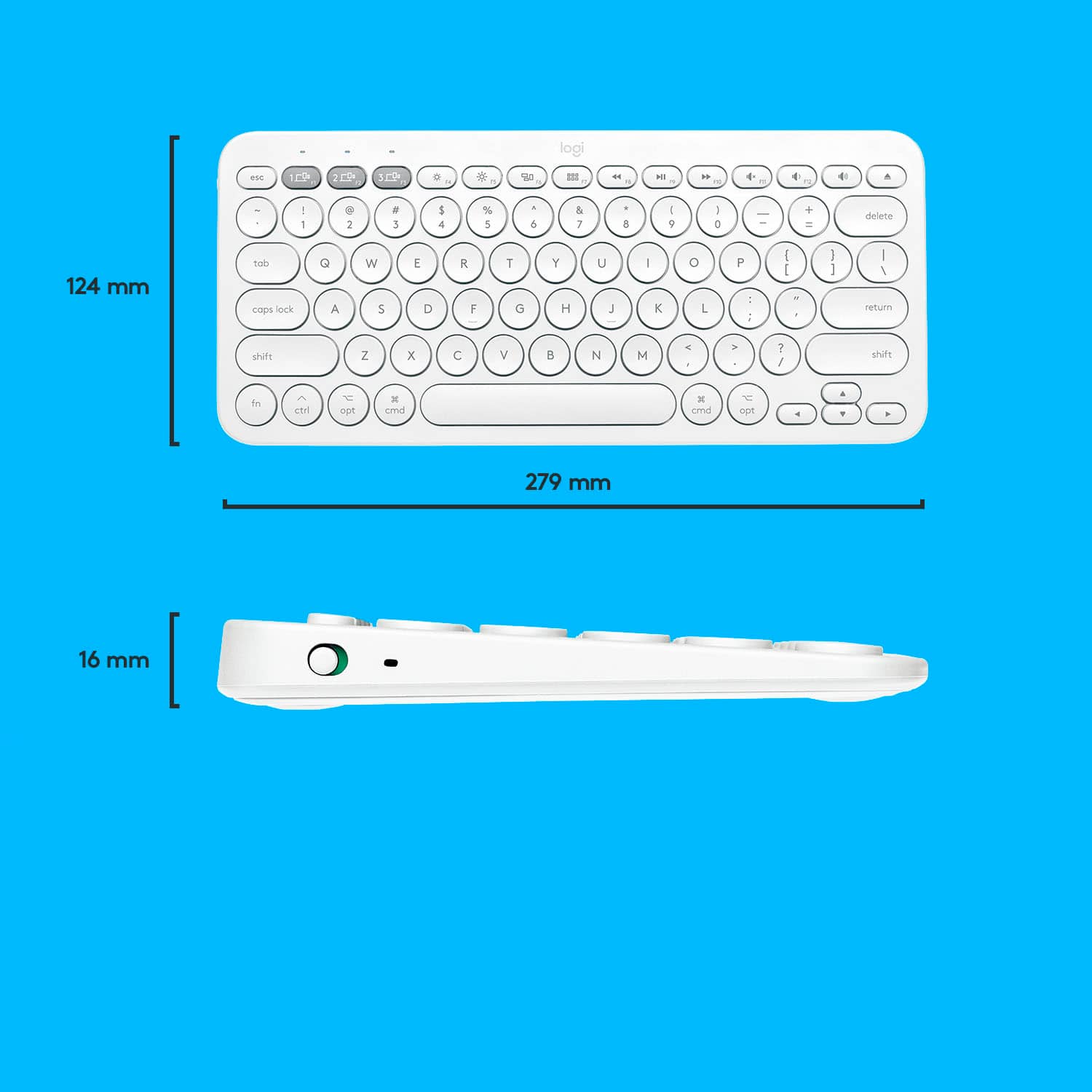
- A:Answer Hello Desi. The K380 is a compact keyboard that does not include a number pad, so there is no number lock on this keyboard.
Answered by Logitech
Q: QuestionDoes this work with an IMAC?
Asked by Anonymous.
- A:Answer It works with a MacBook.
Answered by dpm321
Q: QuestionHow do I connect, is it Bluetooth or does it need a cord?
Asked by Anonymous.
- A:Answer Bluetooth
Answered by Sheny
Q: QuestionCope and Paste short cuts won't work!!! I am so frustrated, cmd c does not cope text on my MacAir.
Asked by Avery.
This question was asked about the related product: Logitech - K380 TKL Bluetooth Scissor Keyboard for Mac with Compact Slim Profile - Rose
- A:Answer Hello Avery. Do you have Logitech Options installed on your computer? You can customize the keys and also update firmware. You can manually choose MacOS setup by holding down fn and O for 3 seconds. You can find Options here: https://support.logi.com/hc/en-us/articles/360025297893
Answered by Logitech
Q: Questionis there backlight on the keyboard?
Asked by smeagle.
This question was asked about the related product: Logitech - K380 TKL Bluetooth Scissor Keyboard for Mac with Compact Slim Profile - Rose
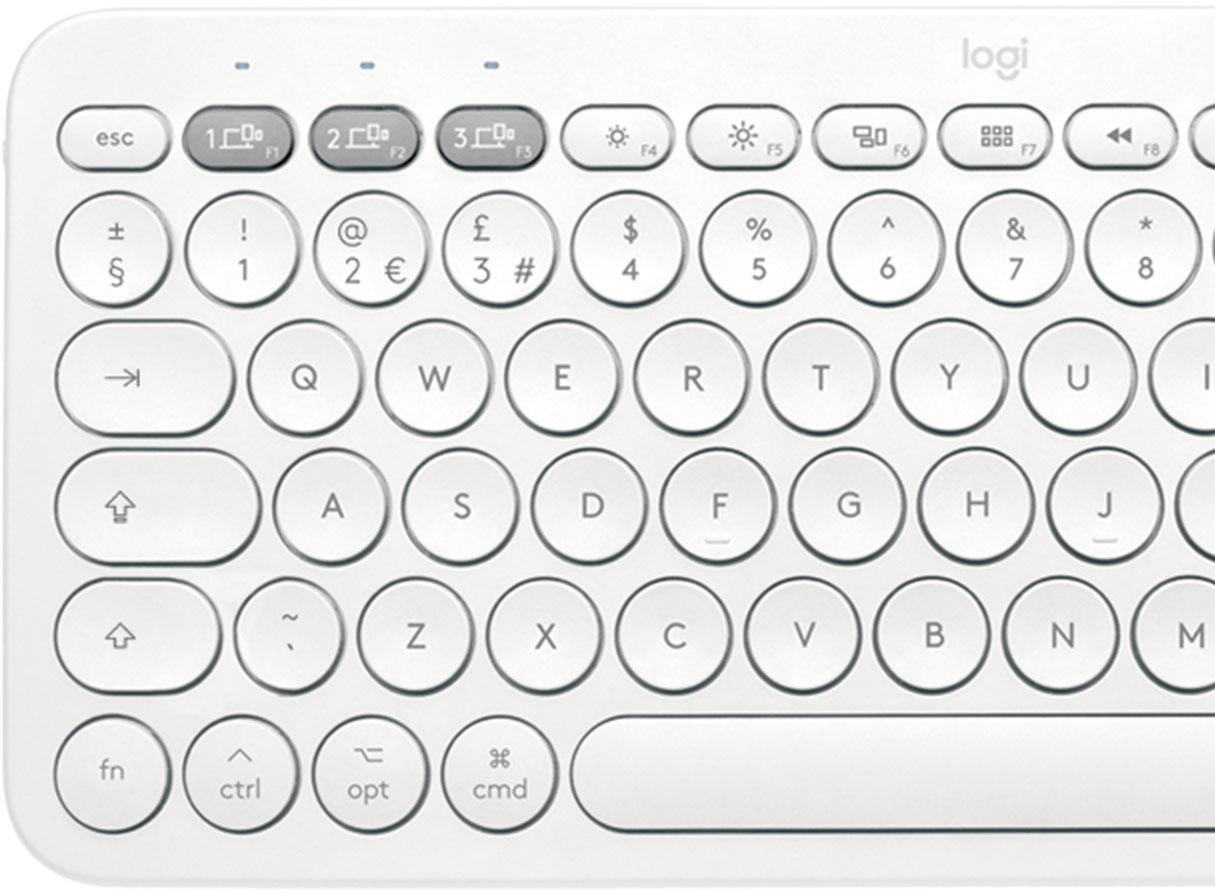
- A:Answer No the keyboard is not backlit with the exception of the three paired device selection keys.
Answered by 5nai1s
Q: QuestionWill this be compatible with 2021 iPad Pro 5th generation??
Asked by PleXx.
This question was asked about the related product: Logitech - K380 TKL Bluetooth Scissor Keyboard for Mac with Compact Slim Profile - Rose
- A:Answer I am using it with the iPad mini 5ht generation. It connects with bluetooth, all you have to do is to pair the two devices (the iPad bluetooth and the keyboard by pressing a key as the instruction paper says). It works great with the iPad mini, I assume it is the same with the iPad Pro, since it is bluetooth.
Answered by gfrk
Q: QuestionWill this keyboard work with iPad Pro 12.9” pro 2021 5h generation?
Asked by Ar.
- A:Answer The K380 for Mac is compatible with macOS® 10.15 or later, iOS 11 or later, iPadOS 13.1 or later.
Answered by Logitech
Q: QuestionIs this keyboard compatible with the new 2021 M1 iPad Pro 11 inch?
Asked by Kristina.
This question was asked about the related product: Logitech - K380 TKL Bluetooth Scissor Keyboard for Mac with Compact Slim Profile - Rose
- A:Answer Yes, The K380 for Mac is compatible with: macOS® 10.15 or later, iOS 11 or later, iPadOS 13.1 or later. - Logitech.
Answered by Logitech
Q: QuestionWil it work with an iPhone?
Asked by Unkasnuff.
- A:Answer Yes. Connect up to three devices—even with different operating systems— and switch between them with a tap. So you can type, switch, and keep on typing. - Logitech.
Answered by Logitech
Top Rated
- $249.99$249.99The price was $379.99
- $99.99$99.99The price was $129.99
- $329.99$329.99The price was $469.99
- $149.99$149.99The price was $199.99
- $33.33 per month$33.33/mo.for 36 months; 0% APR
![esc 4 4 1 4 P delete W at + logi MI W " 4 18 / I I BSE 17 I 0 } I 0 6 1 9 1 1 PS & 8 P ] return * TA O . 3 3 15 % 6 / : 1 2 12 $ 5 U : 1 F1 # 4 Y L 3 T K ? @ J > I ! 2 R I < 1 E H - W G M t - F 3 opt Q D - cmd tab S V A C lock X caps Z H shift t cmd opt ctrl fn shift](https://pisces.bbystatic.com/image2/BestBuy_US/images/products/6404/6404200_sd.jpg;maxHeight=54;maxWidth=54;format=webp)


![The text on the image is in French, so I will provide the corrected text in French.
MULTI-DEVICE K380 for Mac Portable typing for ac, iPhone and iPad Clavier portable pour c, iPhone et iPad 1W 2C0 3C0 - a00e sto logi F - i ae 4 PA 4 A - 1 7 e 2 & 3 $ a % 5 A & 7 a y o + delete fols Q W E R T Y U O P ( ] ] ] 1 I caps lock A S D F G H J L . return shift Z x C V N M < A ? / shift fn ctri - opt 3 cmd D cmnd - opt logitech logi esc m 2 210 1 FO TN 0 N 121 " HI 1 2g 4 Fn 1 2 a 3 S 4 % 5 6 & 7 8 I 9 3 0 + - delete der Q W E R T Y U o P i I I I I / caps lock A S D F G H J K L return shift Z x C V N M < ? / shift fn ctri - opt x cmnd x cmd C opt](https://pisces.bbystatic.com/image2/BestBuy_US/images/products/6404/6404200cv16d.jpg;maxHeight=54;maxWidth=54;format=webp)