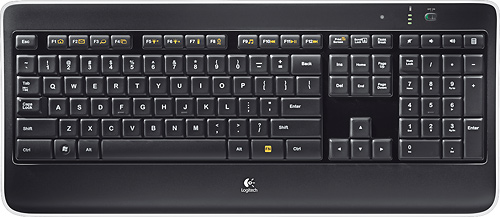
A:AnswerI've had little to no major issues with this keyboard at ranges up to 6 feet away from the receiver other than a missed keystroke or two here and there. That said the keyboard works much better at closer ranges and the included extension cable helps a lot with this, especially if you intend to plug the receiver into a rear USB port.
A:AnswerThat keyboard doesn't connect to wi-fi, but to a usb receiver. Check if it's still plugged into your computer, it is black, with a orange icon/logo, it's about the size of your thumbnail.
If it is still plugged in, then you might have to sync the keyboard and the receiver again.
A:AnswerI know the k840, g413, g512, g513, g610, g613, g710, g810, g813 g910, g913, g815, g915, pro, and pro x have mechanical switches as per Logitech. The rest are membrane.
A:AnswerYes you can. It even comes with a USB cable approximately 6 foot long to do so. Just as an FYI the battery lasts a long time so you probably wouldn't need to and if you got a wall plug in that you could plug your USB into you wouldn't have to worry about tying up the USB port on your computer.
A:AnswerMice and keyboards are generally separate devices and both make their respective connections to the computer rather than through each other.
However if you don’t have extra USB ports on your computer this keyboard uses Logitech’s unifying receiver which can connect multiple Logitech peripheral devices simultaneously using only one USB receiver.
A:AnswerThis keyboard has the lettering clear/white and the keys in black all molded into the keys. The letters do not disappear. I hasd the same problem with numerous other keyboards. You will love it.
A:AnswerThe newer version does not seem to have this option. You can remove the small panel in the middle of the back just as you could with the older keyboards, but you will find no batteries. I also find myself having to charge the keyboard more often than I did with my previous Logitech illuminated.