A:Answer Hello,
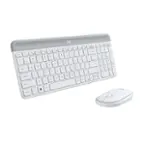
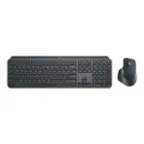
The Logitech MK850 mouse and keyboard combo can pair to up to 3 devices vis Bluetooth or Unifying USB receiver. Pressing the white #1,2 or 3 keys will switch between the three inputes. If the #1 key is blinking, it is in pairing mode. Holding down one of these keys sets the keyboard into pairing mode, you will want to either go to your device's Bluetooth settings to connect the keyboard via Bluetooth, or connect to the Unifying receiver through Logitech "Options" or "Unifying" software. I have attached a link to the "Getting Started" support page for your reference. Please feel welcome to visit the Logitech website for further support.
Best regards,
John at Logitech
https://support.logi.com/hc/en-ch/articles/360023300114-Getting-started-MK850-Performance-Wireless-Keyboard-and-Mouse-Combo
![Sure, here is the corrected and grouped text:
```
ESC F1 F2 F3 F4 F5 F6 F7 F8 F9 F10 F11 F12 1 2 3 logitech - - 1 2 # $ 4 % 5 6 & 7 8 9 0 - - back insert home page up num lock clear / . tab Q W E R T Y U I O P { [ } ] / delete end page down 7 home 8 A 9 P9 up + caps lock A S D F G H J K L : ; a enter 4 5 6 shift Z X C V B N M < > ? shift 1 end 2 3 pg dn enter ctrl fn start alt opt alt crnd x alt cmd x fn ctrl alt opt 0 ins del 1 logitech
```](https://pisces.bbystatic.com/image2/BestBuy_US/images/products/5761/5761911_sd.jpg)