A:AnswerYes & Yes...
1. The M310's feature a sleep mode, after a period of non-use (bout 10~15mins or so) the mouse literally goes to sleep, similar in concept to laptop's.
2. There's an off / on switch on the bottom of the mouse so you can manually turn it off if you don't plan on using your computer for a while - going on vacation for example.
3. I'm using a M310 mouse with my laptop on a daily basis, never turn either one of them off. Got the mouse Aug~Sept 2016, after a year & half it's only on battery #2.
The M310's support Logitech's Unifying technology (but come with dumb receivers). Let's say you buy a Logitech wireless keyboard at a later date, if it comes with a unifying receiver you use it for both the mouse & keyboard. I'm running a Logitech K360 keyboard with the M310 mouse off one unifying receiver on my laptop. 6-months and no probs.
So happy with Logitech, picked up the MK530 keyboard / mouse set for a new tower build + another M310 mouse couple days ago.
A:AnswerBetween the 310 and 325, the two have slightly different shapes, so your hand may be more comfortable in one than the other. You might consider going to the store and putting your hand on the demo models.
The 325 scroll wheel is just slightly smoother and comes in more designs and colors, but for the price, i recommend the 310. There is really negligible difference in the scroll wheel, and I think ergonomically the 310 is more comfortable on the hand.
The M185 also has a slightly different shape, the scroll wheel is decent but I didn't feel it was as smooth as the 310 and 325. Lastly, the included battery is only guaranteed for 12 mos versus 18 mos compared to the 310 and 325.
Hope that helps.
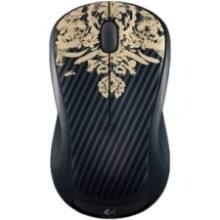
A:AnswerYes it is, I use it for my laptop and I spam click and shuffle iy everywhere while playing League of Legends and World of Warcraft as well as Overwatch.
A:AnswerHello. Bluetooth is a wireless technology that is used to transfer data. This M310 comes with a USB receiver that communicates with the mouse. A Bluetooth mouse would not need the USB receiver.
A:AnswerHi, the M310 comes with a USB A receiver. If your Macbook Air does not have a USB A port and only has USB C ports you would need to purchase a USB C to USB A adaptor or hub. You could also purchase a mouse that is Bluetooth ready and be able to connect the mouse to your Macbook Air that way. A good option for that is the M720.
A:AnswerThe Logitech M310 mouse does not support customization through SetPoint software. It is also not compatible with Logitech Options. As a result, the scroll wheel button cannot be reprogrammed—for example, to perform a zoom function like on the M525. The M310 is designed for basic functionality with limited customization options.
A:AnswerThe ones I received only have the mouse, battery and I guess you call it the receiver that plugs into the computer or Chromebook, I think what your referring to is just a stand for display, it is empty and sealed.
A:AnswerThese mice (the 310's) have a place to store the adapter under the battery cover. Most wireless mice I've seen also have a place to store the wireless adapters, but I own this mouse and can say for sure that it has a nano adapter storage spot. :)