Questions & Answers
- Model:
- 920-006915
- |
- SKU:
- 9483174
Highly rated by customers for: Keyboard Quality, Ease of use, Battery Life
Page Showing 41-49 of 49 questions
Q: QuestionCan you play games on it?
Asked by Anonymous.
- A:Answer I'm not into games but I'm sure you could. It's like a ginormous phone.
Answered by Lynds
Q: QuestionMy Logitech keyboard is for German but when I type, the numbers/punctuation are not what the keys say. How do I change this
Asked by lah.
- A:Answer change the keyboard settings in the settings menue. I needed a US-English keyboard for my Germany bought I pad. At first there seemed to be no changes despite changed settings. I switched the I pad off and rebooted. It works perfectly since, apparently it also works if you take the iPad out of the logitech cover, but this did not do the trick for me.
Answered by Harry
Q: Questionis this item supposed to come with a charger /?
Asked by aheff.
- A:Answer This item does not come with a charging brick it only comes with a micro USB cable that is used by plugging it into a computer. However the battery on this keyboard lasts for a very very long time on one charge.
Answered by Dano
Q: QuestionDrop protection?It seems that many people like the typing functions of this case. But, will it also protect the iPad if it is dropped?
Asked by Anonymous.
This question was asked about the related product: Logitech - Type+ Bluetooth Keyboard Case for Apple® iPad® Air 2 - Dark Blue
- A:Answer Yes, the case does protect the iPad. I have dropped mine several times or accidentally knocked it off the arm of the chair I'm sitting in and I have never had a problem. The clamshell type case works well as protection.
Answered by Yorkiemom
Q: Questioncan't get screen to recognize typing
Asked by Anonymous.
This question was asked about the related product: Logitech - Type+ Bluetooth Keyboard Case for Apple® iPad® Air 2 - Bright Green
- A:Answer Have to pair the keyboard with the iPad air 2 via Bluetooth.
Answered by Androiduser
Q: QuestionHow do you activate keyboard.
Asked by Sandy.
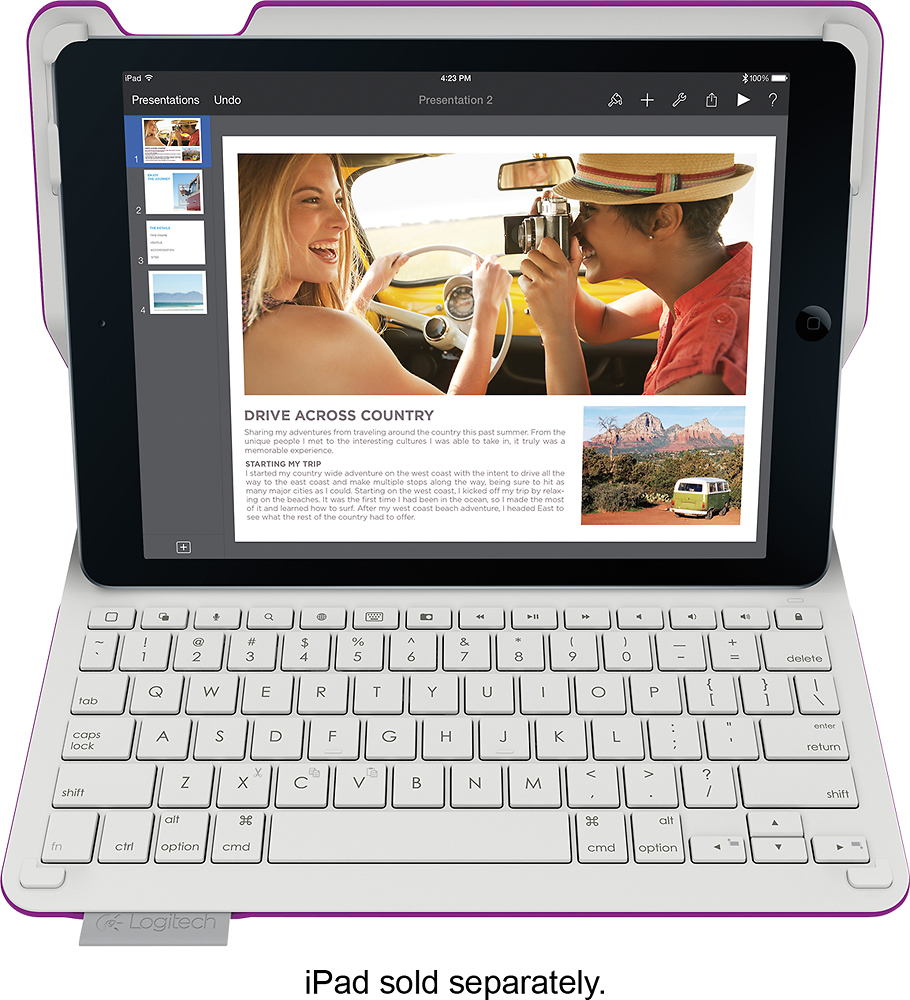
- A:Answer 1) Pull the plastic tab out of the battery slot. This is a thin, clear piece of plastic with arrows on it, indicating you should pull it out of the slot to connect the battery. 2) Turn the keyboard ON via the switch on the RH side. It's the slider switch. If you look closely, the switch reveals either a red or green background depending which direction it's moved. Green is ON. The light on the keyboard should turn blue, and will flash until you get the bluetooth connection set up. 3) Go in to Settings on the iPad, and under Bluetooth, ensure it is ON. If not, turn it on. The iPad should search for and detect the keyboard. Once the pairing is successful, the light on the keyboard will turn green.
Answered by GJC0
Q: QuestionCAN A MOUSE BE USED WITH THIS PRODUCT ?Logitech - Type+ Bluetooth Keyboard Case for Apple® iPad® Air 2 - Dark Blue Model: 920-006913 SKU: 9483339 CAN A MOUSE BE USED WITH THIS PRODUCT ?
Asked by Anonymous.
This question was asked about the related product: Logitech - Type+ Bluetooth Keyboard Case for Apple® iPad® Air 2 - Dark Blue
- A:Answer i do not know if they have one ask a best buy worker
Answered by brian
Q: QuestionDoes the keyboard light up? if so how?
Asked by Anonymous.
- A:Answer No lights for the keyboard, but the iPad screen is right in front of the keyboard and should provide enough illumination to see the keys if needed.
Answered by bbjunkie
Q: QuestionMagnetic case?When you shut the case the close and protect the screen, is it magnetically shut meaning that it won't open when you carry it.
Asked by Anonymous.
- A:Answer When you close the case there is a slight magnetic hold.
Answered by Bernard
Page 3, Showing 41-49 of 49 questions
Top Rated
- Tech Fest Deal$99.99