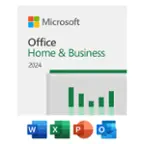
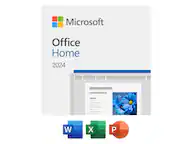
User rating, 4.5 out of 5 stars with 11213 reviews.
Show only Answered Questions
Include AI Generated Q&A
Asked 7 months ago by jimj.
Asked 7 months ago by Subscription.
Asked 7 months ago by cliff.
Asked 7 months ago by CH.
Asked 7 months ago by JJHESSII8.
Asked 8 months ago by EMAW.
Asked 8 months ago by GMan.
Asked 8 months ago by Precious.
This question was asked about the related product: Microsoft - 365 Family (5 Users) (1-Year Subscription-Auto Renew) - Android, Mac OS, Windows, Apple iOS
Asked 9 months ago by MS365SubscriptionCombining.
Answered 9 months ago by JW140Verified Purchase
Asked 10 months ago by DaleD.
Asked 10 months ago by BlackBeard.
This question was asked about the related product: Microsoft - 365 Family, 1-year subscription, 5 PCs/Macs (Product Key Card)
Asked 10 months ago by Betsy.
Asked 10 months ago by DebbieL.
Asked 10 months ago by Keys.
This question was asked about the related product: Microsoft - 365 Family (up to 6 people) (15-month subscription - Auto Renew) - Activation Required - Windows, Mac OS, Apple iOS, Android [Digital]
Asked 11 months ago by usersVSdevices.
Asked 11 months ago by Tracy.
Answered 11 months ago by MohamedSoliman
Asked 11 months ago by FrancesB.
Answered 11 months ago by JosephC
Asked 11 months ago by db.
Asked 11 months ago by RS5280.
Answered 11 months ago by MohamedSolimanVerified Purchase
User rating, 4.5 out of 5 stars with 38484 reviews.
User rating, 4.6 out of 5 stars with 5746 reviews.
User rating, 4.3 out of 5 stars with 3 reviews.
User rating, 4.4 out of 5 stars with 434 reviews.
User rating, 3.8 out of 5 stars with 225 reviews.
User rating, 4.2 out of 5 stars with 6 reviews.
User rating, 4 out of 5 stars with 1 review.
User rating, 1.8 out of 5 stars with 5 reviews.
User rating, 4 out of 5 stars with 14 reviews.
User rating, 2.5 out of 5 stars with 8 reviews.
Not yet reviewed
User rating, 3.7 out of 5 stars with 25 reviews.
User rating, 4.4 out of 5 stars with 532 reviews.
User rating, 4.6 out of 5 stars with 27 reviews.
User rating, 4.7 out of 5 stars with 26 reviews.