A:AnswerGreat question! Yes, the Microsoft account associated with your purchase will be required when downloading and installing your new software to each new device.
A:AnswerI assume you had office365 and now it is disabled or expired. If disabled you can still have access to files but at some point after the subscription expires data will be deleted from MS servers. Check with MS data retention policy. If the files are still present pay the one month to get access back. Pull your files local than cancel your sub.
Also check to see if your file was in the one drive local sync folder usually it is. If it is there you can use your local copy.
Procedure is same no matter the origin of computer.
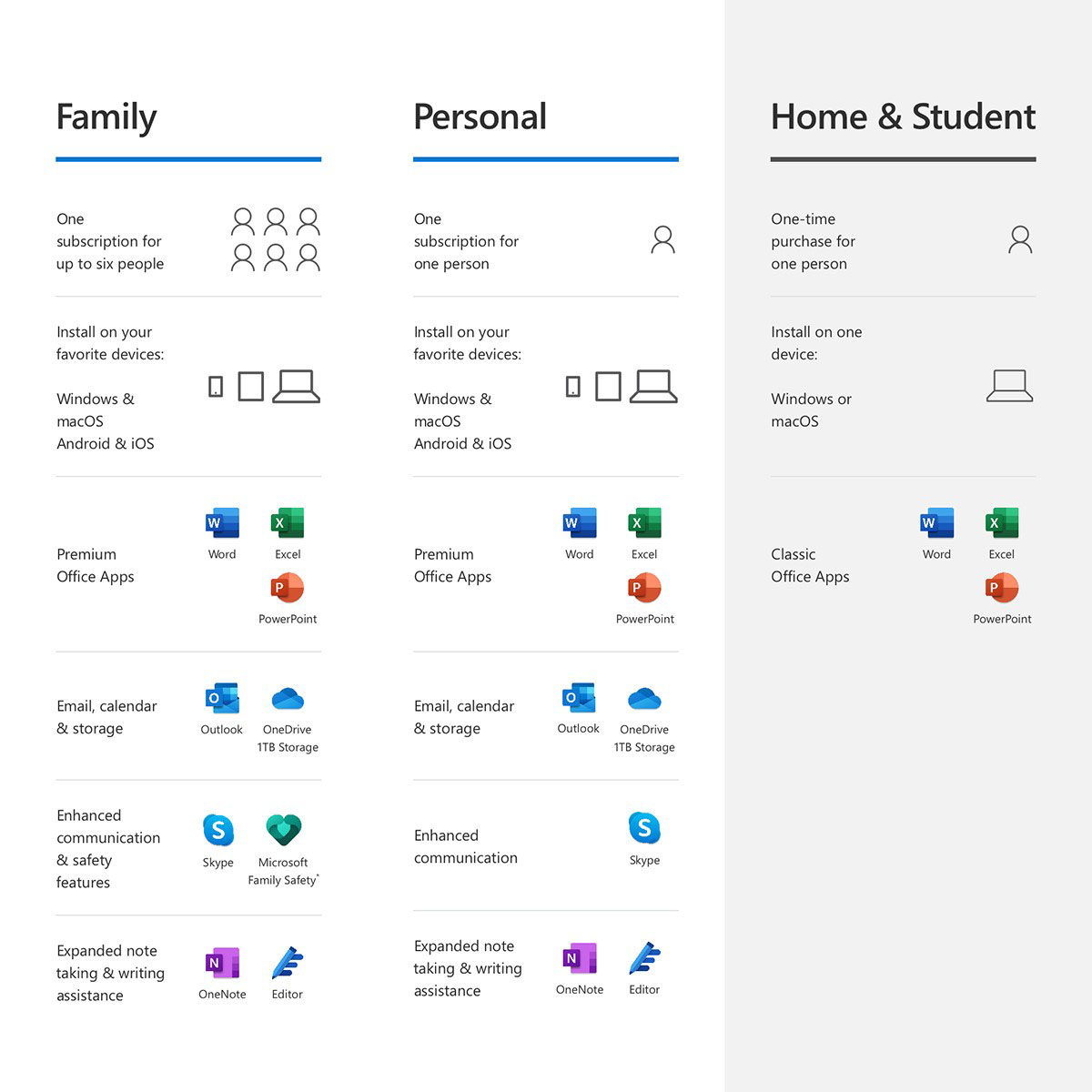
A:AnswerInvite each family members to your subscription via the subscription tab in your Microsoft account. They accept the invite and now under their ms account they can install Microsoft 365.
A:AnswerYou can install Office 365 on an unlimited number of PCs. But each user can only be signed in to 5 at the same time.
Add family members by accessing your subscription services under your Microsoft account. There is where you can add or send invites to your family members.
A:AnswerEach user can have an unlimited number of devices but only be logged into 5 at the same time.
Subscription will renew at the current price. If there is an increase MS will let you know prior to the subscription renewing. I turn off renewal as you can usually find a discount somewhere.
A:AnswerYou’ll need to get new password. Attempt to login then you should be prompted “Forgot password “ at this point it will ask for email address etc...