“Is there any other items I need to purchase to start using the webcam on my desk top, like cables or such. Also, is the web cam clip able to be place directly on monitor screen or do I need an attachment for it ?”
Answer This Question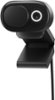
1-4 of 4 Answers
Nope, it's really plug and play for Windows 10 and 8/8.1. It does say mac OS X 10.15 mac OS 11.0 but I'm not sure if it would require an extra download to run or not on those. It has a long USB cord already attached to it. Nothing else is needed. Just plug it in an off you go. I didn't even need to try and adjust any settings. It was fine right out of the box. The Web Cam can be used either attached to the top of the monitor like I have mine or you can even use it's base as a stand if you didn't want to attach it to the monitor. I was 100% surprised by how easy it was to set up and place on top of the monitor.
Sorry, there was a problem. Please try again later.Plug it in and go. Default for mic is off, so you need to change that in settings.
Sorry, there was a problem. Please try again later.I am using this on a Mac; you do have to activate the mic with the Microsoft Accessory Center app on a separate Windows PC, but after that, it's just plug and play without additional software on the Mac; just treats it like an average webcam and the microphone is set as 'on' in the camera's firmware after that.
Sorry, there was a problem. Please try again later.No. Total plug and play. It rests nicely on top of my external monitor. No extra anything needed, just make sure that your monitor is hooked up to your computer.
Sorry, there was a problem. Please try again later.