A:AnswerThat will be so difficult for me, to remember or where I stored the Keycode. I bought in 2014 and 2014 computers of different version, Windows 7. They were all outmoded and has to be replaced by Dell Computers. Sorry.
A:AnswerIf your Microsoft 365 Personal subscription ends, you can still use limited versions of Word and Excel for free. For more information, go here: https://www.microsoft.com/en-us/microsoft-365/free-productivity-apps
A:AnswerPrompts for renewal may depend on your Microsoft 365 management settings. For information on how to manage your Microsoft 365 settings, please go here: https://support.microsoft.com/en-us/office/manage-your-microsoft-365-subscription-959ac957-8d37-4ae4-b1b6-d6e4874e013f#ID0EAADAAA=signinmsa
A:AnswerYou can check out the specifications and requirements for Windows 10 at this page: https://www.microsoft.com/en-us/windows/windows-10-specifications
A:AnswerThank you for your question. Yes, this version of Word is compatible with files created by older versions using Compatibility Mode, though older files may need to be converted to a newer format to take advantage of new Word features. For more information, go here: https://support.microsoft.com/en-us/office/converting-documents-to-a-newer-format-34ec742e-f0f9-4d95-bbe3-3ee8e30a86fa#
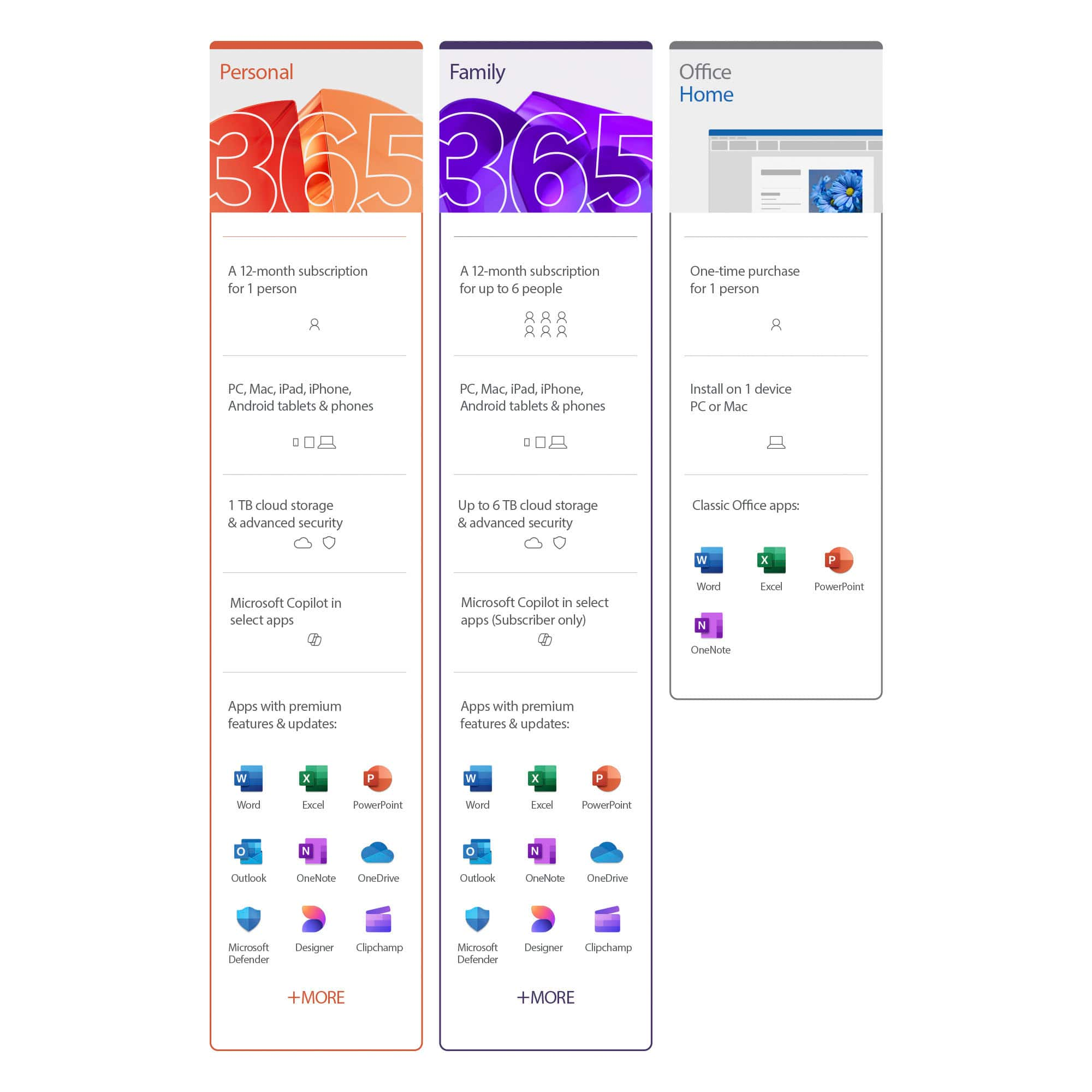
A:AnswerMicrosoft 365 Personal comes with premium Office apps, including Word, Excel, PowerPoint, Outlook, and more. While saving to the cloud is not necessary to use Microsoft 365, you will receive 1TB of OneDrive cloud storage for 1 person which allows you to access, edit, and share your files and photos across all your devices - all while knowing your information is always backed up and protected.
A:AnswerYes, your Office program will disable most if not all useful features unless the subscription is renewed.
There is however an online version of Office that may suffice for skeletal documents & excel sheets. Also check out Google Drive.